
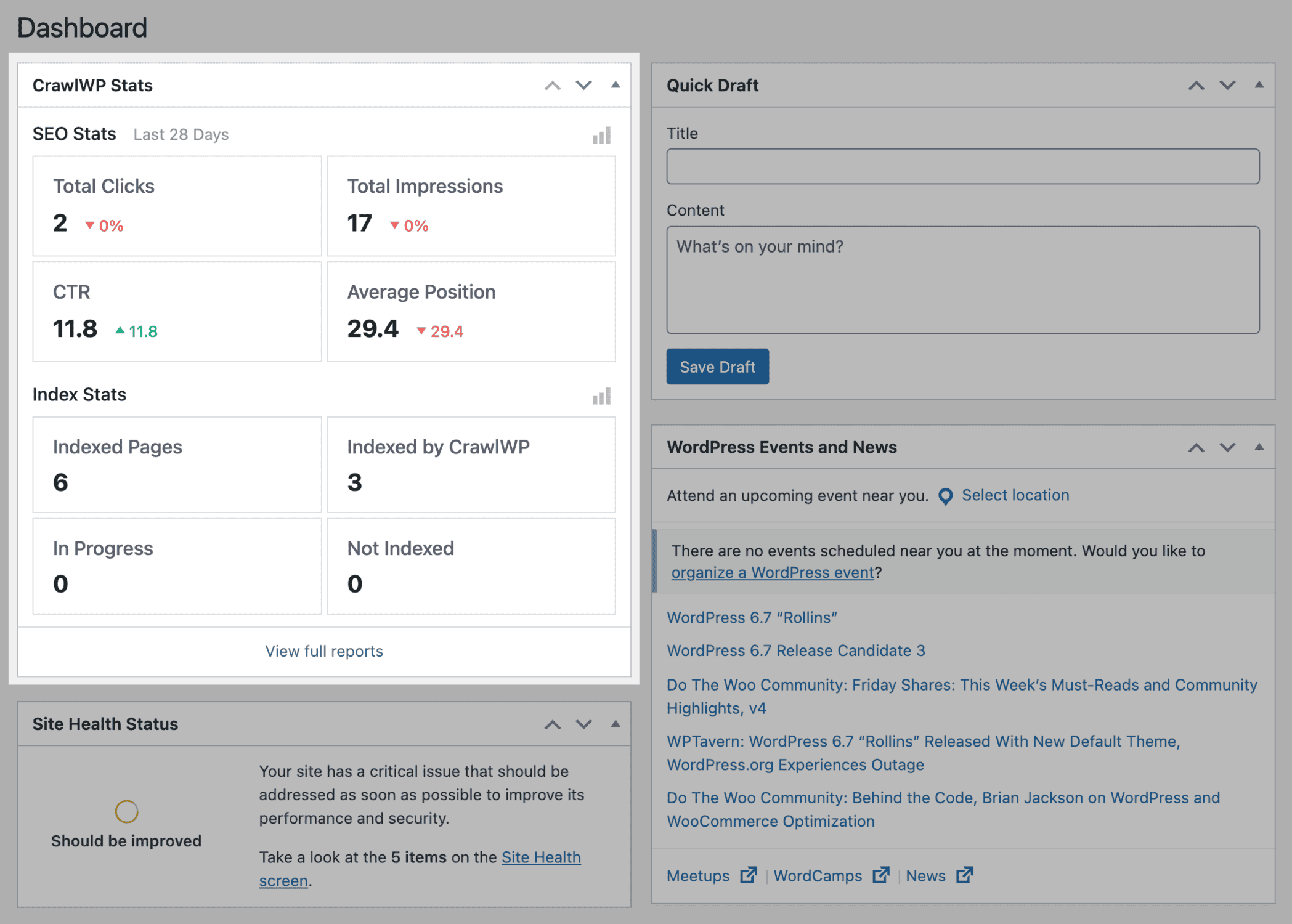
CrawlWP includes a dashboard widget that shows an overview of your WordPress site performance on Google Search over the last 28 days, as well as the Google Indexing Stats of your website as captured by CrawlWP.
The SEO Stats displayed include total clicks, impressions, CTR, and average position of your website on Google Search.
The Indexing Stats show the total number of indexed pages or posts on your WordPress website, how many were indexed with CrawlWP’s assistance, how many are in progress, and how many are unindexed.
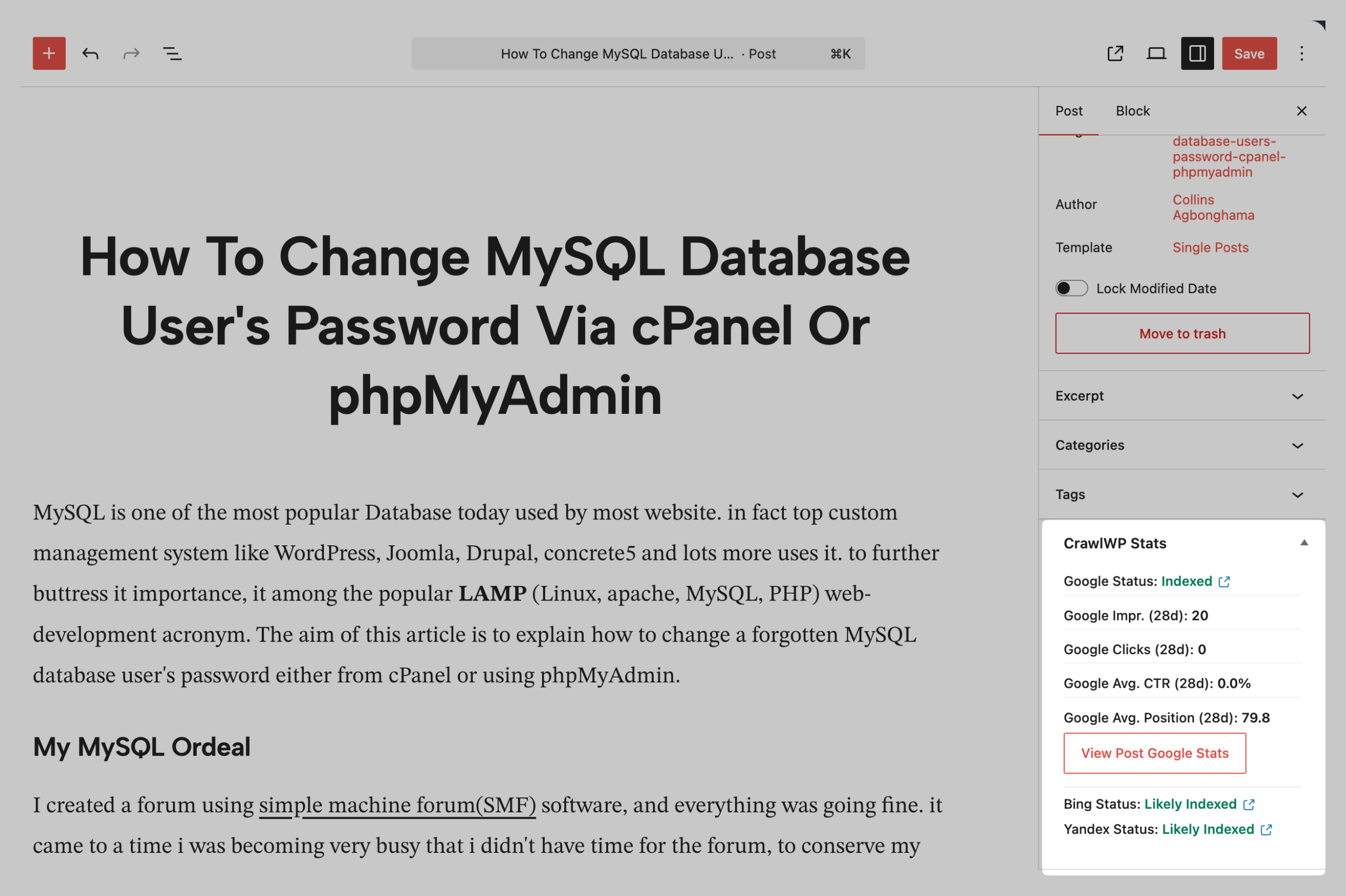
Edit Screen Sidebar Widget
When you open a post or page for editing, a sidebar widget will show its indexing and SEO performance. This widget includes details such as the post’s indexing status on Google, Bing, and Yandex, as well as the number of clicks and impressions it has received on each search engine.
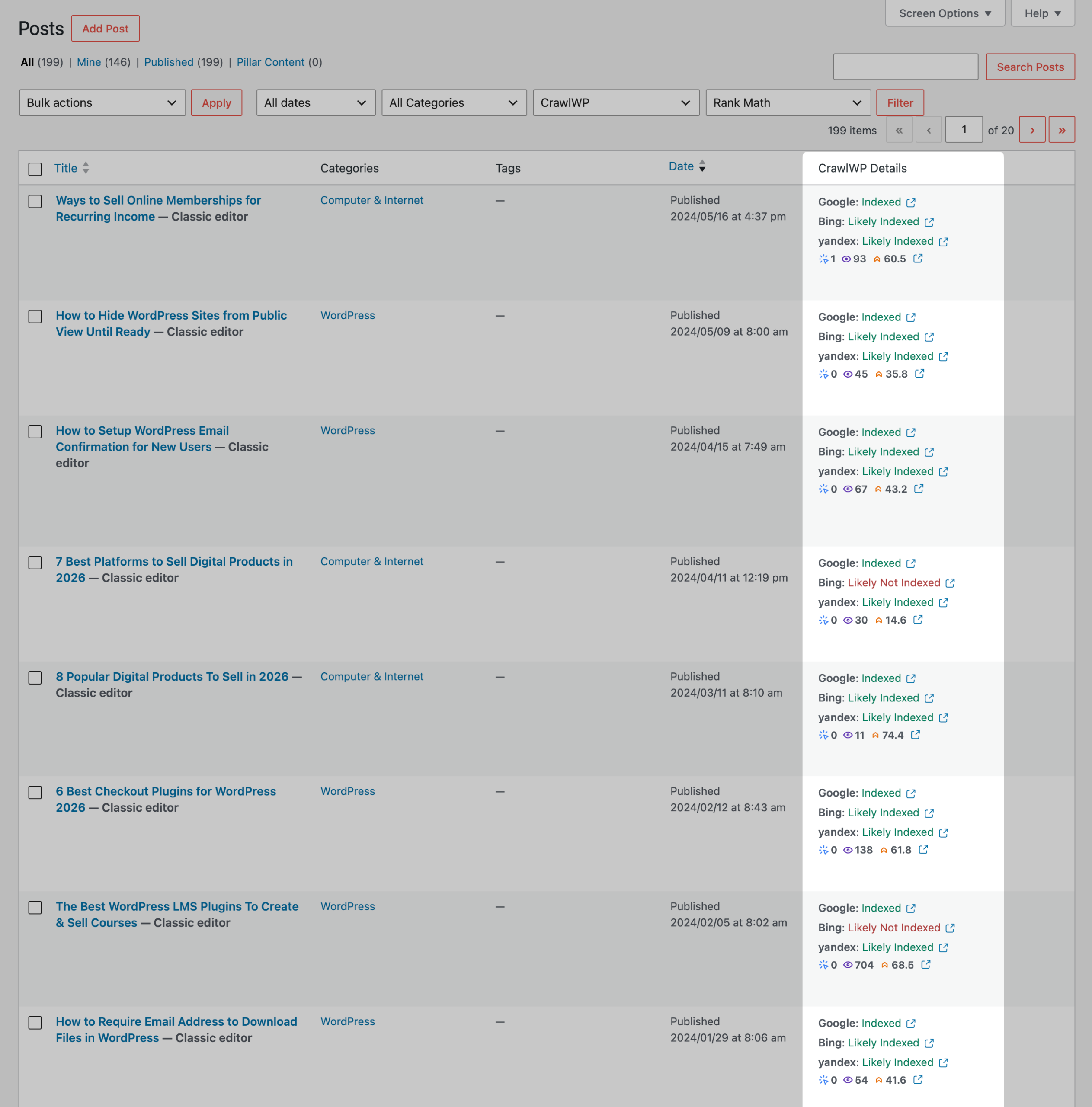
Post Listing Page Stats
You can also see their index status in search engine results when viewing a list of posts, pages, and supported custom post types (Google, Bing, and Yandex).
CrawlWP offers dashboard widgets that empower WordPress users to effectively monitor their website’s performance on Google, Yandex, and Bing.
Gain insights into key metrics such as clicks, impressions, CTR, and average position to understand your SEO effectiveness.
Indexing Stats offer visibility into indexed pages, helping identify optimization opportunities.
Leverage CrawlWP today to enhance your WordPress SEO strategy and drive more traffic to your site.