
SEO performance email reports are a time-saving way to get a snapshot of your website’s SEO performance and index status for specific time periods, delivered directly to your inbox.
This report helps you track a lot of SEO performance and indexing details, including:
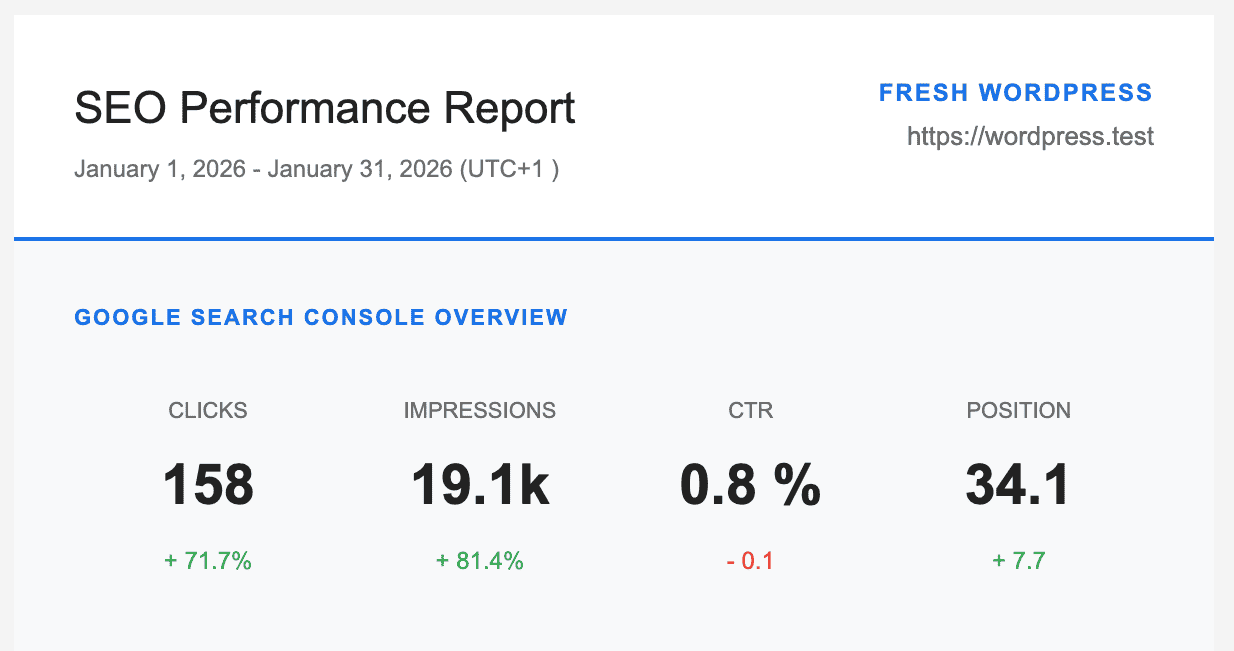
- Total impressions, Clicks, CTR, and Average Position
This section shows how often your website links appeared in search results. “Clicks” indicates the number of times users clicked your link, “Click-Through Rate” (CTR) is the percentage of impressions that resulted in clicks, and “Average Position” reflects your site’s average ranking for specific keywords.
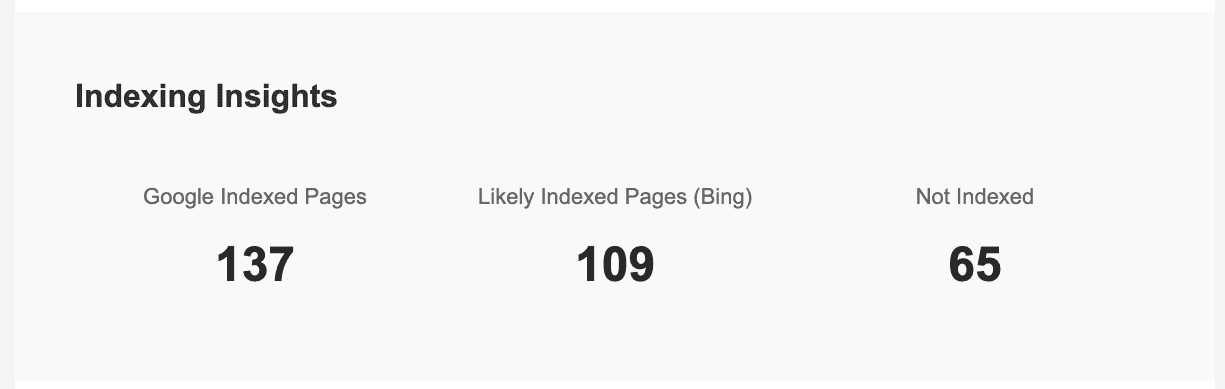
- Total Number of indexed pages in WordPress
This refers to the number of WordPress pages Google has indexed. This metric is important for SEO because it affects your site’s visibility and ranking in search results. - Total Number of pages likely indexed by Bing Search
Refers to the estimated count of pages in WordPress that Bing’s search engine has crawled and added to its database. - Total number of pages not indexed by Google
The content in WordPress that search engines have not discovered or included in their database. This can happen for various reasons, such as technical issues, restrictions imposed by website owners, or low-quality content.
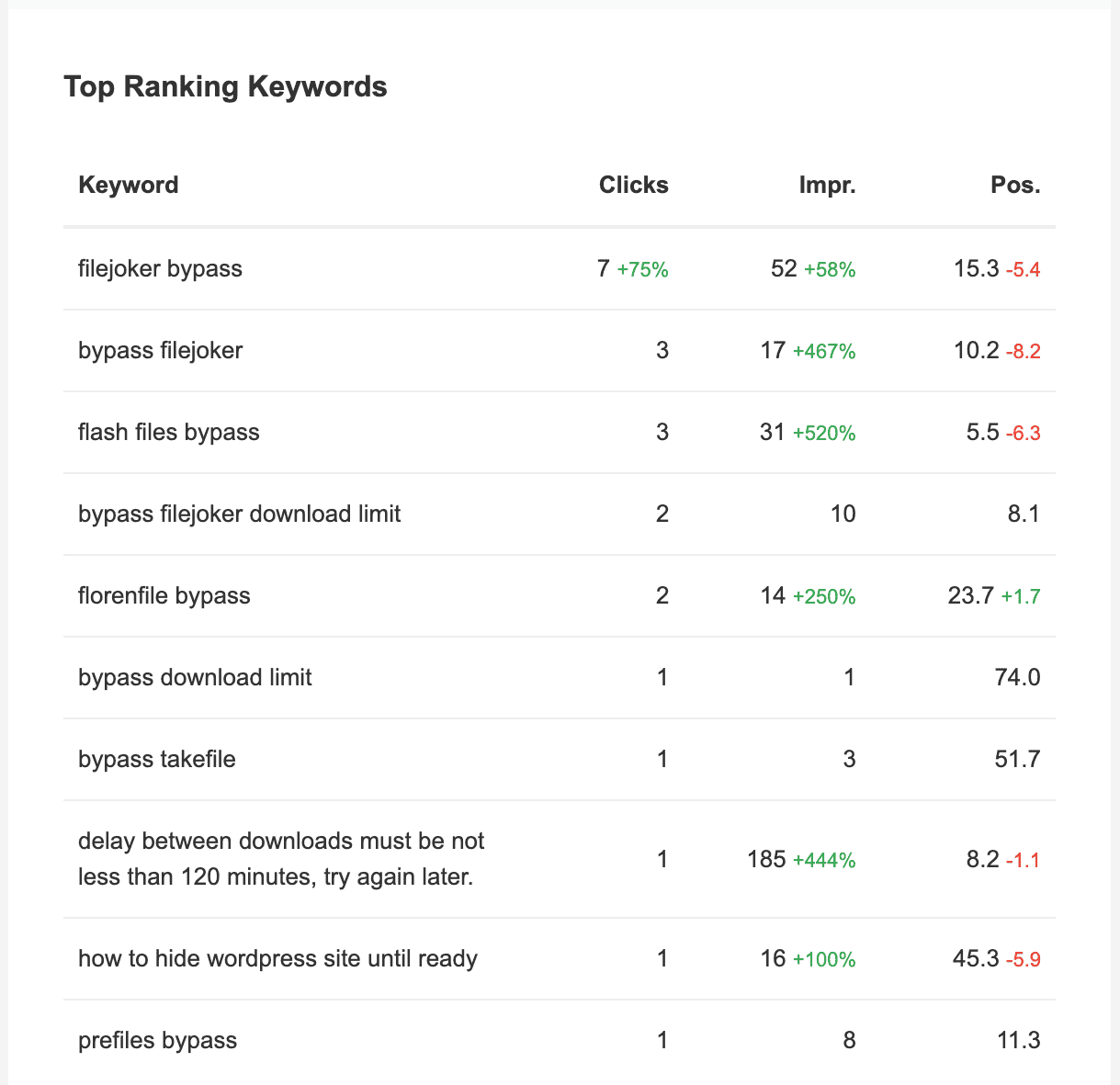
- Top keywords your WordPress website is ranking for
Specific words or phrases that are leading to your WordPress website appearing in search engine results. Understanding these keywords can help you optimize your content and improve your site’s visibility online.
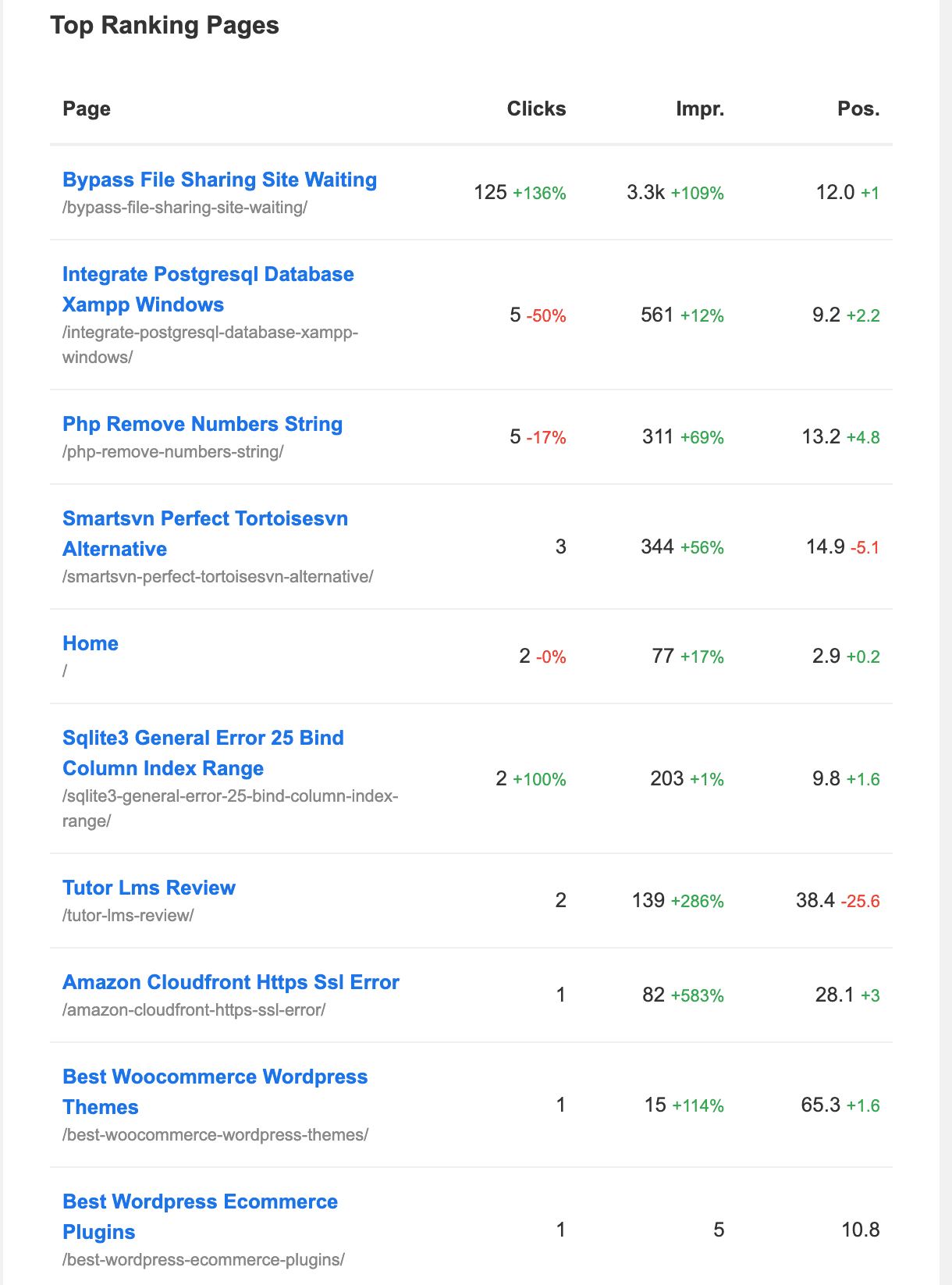
- Top-performing WordPress pages on Google Search
Refer to those pages in WordPress that achieve high rankings in search engine results. These pages typically excel due to their high-quality content, effective SEO, and user engagement.
- List of WordPress pages that recently got indexed by Google
WordPress pages that have recently been added to Google’s search index. This indicates that these pages are now searchable and can be found by users searching on Google. - List of pages in WordPress that recently got de-indexed by Google Search
Pages in WordPress that have recently been removed from Google’s index. This de-indexing means these pages no longer appear in Google search results.
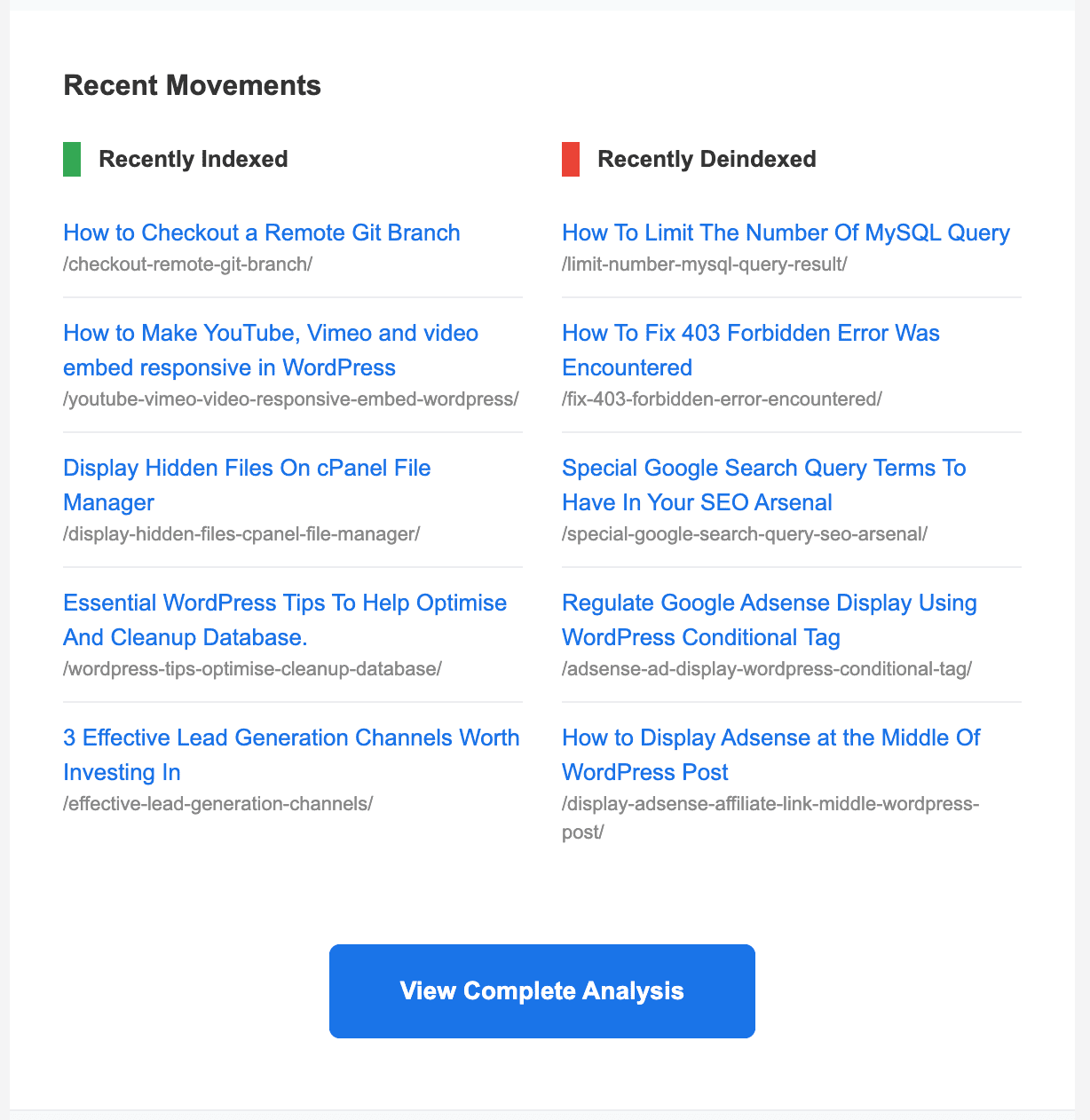
You can configure it to send to you (the website administrator) or to any colleagues, customers, or clients you have.
Importance of SEO Performance Report
The SEO Performance email report is important for any WordPress website SEO for several reasons:
- Time Efficiency: It saves you time by providing a concise summary of your website’s SEO performance and page indexing status, eliminating the need to check metrics across multiple tools manually.
- Actionable Insights: The report highlights key metrics such as total impressions, clicks, and average position, helping you to understand how well your website is performing in search engines and where to make improvements.
- Tracking Changes: By monitoring the total number of indexed pages and identifying those that are newly indexed or de-indexed, you can quickly assess the impact of any changes you’ve made to your website.
- Keyword Performance: It shows which keywords are driving traffic to your site, allowing you to focus your SEO efforts on what works best and optimize for additional search terms.
- Competitor Analysis: Keeping track of your top-performing pages can help you understand what content resonates with your audience and identify opportunities to outperform competitors.
- Customized Delivery: The ability to configure who receives the report ensures all relevant stakeholders are informed, facilitating better collaboration and decision-making.
- Ongoing Monitoring: Regular reports help maintain a consistent check on your website’s SEO health, enabling timely adjustments based on performance data.
In summary, the SEO Performance email report is a powerful tool that helps you stay informed and proactive in your SEO strategy.
Setting Up SEO Reports Email for Clients & Yourself
CrawlWP is a nifty SEO reporting software for your clients and for yourself, providing the essential metrics every SEO report should include.
Begin by installing and activating the CrawlWP plugin on your website. If you are setting up the SEO report for your client, make sure to install it on their site.
Also, ensure CrawlWP is connected to the Google Search Console property of your website from CrawlWP >> Settings >> API Settings >> Google API.
Next, head over to CrawlWP → Settings → Advanced in your WordPress dashboard and open the Email Reports section.
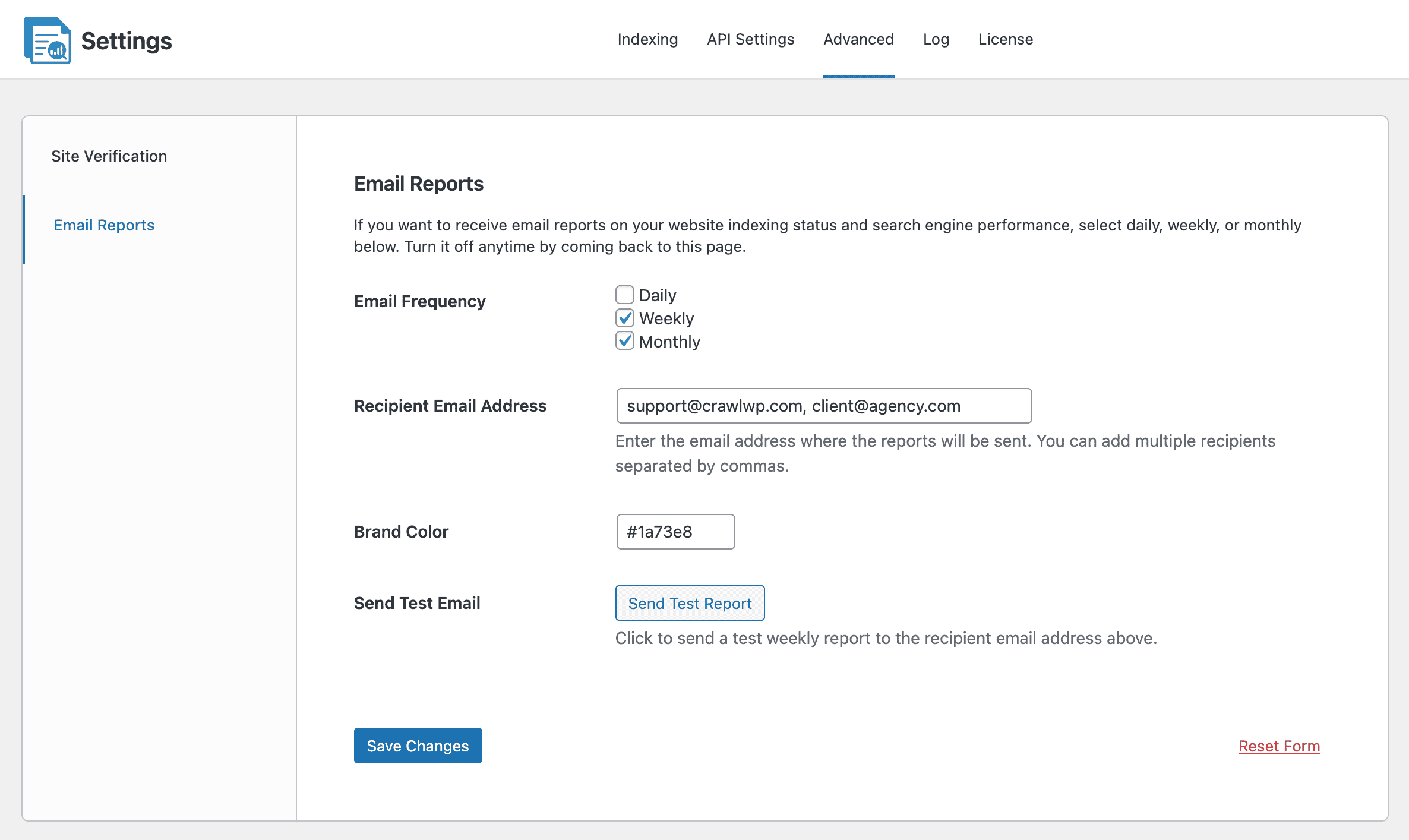
Let’s walk through how to configure them.
Email Frequency: Choose the frequency for receiving the SEO email report. You can select daily, weekly, monthly, or a combination of these options. For example, you might decide to have the report sent to you or your client on a weekly and monthly basis.
The daily report is delivered each morning and provides insights into the previous day’s SEO performance. The weekly report is sent every Monday morning, and the monthly report is issued on the first day of each month.
If you want to disable the email report feature, ensure no frequency is selected.
Recipient Email Address: Enter your email address or your client’s. To include multiple recipients, separate their addresses with commas. All listed will receive the report at the specified frequency.
Brand Color: Set the brand color of the SEO report email.
Send Test Email: Click the “Send Test Report” button if you want to receive a test email of your website’s previous SEO performance.
After making all the desired changes, click the Save Changes button at the bottom of the page to apply the modifications.
In summary, using SEO Performance email reports from the CrawlWP WordPress SEO plugin can help you easily track your website’s SEO status.
These reports save you time and provide important insights to improve your site’s visibility.
Whether for yourself or your clients, they are a useful way to stay up to date and make informed decisions that improve WordPress website search engine results.