
Ever published what you thought was a killer article, only to watch it sit in Google’s digital purgatory for weeks? Well-researched, properly optimized, the whole nine yards. But Google just… ignores it.
That’s the moment when you realize having great content means nothing if nobody can find it.
The best free Google SEO tools can make or break your ranking strategy. After testing and extensively using dozens of them over the past few years, there’s a clear difference between tools that move the needle and glorified time-wasters.
Here’s the thing most SEO gurus won’t tell you: you don’t need to drop $200/month on fancy tools when Google literally hands you some of their best weapons for free.
Let me walk you through the seven best free Google SEO tools that actually work. No affiliate link spam. No “download my course” bullshit. Just straight talk about what delivers results.
Table of Contents
Quick Take: My Top Picks at a Glance
Before diving deep, here’s the TL;DR for those sipping coffee between meetings:
CrawlWP tops the list because it solves the one problem that drives everyone absolutely bonkers – getting Google to see your content. The other tools are solid, but if your pages aren’t indexed, everything else is theater.
Now let’s get into the good stuff.
1. CrawlWP – Indexing Beast You’ve Been Sleeping On
There’s nothing more frustrating than watching great content collect dust because Google hasn’t bothered to index it yet. CrawlWP fixes that problem by actively notifying search engines when you publish, update, or delete content.
What Makes CrawlWP Different
CrawlWP is a WordPress plugin that automatically notifies search engines whenever you publish, update, or delete content using the IndexNow protocol for Bing, Yandex, Naver, Seznam.cz, and Yep, plus Google’s Indexing API for Google Search. Think of it as texting Google directly instead of waiting for them to randomly stumble upon your site.
The free version gives you instant indexing features across major search engines, which is honestly more than most bloggers need. Premium plans start at $59 per year, with advanced features like keyword tracking and bulk submissions.
What Works:
- Auto-submits new content to Google, Bing, and others automatically
- Real-time indexing status so you know when pages are actually crawled
- Direct Google Search Console integration for SEO insights right in your WordPress dashboard
- Bulk indexing when you need to submit multiple pages at once for Google to index
- Email reports of your website’s SEO performance on Google.
What Could Be Better:
- WordPress-only (if you’re on Shopify or Wix, you’re out of luck)
- Google limits Indexing API submissions to 200 URLs per day, though that’s plenty for most sites
When to use it: Every damn time you publish something. Seriously, why would you wait weeks for Google to find your content organically when you can tell them it exists?
2. Google Search Console – The OG That Still Delivers
If CrawlWP gets your content indexed, Google Search Console shows you how that content performs in search results, what queries trigger impressions, and whether Google can crawl and index your content correctly.
Checking GSC every Monday morning has become a ritual for smart marketers because the data is pure gold.
The Good Stuff
GSC is completely free and available to any verified site owner. No premium tiers, no paywalls, just straight-up data from Google itself.
Here’s what makes it essential:
- Performance data: See exactly which keywords bring traffic
- Index coverage: Know which pages Google has crawled and why some aren’t indexed
- URL Inspection tool: Request indexing manually after publishing
- Core Web Vitals: Check if your site speed is tanking your rankings
Honest Assessment
Data is limited to the last 16 months, and sometimes Google samples data on high-traffic sites. But for 99% of users, this limitation doesn’t matter.
One mistake seen constantly: people set up GSC and then… never look at it again. Don’t be that person. Make it a weekly habit and spend 10 to 15 minutes reviewing performance data, checking for errors, and identifying opportunities.
Pro tip: Filter for keywords ranking positions 11-20 (page two). These are your “striking distance” keywords – optimize those pages, and you could jump to page one fast.
3. Google Analytics – Know Your Traffic

Google Analytics is free, and yes, GA4 confused the hell out of everyone when it launched. But here’s the thing: once you get past the learning curve, GA4 gives you insights that Universal Analytics never could.
What It Truly Does
Analytics tells you what happens after people click through from search results. GSC shows you the search part; Analytics shows you the behavior part.
Track stuff like:
- Which pages people actually read (versus bounce from immediately)
- How long visitors stay on your site
- Conversion paths – how people move through your content before taking action
- Traffic sources beyond just search
- Realtime visitors
The Annoyances
Studies show that 15-25% of visitors block Google Analytics entirely. For tech-savvy audiences, that percentage is even higher. So your data is never 100% complete.
Also, GA4 aggressively samples data and applies thresholds that hide information. It’s still useful directionally, but don’t obsess over exact numbers.
When to skip it: If you’re just starting and have minimal traffic, GSC alone might be enough. Add Analytics when you need deeper behavior insights.
4. Google Keyword Planner – For When You Need Ideas (Sort Of)
Let’s address the elephant in the room: Google Keyword Planner isn’t truly free – you need a Google Ads account to access it. And if you’re not spending money on ads, you’ll only see search volume ranges instead of exact numbers.
That’s some grade-A bullshit, Google.
What It’s Truly Good For
Keyword Planner is the source data – every third-party keyword tool reverse-engineers Google’s data. So when Ahrefs and SEMrush disagree about search volume (which happens a lot), Keyword Planner’s range usually contains the truth.
The “Top of page bid” column tells you exactly what advertisers pay for a keyword click, which is the single most reliable proxy for commercial value in SEO. If people are paying $15 per click, that keyword has serious buying intent.
Downsides
It’s built for advertisers, not content creators. The keywords you’ll find might be too generic and not very descriptive for content marketing, blogging, or SEO.
For long-tail keywords (which drive most organic traffic), Keyword Planner kinda sucks. Tools like AnswerThePublic or even Google’s own autocomplete work better.
Workflow tip: Use Keyword Planner to validate commercial intent and get directional volume. Use other tools for actual keyword discovery.
5. Google PageSpeed Insights – Because Speed Matters (A Lot)
If your loading speed is bad, you’re risking 6% revenue losses and 11% fewer pageviews per 1-second wait time. That stat is brutal.
Sites with poor speed scores often have bounce rates above 70%. Fix the speed issues, get scores into the green, and watch bounce rates drop significantly within weeks.
How PageSpeed Insights Works
Google PageSpeed Insights provides both lab and field data – lab data is collected in a controlled environment, while field data reflects real-world user experiences from the Chrome User Experience Report (CrUX) over the previous 28 days.
The tool measures:
- Largest Contentful Paint (LCP): How quickly your main content loads
- Interaction to Next Paint (INP): How fast your site responds to clicks
- Cumulative Layout Shift (CLS): Whether elements jump around annoyingly
Honest Truth
Chasing the perfect 100/100 score is not worth your time. Sites with 60 scores can outrank sites with 95 scores. Focus on getting to “Good” (green) on the metrics that matter, then move on.
Quick wins: Compress images, enable browser caching, and lazy-load images below the fold. Those three fixes alone usually bump you 20-30 points.
6. Google Trends – For Timing Your Content Right
Google Trends is a free tool that shows you the popularity of search terms over time on Google and YouTube. Using it before creating any major piece of content matters because timing is everything.
Why Trends Data Is Clutch
Trends updates every 10 minutes for trending topics, which is insane. You can literally catch topics as they’re blowing up.
Smart content creators use Trends to spot rising topics early, publish within 48 hours, and ride the wave before competition floods in.
Here’s what Trends tells you:
- Whether interest in a topic is rising, steady, or dying
- Geographic patterns (where people search for specific terms)
- Related queries that might be easier to rank for
- Seasonal patterns, so you time content right
Limitations
It doesn’t provide keyword metrics like monthly search volume or keyword difficulty. You’re getting relative interest (0-100 scale), not absolute numbers.
For actual keyword data, you’ll need to combine Trends with Keyword Planner or a paid tool.
Strategy: Use Trends to spot opportunities and understand seasonality, then validate with other tools before committing to content creation.
7. Google Business Profile – For Local SEO Domination
Okay, this one’s technically for local businesses, but it’s so damn powerful it deserves a spot here.
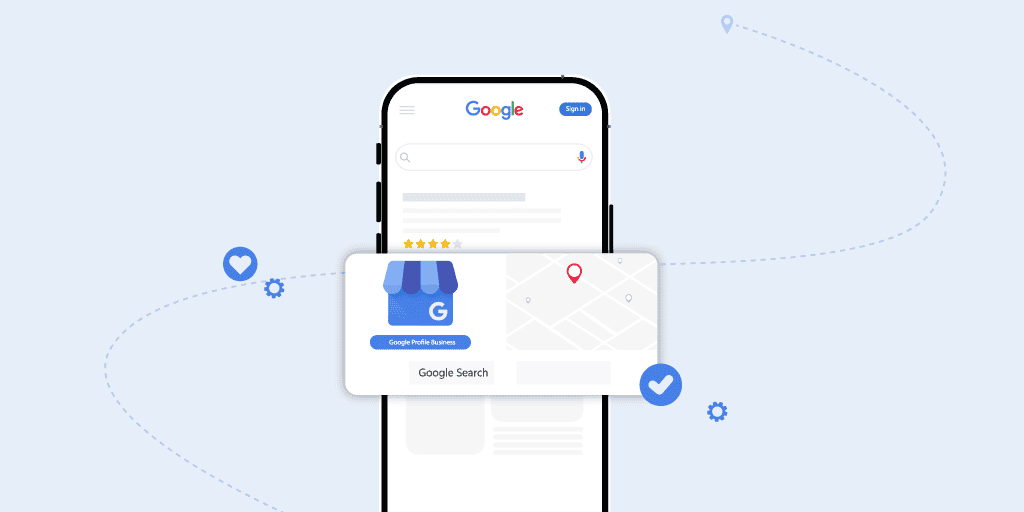
Google Business Profile is completely free and appears prominently in local search results and on Google Maps. If you have any physical presence or serve specific geographic areas, this is non-negotiable.
Businesses that optimize their profiles properly – adding photos, regular posts, and responding to every review – often see foot traffic increases of 20%+ within months.
What Makes It Essential:
- Shows up in the local pack (those three businesses Google highlights)
- Displays business hours, photos, reviews, and contact info
- Let’s you post updates directly in search results
- Completely free, forever
The Catch:
Only relevant if you’re a local business. If you’re running a purely online business with no geographic component, skip this one.
Action step: Claim your profile, fill out every single field, add high-quality photos, and ask happy customers to leave reviews. Simple, but most businesses half-ass it.
How These Tools Work Together
Here’s a real workflow (not some theoretical BS):
Monday mornings: Check Google Search Console for ranking changes, index issues, and “striking distance” keywords. Takes about 15 minutes.
Before creating content: Use Google Trends to check if the topic is rising or dying. Validate commercial intent with Keyword Planner. Check PageSpeed to make sure your site won’t tank the new content’s performance.
After publishing: Submit URL via CrawlWP for instant indexing. Monitor in Search Console to see when Google actually indexes it.
Weekly: Review Google Analytics to see which content performs best and adjust strategy accordingly.
Monthly: Deep dive into Analytics to spot patterns missed in weekly checks.
That’s it. No complicated dashboards, no $500/month tool subscriptions. Just the best free Google SEO tools used consistently.
Tools Intentionally Left Out (And Why)
Google My Business Insights: Merged into Google Business Profile, which is covered above.
Google Data Studio (now Looker Studio): Great for visualization, but most people don’t need it. GSC and Analytics have built-in reports that work fine.
Google Optimize: Got shut down in 2023. RIP.
Real Talk: What Free Tools Can’t Do
Look, free tools are amazing. But let’s be honest about limitations:
- Backlink analysis: GSC shows you some backlinks, but tools like Ahrefs or SEMrush show way more
- Competitor research: Free tools won’t tell you what your competitors rank for
- Historical data beyond 16 months: GSC caps at 16 months
- Exact search volumes: Without spending on Google Ads, you’re getting ranges
For most bloggers and small businesses, these limitations don’t matter. But if you’re running a serious SEO operation, you’ll eventually need paid tools.
Common Mistakes Seen All The Time
Setting up tools and forgetting them: GSC and Analytics are useless if you don’t actually check them. Block calendar time.
Obsessing over perfect scores: A low PSI score indicates technical issues, but chasing 100/100 is not worth your time. Focus on “Good” and move on.
Not requesting indexing: Publishing without telling Google the content exists is like throwing a party and not sending invitations. Use CrawlWP or GSC’s URL Inspection tool.
Trusting ranges as gospel: When Keyword Planner says “1K-10K searches/month,” that’s a massive range. Use it directionally, not as absolute truth.
FAQs
Which free Google SEO tool is best for beginners?
Google Search Console is the essential starting point – it’s completely free, provides direct data from Google about how your site performs, and doesn’t require technical expertise. Set it up first, then add others as you grow.
Do I really need CrawlWP if I have Google Search Console?
Yes, because they solve different problems. GSC shows you the indexing status; CrawlWP actively speeds up indexing by notifying search engines immediately. CrawlWP bypasses traditional crawl queues, getting new content indexed in 24-48 hours instead of weeks.
Can I rank well using only free SEO tools?
Absolutely. Countless sites rank on page one using only the best free Google SEO tools listed here. Paid tools make things faster and easier, but they’re not required for success.
Is Google Keyword Planner really free?
Technically, yes, but you need a Google Ads account to access it, and to see exact search volume,s you need to spend money on ads. Without ad spend, you only get volume ranges.
How often should I check Google Search Console?
Make it a weekly habit and spend 10 to 15 minutes reviewing performance data. Monday mornings work best – start the week knowing what’s working and what’s broken.
Will these free tools work in 2026 and beyond?
Yes. These are Google’s own tools, actively maintained and updated. In January 2026, Google even integrated Gemini AI into Google Trends to automatically suggest related search terms. They’re getting better, not worse.
What’s the difference between Google Search Console and Google Analytics?
Google Search Console shows how your site performs in search results (impressions, clicks, rankings). Google Analytics shows what visitors do after they arrive (time on site, pages visited, conversions). You need both for complete visibility.
Can I use CrawlWP on non-WordPress sites?
No, CrawlWP is exclusively a WordPress plugin. If you’re on Shopify, Wix, Webflow, or other platforms, you’ll need different indexing solutions.
Final Take: Stop Overthinking, Start Using
The best free Google SEO tools won’t magically rank you #1 tomorrow. They won’t write your content or build your backlinks. What they will do is provide you with accurate data to make smart decisions without spending hundreds of dollars each month.
Every tool on this list has been tested extensively. Some (like CrawlWP and GSC) deserve daily attention. Others (like Trends and Keyword Planner) serve specific purposes. Together, they form a solid foundation for any SEO strategy.
The tools are free. The data is accurate. The only question is: will you actually use them?
Now stop reading and go set up Google Search Console if you haven’t already. Then grab CrawlWP, so your next article doesn’t sit unindexed for weeks.