
Someone sent me their “SEO-optimized” blog post a while ago. Keyword stuffed to death. Title tag 80 characters long (spoiler: Google cuts off at 60). Meta description is missing entirely. Zero schema markup. And they wondered why it wasn’t ranking.
Here’s what drives me absolutely bonkers: everyone treats on-page SEO like it’s some mystical art form when it’s actually a straightforward checklist. Do these 20 things right, and your pages have a fighting chance. Skip them, and you’re invisible no matter how good your content is.
This on-page SEO checklist cuts through the noise. No “optimize for users AND search engines” platitudes. Just the specific, tactical steps that actually move rankings in 2026.
Let’s fix your pages.
Table of Contents
What’s On-Page SEO?
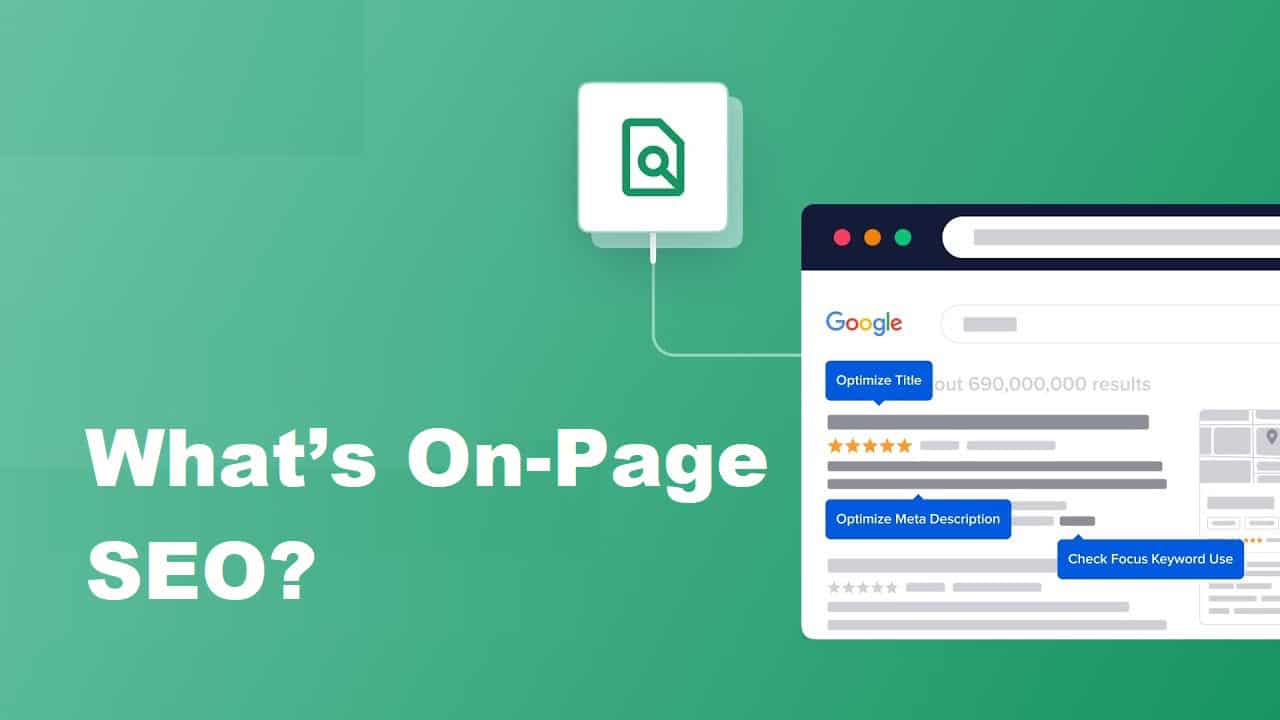
On-page SEO is everything you control on your actual web page – title tags, content, images, internal links, schema markup, and page speed. Everything that makes Google understand what your page is about and whether it deserves to rank.
Different from off-page SEO (backlinks, brand mentions) and technical SEO (site architecture, crawlability). All three matter, but if your on-page is trash, the other two can’t save you.
Think of it like this: Technical SEO gets Google to your front door. On-page SEO convinces them to come inside. Off-page SEO is the neighborhood reputation that makes them trust you.
Core On-Page SEO Checklist (Do These First)
1. Find The Right Target Keyword
Everything starts here. Pick the wrong keyword and nothing else matters. By the way, for real.
What to look for:
- Search volume: Enough people are searching for it (minimum 100/month for most topics)
- Keyword difficulty: Can you rank for it given your site’s authority?
- Search intent: What does someone typing this keyword actually want?
Use Semrush, Ahrefs, or Google Keyword Planner. Don’t guess. Ever.
Common mistake: Targeting “SEO” when you should target “on-page SEO checklist for beginners“. The second one has a clearer intent and less competition.
In CrawlWP: set the keyword as the post’s focus keyword in the SEO metabox. The content checks then show where it’s missing: title, URL, meta description, first paragraph, subheadings and image alt text.
2. Nail Your Title Tag (50-60 Characters)
Title tags are the clickable headline in search results. Mess this up, and nobody clicks, even if you rank.
For real.
The formula that works:
- Keep it under 60 characters (Google truncates after ~600 pixels)
- Put your keyword at the beginning
- Make it click-worthy, not just keyword-rich
- Include your brand if there’s room
✅ Good example: “On-Page SEO Checklist: 20 Steps That Truly Work”
❌ Bad example: “Ultimate Complete Comprehensive Guide to On-Page SEO Optimization Best Practices for 2026“.
That second one gets cut off at “The Ultimate Complete Comprehensive Guide to On-P…” Looks sloppy. Brand name disappears. Nobody clicks.
Front-load the important stuff.
In CrawlWP: the SEO metabox measures your title in pixels, the way Google does, and shows where it will be cut. Title templates handle any post you don’t write a custom title for.
3. Write A Meta Description That Sells (140-160 Characters)
Meta descriptions don’t directly affect rankings, but they absolutely affect click-through rate. And CTR does influence rankings.
Google displays about 920 pixels (roughly 155 characters) on desktop. Mobile shows less. Stay within 140-160 to be safe.
What works:
- Address the searcher’s intent immediately
- Include your keyword naturally
- Add a subtle call-to-action
- Promise value without being salesy
Example: “This on-page SEO checklist covers title tags, Core Web Vitals, schema markup, and 17 other ranking factors. Skip the fluff, fix your pages.”
Notice: keyword present, value clear, no wasted words.
In CrawlWP: write the description in the SEO metabox and watch the Google preview update as you type. Pages without one use your description template, and CrawlWP can suggest one using the AI connectors in WordPress.
4. Structure Content With H1-H6 Headings
One H1 per page (usually your main title). Then H2s for main sections, H3s for subsections.
Search engines use heading structure to understand content hierarchy. Humans use it for scanability. Both matter.
Heading hierarchy example:
H1: On-Page SEO Checklist
H2: What Is On-Page SEO?
H2: Core On-Page Factors
H3: Title Tags
H3: Meta Descriptions
H3: Header Tags
H2: Technical On-Page Elements
H3: Core Web Vitals
H3: Schema Markup
Don’t skip levels. H1 → H3 without an H2 is like skipping chapters. Confuses both Google and readers.
5. Optimize Your URL Structure
Clean, descriptive URLs beat ugly parameter-stuffed ones every time.
Good: https://crawlwp.com/on-page-seo-checklist-guide
Bad: https://crawlwp.com/post?id=12847&cat=seo&date=2026
Rules:
- Include your target keyword
- Use hyphens, not underscores
- Keep it short (3-5 words ideal)
- Avoid dates unless you’re a news site
- Never change URLs without 301 redirects
6. Write Content That Answers The Query
Keyword density is dead. Search intent is everything.
When someone searches “on-page SEO checklist,” they want a literal checklist they can follow. Not a 3,000-word manifesto about why SEO matters. Give them what they want.
Match the intent:
- Informational queries → comprehensive guides
- Commercial queries → comparison content
- Transactional queries → product pages with clear CTAs
- Navigational queries → specific brand/product info
Google’s smarter than you think. Trying to rank a product page for an informational query is a waste of time.
7. Hit The Right Word Count (It Varies)
There’s no magic number, but here’s reality: longer content tends to rank better for competitive keywords.
The average first-page result is 1,800-2,000 words for most topics. But a “What is on-page SEO?” query might only need 800 words. A comprehensive guide needs 2,500+.
Check your competition. If the top 5 results are all 2,000+ words, your 600-word post isn’t ranking. Match or exceed the depth.
Quality over quantity, but quantity matters when competitors are thorough.
8. Add Internal Links (2-6 Per Page Minimum)
Link to other relevant pages on your site. Helps with:
- Page authority distribution
- User navigation
- Search engine crawling
- Topical relevance signals
Best practices:
- Link to related, genuinely helpful pages
- Use descriptive anchor text (not “click here”)
- Place links naturally within content
- Don’t link to the same page 5 times
I aim for 3-5 internal links per 1,000 words. Feels natural, helps SEO.
In CrawlWP: the Links tab suggests related posts to link to and shows which posts already link to this one, so you can spot orphan pages.
9. Include Relevant External Links
Linking to high-quality sources adds credibility. Seriously.
When you cite studies, reference data, or mention tools, link out. Shows Google you’re providing thorough, well-researched content.
Tips:
- Link to authoritative sites (.gov, .edu, established brands)
- Don’t link to competitors for your target keyword
- Use dofollow unless you have a specific reason not to
- Make sure external links open in new tabs (user experience)
1-3 external links per post is plenty.
10. Optimize Images (Alt Text + Compression)
Images slow down pages and confuse search engines without proper optimization.
Image SEO checklist:
- Compress before uploading (use TinyPNG or similar)
- Use descriptive filenames: on-page-seo-checklist.jpg, not IMG_1847.jpg
- Add alt text describing the image (include keyword when natural)
- Specify width and height attributes (prevents layout shift)
- Use WebP format when possible (better compression than JPG/PNG)
Alt text example: alt=”On-page SEO checklist showing title tags, meta descriptions, and header structure”.
Don’t keyword stuff alt text. Just describe what’s actually in the image.
In CrawlWP: Image SEO fills in missing alt text from the image title or file name, without replacing alt text you wrote. For important images, write your own.
11. Implement Schema Markup (JSON-LD Format)
Schema markup is structured data that tells search engines exactly what your content is about. In 2026, this isn’t optional anymore.
Most useful schema types:
- Article/BlogPosting (for blog content)
- FAQPage (for FAQ sections)
- HowTo (for step-by-step guides)
- Product (for ecommerce)
- LocalBusiness (for local companies)
- Organization (for brand info)
- BreadcrumbList (for navigation)
JSON-LD is the format Google recommends. Add it to your page’s <head> or before the closing </body> tag.
Schema doesn’t directly boost rankings, but it enables rich results (FAQ dropdowns, star ratings, etc.), which increase CTR. And CTR influences rankings.
Use Google’s Rich Results Test to validate your schema. A broken schema is worse than no schema.
In CrawlWP: schema markup covers Article, Organization or Person, BreadcrumbList and LocalBusiness, and the Schema tab shows exactly what each page outputs. For other types, such as FAQ or HowTo, use a dedicated schema plugin.
12. Fix Your Core Web Vitals
Google measures real user experience through three metrics:
Largest Contentful Paint (LCP) – Loading speed
- Good: Under 2.5 seconds
- Needs improvement: 2.5-4 seconds
- Poor: Over 4 seconds
Interaction to Next Paint (INP) – Responsiveness
- Good: Under 200 milliseconds
- Needs improvement: 200-500ms
- Poor: Over 500ms
Note: INP replaced First Input Delay (FID) in March 2024.
Cumulative Layout Shift (CLS) – Visual stability
- Good: Under 0.1
- Needs improvement: 0.1-0.25
- Poor: Over 0.25
How to pass: 75% of your visitors need “good” scores on all three metrics.
Quick fixes:
- LCP: Compress images, use a CDN, enable browser caching
- INP: Reduce JavaScript execution time, defer non-critical scripts
- CLS: Set explicit width/height on images, avoid injecting content above existing content
Use Google PageSpeed Insights to check your scores. Then actually fix the issues it flags.
13. Make Sure Content Is Mobile-Friendly
Over 60% of searches happen on mobile. Google uses mobile-first indexing, meaning it primarily looks at your mobile site for ranking.
Mobile checklist:
- Responsive design (not a separate mobile site)
- Text is readable without zooming
- Tap targets spaced appropriately (no tiny buttons)
- No horizontal scrolling
- Fast load times on 3G/4G
Test with a Mobile-Friendly Test tool. If it fails, fix it before worrying about anything else.
14. Check Page Speed (Aim For Under 3 Seconds)
Every second of load time kills conversions. Sites loading in 1-3 seconds convert better than sites loading in 5+ seconds.
Biggest speed killers:
- Uncompressed images
- Render-blocking JavaScript
- No browser caching
- Slow server response time (TTFB over 600ms)
- Too many HTTP requests
Use GTmetrix, PageSpeed Insights, or WebPageTest to audit. Then work through the recommendations systematically.
Don’t chase a perfect 100 score. Get to “good” and move on.
15. Add A Table Of Contents For Long Content
For posts over 1,500 words, a table of contents helps:
- Users jump to relevant sections
- Google may show jump links in search results
- Increases time on page (people scan sections)
Make it clickable with anchor links. WordPress plugins like Easy Table of Contents do this automatically.
16. Use Short Paragraphs And Plenty Of White Space
Walls of text kill readability. Keep paragraphs to 2-4 sentences max.
Use:
- Short paragraphs
- Bullet points (when listing items)
- Bold text (to highlight key points)
- Subheadings (every 300 words or so)
- Images/screenshots (to break up text)
Remember: people scan, they don’t read word-for-word. Make scanning easy.
17. Optimize For Featured Snippets
Featured snippets are the answer boxes that appear above position #1. Getting one sends significant traffic.
Types of snippets:
- Paragraph (40-60 word answers)
- List (ordered or unordered)
- Table
- Video
How to win them:
- Answer questions concisely
- Use clear formatting (lists, tables)
- Structure with question headings
- Provide direct answers early in paragraphs
Not every keyword has snippets, but when they do, optimizing for them is worth it.
18. Include Multimedia (Images, Videos, Infographics)
Pages with images/videos typically rank better and keep visitors engaged longer.
Stats that matter:
- Articles with images get 94% more views
- Video on a landing page increases conversions by 80%
- Infographics are shared 3x more than other content
Don’t just add images for the sake of it. Make them relevant and valuable.
19. Update Publication Dates (When You Refresh Content)
Freshness matters for time-sensitive topics. When you update content:
- Change the publication date
- Add a note like “Updated: March 2026.”
- Refresh statistics and examples
- Remove outdated information
Google favors recent content for queries where recency matters (“SEO trends 2026” vs “what is SEO”).
20. Add FAQ Schema For Common Questions
FAQ sections are gold for SEO. They:
- Target long-tail keywords naturally
- Increase chances of featured snippets
- Provide more content depth
- Improve user experience
Add FAQ schema markup to get collapsible FAQs in search results. Format each Q&A clearly.
Aim for 5-10 FAQs covering related questions people actually ask.
Technical Stuff You Can’t Skip
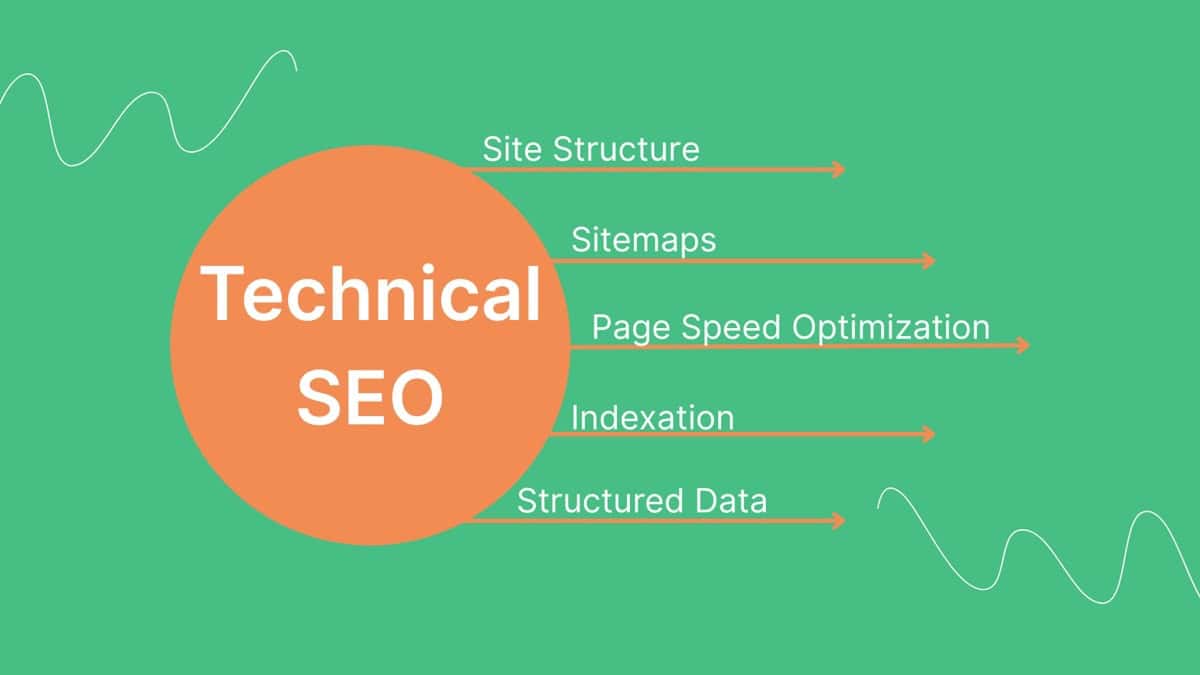
Beyond the basics, these technical factors separate mediocre pages from ranking powerhouses:
Canonical Tags – Tell Google which version of a URL is the “main” one (prevents duplicate content issues)
Robots Meta Tags – Control whether pages get indexed (noindex for thin pages, index for important ones)
Hreflang Tags – For international sites with multiple language versions
Open Graph Tags – Control how pages appear when shared on social media
SSL Certificate – HTTPS is a ranking signal (and builds trust)
XML Sitemap – Help Google discover all your pages
Most of these are set-it-and-forget-it. But get them wrong once, and you’re screwed.
Common On-Page SEO Mistakes That Kill Rankings
Keyword stuffing – Repeating keywords unnaturally. Reads like garbage; Google penalizes it.
Duplicate content – Same content on multiple pages confuses search engines about which to rank.
Missing title tags or meta descriptions – Google generates random ones that suck.
Thin content – 300-word posts rarely rank for competitive terms.
Broken internal links – Confuses crawlers and pisses off users.
Slow page speed – Users bounce, Google ranks you lower.
No mobile optimization – Over 60% of searches are mobile. Wake up.
Ignoring user intent – Ranking for the wrong type of content for a query.
Fix these before worrying about advanced tactics.
How To Prioritize This Checklist
You don’t need to do everything at once. Here’s the order that makes sense:
Phase 1 (Do immediately):
- Target keyword research
- Title tag optimization
- Meta description
- H1-H6 structure
- Content that matches intent
- Mobile-friendly check
Phase 2 (Within the first week):
- Internal linking
- Image optimization
- URL structure
- Core Web Vitals check
- Page speed basics
Phase 3 (Within first month):
- Schema markup
- External links
- FAQ section
- Table of contents
- Featured snippet optimization
Ongoing:
- Update old content quarterly
- Fix broken links monthly
- Monitor Core Web Vitals
- Refresh statistics/examples
Don’t get paralyzed by the list. Start with Phase 1, then iterate.
Real Secret: Consistency Beats Perfection
Perfect on-page SEO doesn’t exist. Google’s algorithm changes. User behavior shifts. New features launch.
What matters is consistently doing the fundamentals right across all your important pages. A site with 50 well-optimized pages beats a site with 5 “perfect” pages and 500 neglected ones.
My workflow for every new post:
- Keyword research (10 minutes)
- Write content matching search intent (2-3 hours)
- Optimize title, meta, headings (15 minutes)
- Add internal links (10 minutes)
- Optimize images (10 minutes)
- Add schema markup (10 minutes)
- Check mobile + speed (10 minutes)
- Publish and monitor
Total: 3-4 hours for a comprehensive, properly optimized post. That’s it.
Most people spend 3 hours writing and 5 minutes on everything else. Then wonder why they don’t rank.
Flip that ratio.
Tools That Make This Easier
WordPress SEO and indexing
CrawlWP: A complete WordPress SEO plugin that handles most of this checklist inside the editor: title and meta templates, a pixel-based Google preview, focus keyword checks, internal link suggestions, image alt text and schema. It also sends new and updated content to Google, Bing, Yandex and other search engines, so your optimized pages get indexed sooner.
For keyword research:
- Semrush (my go-to)
- Ahrefs
- Google Keyword Planner
For on-page optimization:
- CrawlWP (WordPress)
- Screaming Frog (technical audits)
- Surfer SEO (content optimization)
For schema markup:
- Schema.org (documentation)
- Google’s Rich Results Test (validation)
- Merkle Schema Markup Generator (quick schemas)
For Core Web Vitals:
- Google PageSpeed Insights
- GTmetrix
- Chrome DevTools (Lighthouse)
For general SEO:
- Google Search Console (free, essential)
- Ahrefs Site Audit
- Semrush Site Audit
Don’t buy every tool. Start with free options (Search Console, PageSpeed Insights) and add paid tools as you scale.
FAQs
What is on-page SEO, and why does it matter?
On-page SEO is the process of optimizing individual web pages to rank higher in search results. It includes content, HTML elements (title tags, meta descriptions, headers), images, internal links, schema markup, and page speed.
It matters because even great content won’t rank if your on-page SEO is broken.
What’s the difference between on-page and off-page SEO?
On-page SEO is everything you control on your website – content, title tags, page speed, internal links. Off-page SEO is everything external – backlinks, brand mentions, social signals. Both matter, but you have direct control over on-page factors.
How long does on-page SEO take to work?
For new pages, expect 3-6 months to see significant ranking improvements. For existing pages you’re optimizing, you might see movement in 2-8 weeks. Competitive keywords take longer than low-competition ones. There’s no instant gratification with SEO.
What are Core Web Vitals, and do they really matter?
Core Web Vitals are three metrics Google uses to measure user experience: LCP (loading speed under 2.5s), INP (responsiveness under 200ms), and CLS (visual stability under 0.1). Yes, they matter – Google confirmed they’re ranking factors, and sites passing all three see measurable traffic increases.
How often should I update my on-page SEO?
Update title tags and meta descriptions when CTR is low. Refresh content on high-value pages every 6 months or when information becomes outdated. Check Core Web Vitals monthly. Run a full site audit quarterly. Most on-page elements are set-it-and-forget-it unless performance drops.
Do I need schema markup on every page?
No, but use it on important pages. Add Article schema to blog posts, FAQPage schema to FAQ sections, Product schema to product pages, LocalBusiness schema to your homepage (if applicable). Not every page needs schema, but strategic implementation increases rich result eligibility.
What’s the ideal keyword density in 2026?
Keyword density is outdated. Focus on using your target keyword naturally in the title, first paragraph, a few subheadings, and throughout the content where relevant. Write for humans first. 1-2% density happens naturally when covering a topic thoroughly.
Should I optimize for Google or users?
Both, but Google’s algorithm rewards user-focused content. If you write helpful content that answers queries thoroughly, structure it properly with headings and formatting, and make it fast/mobile-friendly, you’re optimizing for both simultaneously.
They’re not opposed goals.