
Features
Local SEO and LocalBusiness Schema for WordPress
Local SEO helps nearby customers find your business in search. CrawlWP adds LocalBusiness schema to your site: your business name, address, phone number, and opening hours, in a format search engines understand. It is free, with no add-on to buy.
What it does
What CrawlWP local SEO does
Enter your business details once. CrawlWP turns them into LocalBusiness schema and adds it to your site, with no coding and no extra plugin.
On this page

LocalBusiness schema
Switch it on, and CrawlWP adds your business details as structured data, alongside the rest of your schema.
Business type
Tell search engines what kind of business you are.
Full address
Street address, city, region, postal code, and two-letter country code.
Phone number
The number customers can call, included in your structured data.
Opening hours
One time range per line, such as Mo-Fr 09:00-17:00. CrawlWP turns it into structured data.
Your name and logo
Your business name and logo come from the same Site Information screen, so everything matches.
Social profiles
Link your Facebook, X, and other profiles to your business.
Off unless you need it
LocalBusiness schema is off by default, so a blog or online-only site never claims to be a local shop.
No coding needed
Fill in a form. CrawlWP writes the JSON-LD code for you.
Free, with no add-on
Local SEO is part of CrawlWP Lite. There is nothing extra to buy.
One connected graph
Your business details link to your website, logo, and breadcrumbs in one JSON-LD graph.
Good titles for local pages
Title templates and the SEO metabox also work on your contact and location pages.
Why it matters
Why local SEO matters
When people search for a business near them, search engines try to show nearby options with an address, opening hours, and a phone number.
Your address on a web page is just text. LocalBusiness schema labels it clearly, so search engines know which part is your address, which is your phone number, and when you are open.
Schema works best alongside a Google Business Profile, which is what appears on Google Maps. Keep the details the same in both places.
How it works
Set up local SEO in three steps
It takes a few minutes. After that, your business details are on every page.
Step 1
Turn on LocalBusiness schema
On the Site Information screen, switch on LocalBusiness schema and choose your business type.
Step 2
Add your address, phone, and hours
Fill in your street, city, region, postal code, country code, and phone number. Add one opening-hours range per line.
Step 3
Test the result
Check your homepage with Google’s Rich Results Test or the Schema Markup Validator to see your business details.
Consistency
Keep your business details the same everywhere
Search engines compare your details across the web. If your website, your Google Business Profile, and directory listings show different addresses or phone numbers, it causes confusion.
Local pages still need good titles
Your contact and location pages need a clear title and description, just like any other page. Set them in the SEO metabox, and add your town or city where it fits naturally.
Questions
Local SEO questions
Answers to the questions people ask most about local SEO and LocalBusiness schema in WordPress.
What is local SEO?
It is the work of helping nearby customers find your business in search. It covers your website, your Google Business Profile, and your listings on other sites.
What is LocalBusiness schema?
It is structured data that describes your business: its name, type, address, phone number and opening hours. Search engines read it to understand your business.
Do I need a separate local SEO add-on?
No. LocalBusiness schema is part of CrawlWP Lite, the free version. Some SEO plugins charge for it: Yoast includes Local SEO in its paid plans, and SEOPress offers it in SEOPress PRO.
Will LocalBusiness schema put me on Google Maps?
Not on its own. Google Maps listings come from your Google Business Profile. Schema helps search engines understand the details on your website, so keep both the same.
Will it add LocalBusiness schema to a non-local site?
Only if you switch it on. It is off by default.
What business types can I choose?
You can pick a more specific type than the generic LocalBusiness where one matches your business.
How do I add opening hours?
Add one range per line, such as Mo-Fr 09:00-17:00 and Sa 10:00-14:00. CrawlWP turns each line into structured data.
How do I test my LocalBusiness schema?
Run your homepage through Google’s Rich Results Test or the Schema Markup Validator. Both show the business details they found.
Is local SEO free in CrawlWP?
Yes. It is part of CrawlWP Lite, the free version.
Pricing
Straightforward pricing, every feature included
Standard
For 1 Site
$59
/ year
Pro
For 5 Sites
$159
/ year
Agency
For Unlimited Sites
$259
/ year
Standard
For 1 Site
$359
once
Pro
For 5 Sites
$559
once
Agency
For Unlimited Sites
$759
once
Help nearby customers find you
Join thousands of website owners using CrawlWP for their WordPress SEO. Local SEO is free and ready as soon as you add your business details.
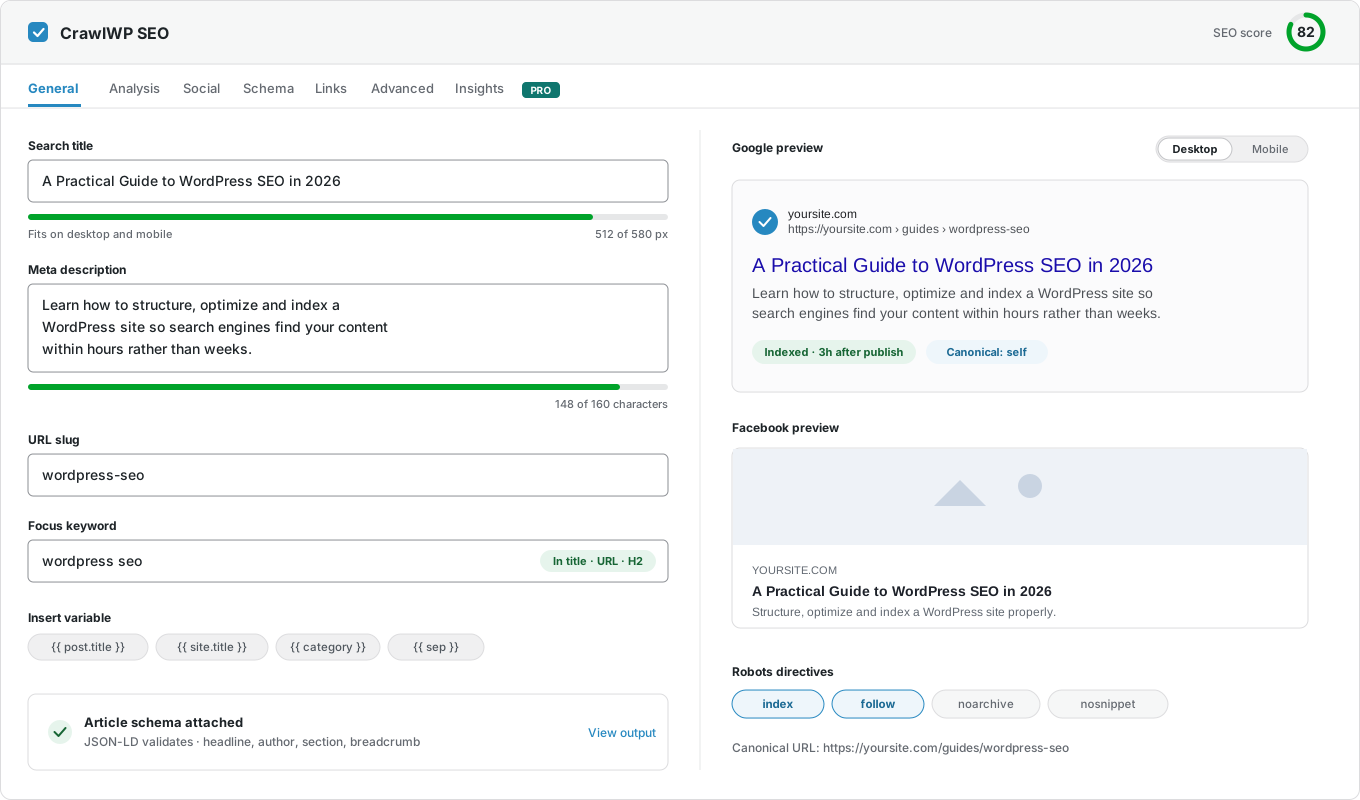
yoursite.com
https://yoursite.com › guides › wordpress-seo
A Practical Guide to WordPress SEO in 2026
Learn how to structure, optimize, and index a WordPress site so search engines find your content within hours rather than weeks.
Google · indexed
Bing · indexed
Yandex · indexed