
If you’ve been running WordPress for longer than five minutes, you’ve heard this question: “Should I use Rank Math or Yoast SEO?”
It’s the “Coke vs Pepsi” of WordPress plugins. The “iPhone vs Android” of the SEO world. The question that sparks friendly debates and ends in comment-section warfare.
Here’s the infuriating truth: Both are actually good. There isn’t an “obviously wrong choice.” There’s just “which one fits your specific situation better?”
But here’s what that means: You need to understand the real differences. Not the marketing hype. Not what Reddit people who’ve used neither plugin claim. The actual, factual, verified pricing, features, speed, and performance.
This guide compares Rank Math vs Yoast SEO using real data: verified pricing, feature-by-feature breakdown, performance testing results, and honest scenarios for when each plugin actually wins.
Let’s settle this once and for all.
Table of Contents
Quick Verdict: The TL;DR For People In A Hurry
Choose Rank Math if:
- You manage multiple WordPress sites (better pricing for scale)
- You want advanced schema markup and rich snippets
- Page speed matters to you
- You want maximum features without premium costs
- You’re budget-conscious
Choose Yoast if:
- You’re a beginner who needs hand-holding
- Readability analysis is important to you
- You love traffic lights telling you exactly what to do
- You run only 1-2 sites (per-site pricing stays reasonable)
- You prefer the “market leader” that everyone knows
Choose CrawlWP regardless (it’s not an alternative to either; it’s essential regardless of your choice for instant indexing)
Now let’s get into the details.
Pricing: Where The Real Difference Appears
This is where things get interesting between the two WordPress SEO plugins. Not interesting like “interesting conversation.” Interesting, like “your wallet will feel this difference.”
Rank Math Pricing

- Free: Everything. Seriously. We’ll detail this below.
- Pro: $95.88/year (approximately $7.99/month billed annually)
- Business: $299/year (covers up to 200 client sites)
- Agency: $659/year (covers 750 sites)
Critical detail: Pro covers unlimited personal sites. Not “up to 10.” Not “up to 50.” Unlimited.
Yoast SEO Pricing

- Free: Available
- Premium: $118.80/year per site (that’s per individual WordPress installation)
- WooCommerce SEO: $178.80/year (includes Premium + WooCommerce features)
- Local SEO: Extra add-on
- Video SEO: Extra add-on
- News SEO: Extra add-on
Critical detail: Each WordPress site needs its own license. You can’t share a license across multiple sites.
Pricing Scenarios
Scenario 1: Single Website
- Rank Math Pro: $95.88/year
- Yoast Premium: $118.80/year
- Winner: Rank Math (saves you $22.92/year)
Scenario 2: Five Personal Websites
- Rank Math Pro: $95.88/year (covers all 5)
- Yoast Premium: $594/year ($118.80 × 5)
- Winner: Rank Math (saves you $498.12/year)
Scenario 3: WooCommerce Store
- Rank Math Pro: $95.88/year (includes WooCommerce features)
- Yoast WooCommerce SEO: $178.80/year
- Winner: Rank Math (saves you $76.92/year, plus you get better schema support)
Scenario 4: Managing 20 Client Sites (Agency)
- Rank Math Business: $299/year (covers 100 client sites)
- Yoast Premium: $2,376/year ($118.80 × 20)
- Winner: Rank Math (saves you $2,077/year, enough for a decent vacation)
The pattern is obvious: Rank Math’s licensing model (unlimited sites for one price) destroys Yoast’s per-site model for anyone managing multiple sites.
For a single site? Yoast costs about $35 more per year. Not dramatic. For five sites? You’re paying $510 more annually for inferior features. That’s a car payment.
Feature Comparison: What You Get
Both plugins handle basic SEO: meta titles, meta descriptions, XML sitemaps, and schema markup. But they diverge significantly in how they approach features.
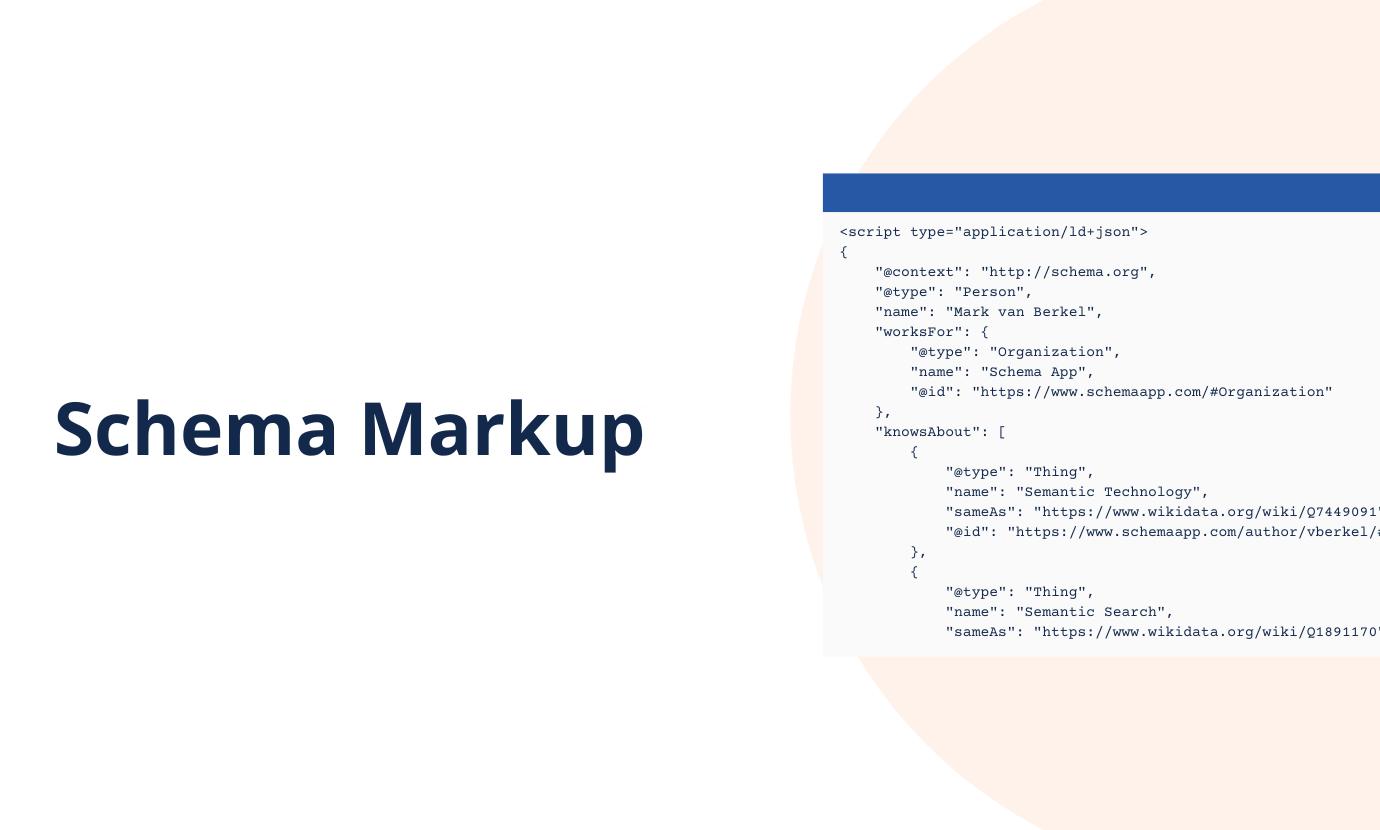
Schema Markup (The AI Era Matters)
Rank Math:
- 18+ schema types in the free version (Article, Product, FAQ, HowTo, Review, Recipe, Event, Organization, Person, etc.)
- Advanced Schema Generator in Pro (even more types)
- Stack multiple schema types on one page (product review + recipe on the same page, for example)
- Save custom schema templates
- Conditional display rules (show different schema on different devices/browsers)
Yoast:
- 8-10 schema types in free version (more limited)
- Unified schema graph approach (one clean entity model per site)
- Can’t stack multiple schema types as easily
- More conservative schema implementation
Winner: Rank Math for AI search era
Why? In 2026, AI Overviews cite sources. ChatGPT references content. Perplexity pulls from indexed material. Better schema = better recognition across AI search platforms. Rank Math’s 18+ schema types in the free version give you more rich snippet opportunities than Yoast’s limited free offerings.
Multiple Keywords Per Post
Rank Math:
- Free version: 5 focus keywords per post
- Analyzes your content for all 5 keywords simultaneously
- Grades your SEO score separately for each keyword
- Suggests placement for secondary keywords
Yoast:
- Free version: 1 focus keyword per post
- Premium: Multiple keywords (but still not 5)
- Still focuses primarily on the primary keyword
Winner: Rank Math (by a landslide)
This alone is worth switching. In 2026, semantic search means you want to rank for keyword clusters, not just one keyword. “Blue running shoes” should also rank for “running shoes for flat feet,” “lightweight running shoes,” and “cushioned running shoes.” Yoast’s one-keyword limitation is outdated.
Redirects & 404 Monitor

Rank Math:
- 404 monitor: Included in the free version
- Redirect manager: Free version
- Auto-redirects old URLs when you change post slugs
- Bulk redirect management
Yoast:
- 404 monitor: Nope (requires additional tool or premium plugin)
- Redirect manager: Premium only
- You have to manually set up redirects
Winner: Rank Math (free version includes what Yoast charges extra for)
Readability Analysis
Yoast:
- Flesch Reading Ease scoring (actual science)
- Paragraph length analysis
- Passive voice detection
- Transition word suggestions
- Sentence length monitoring
- Genuine readability improvement
Rank Math:
- Basic content optimization
- Readability checking but less detailed
- Scores content against 70+ SEO factors
- Less focused on readability specifically
Winner: Yoast (this is their genuine strength)
If you care about making your content actually readable (not just SEO-optimized gibberish), Yoast’s readability analysis is legitimately good. Rank Math’s approach is more “make it SEO-friendly” than “make it actually good to read.”
Analytics Integration
Rank Math:
- Google Search Console integration is built in
- Google Analytics integration is built in
- Real-time GSC data in WordPress dashboard
- Traffic data visible while editing
Yoast:
- Analytics integration via premium plugins
- Less seamless integration
- Requires multiple add-ons for full functionality
Winner: Rank Math (by far)
Image Alt Text Generation
Rank Math:
- Auto-generates alt text using AI in Pro version
- Saves hours for image-heavy sites
- Built into the free workflow
Yoast:
- No automatic alt text generation
- You manually write alt text for every image
- Tedious for image-heavy ecommerce sites
Winner: Rank Math (saves real time and effort)
Performance & Code Bloat
Rank Math:
- 51.3k lines of code
- Modular design (disable features you don’t use)
- Adds approximately 30-50ms to page load
- Lighter footprint overall
Yoast:
- 87.2k lines of code (nearly 40% heavier)
- Still modular but heavier by default
- Adds approximately 50-150ms to page load
- More resource-intensive
Winner: Rank Math (measurably faster and lighter)
For Core Web Vitals and overall site speed, Rank Math is the better choice. This matters. Every millisecond counts for rankings and user experience.
User Interface & Ease of Use
Rank Math:
- Modern interface (designed 2018+)
- 190+ settings (overwhelming for beginners)
- The setup wizard helps, but it still needs configuration
- Power users love it
- Beginners might feel lost
Yoast:
- Simpler interface (intentionally)
- Traffic lights give immediate feedback
- Less intimidating for beginners
- Setup is more straightforward
- Less control for advanced users
Winner: Yoast for beginners, Rank Math for experienced users (tie with context)
AI Features
Rank Math Pro:
- Content AI (generates titles, descriptions, outlines)
- AI schema generation
- AI brand monitoring (tracks how ChatGPT mentions your brand)
- No API key required (included in Pro subscription)
Yoast Premium/AI+:
- Limited AI features
- Requires OpenAI API key integration
- Per-use charges for AI features (separate from plugin cost)
- Less comprehensive than Rank Math’s AI
Winner: Rank Math (more AI features, no extra per-use costs)
Complete Feature Comparison Table
| Feature | Rank Math Free | Rank Math Pro | Yoast Free | Yoast Premium |
| Focus Keywords | 5 | Unlimited | 1 | Multiple |
| Schema Types | 18+ | 28+ | 8-10 | 12+ |
| Readability Analysis | Basic | Included | Excellent | Excellent |
| Redirects | ✅ | ✅ | ❌ | ✅ |
| 404 Monitor | ✅ | ✅ | ❌ | ❌ |
| Analytics Integration | ✅ | ✅ | Limited | Limited |
| Internal Linking Suggestions | ✅ | ✅ | ❌ | ✅ |
| Multi-site License | ✅ Unlimited | ✅ Unlimited | ❌ Per-site | ❌ Per-site |
| Image Alt Text Auto-generate | ❌ | ✅ | ❌ | ❌ |
| AI Features | ❌ | ✅ | Limited | Limited |
| Price | Free | $95.88/yr | Free | $118.80/yr |
The table speaks for itself. Rank Math’s free version is significantly more feature-complete than Yoast’s free version.
Workflows: How People Use Them
Content Creator Optimizing A Blog Post
With Rank Math:
- Write content in Gutenberg
- Enter 5 target keywords
- Rank Math grades content for all 5 keywords simultaneously
- Follows suggestions on where to add secondary keywords
- Publishes. Done.
With Yoast:
- Write content in Gutenberg
- Enter 1 focus keyword
- Yoast gives traffic light feedback on that one keyword
- If you want secondary keyword optimization, use third-party tools
- Publishes. Done (but less optimized).
Winner: Rank Math (5x the keyword coverage)
WooCommerce Store Owner Managing 500 Products
With Rank Math:
- Products automatically get product schema
- Price, availability, review ratings all included
- Cost: $95.88/year
With Yoast:
- Basic product optimization in free version
- Proper product schema requires WooCommerce SEO add-on
- Cost: $178.80/year (more than double)
Winner: Rank Math (better schema, cheaper)
Agency Managing 15 Client Sites
With Rank Math:
- Business plan covers 100 client sites
- Client management and white-label options
- Cost: $299/year
With Yoast:
- Each client site needs a separate license
- 15 sites × $118.80 = $1,782/year
- No built-in white-label client management
Winner: Rank Math (saves $1,483/year)
The Migration Question: How Hard Is It To Switch?

Both plugins provide migration tools. Switching is possible but requires care.
Rank Math has better migration tools than Yoast’s import functionality. Migration from Yoast → Rank Math typically takes 15-30 minutes. Make sure to:
- Backup your site first
- Test on a staging environment
- Verify meta descriptions transferred correctly
- Check schema markup
Migration from Rank Math → Yoast is also possible, but less common (why would you downgrade in features?).
Rank Math vs Yoast vs CrawlWP (They’re Not Competitors)
Here’s something important: Neither Rank Math nor Yoast handles indexing speed.
Both plugins generate sitemaps that Google checks on its schedule. You publish content and wait for it to be crawled. Could be hours. Could be days.
CrawlWP actively notifies Google the instant you publish, cutting indexing time to 24-48 hours.
The winning combination: Either Rank Math or Yoast (your choice) PLUS CrawlWP for instant indexing.
They work together. SEO plugin optimizes your pages. CrawlWP gets them indexed fast.
Get instant indexing with CrawlWP →
When To Choose Rank Math (The Clear Winners)
Rank Math is better if:
- You manage 3+ WordPress sites (licensing model saves money)
- You run a WooCommerce store (better schema, cheaper)
- You want advanced keyword optimization (5 keywords per post)
- You care about page speed (lighter codebase)
- You want AI features without extra costs
- You’re technical enough to handle more settings
- You need redirects and 404 monitoring without premium
- You want multiple schema types per page
Real scenario: An agency managing 20 WordPress sites. Yoast would cost $2,376/year ($118.80 × 20). Rank Math costs $299/year. That’s a $2,077 annual savings. You’re literally printing money by switching.
When To Choose Yoast (The Legitimate Use Cases)
Yoast is better if:
- You manage only 1-2 websites (per-site pricing isn’t punitive)
- Readability analysis is genuinely important to you
- You want the simplest possible interface
- You’re a complete beginner needing hand-holding
- Traffic light feedback makes you feel confident
- You prefer the established market leader
- You like documentation and community resources (Yoast has 13M installations, more tutorials)
- You want to follow Yoast’s well-documented best practices
Real scenario: A solo blogger running one WordPress site. Yoast’s $118.80/year is perfectly reasonable for the readability analysis and simplified interface. The price difference versus Rank Math ($95.88) isn’t worth switching if you’re happy with Yoast’s approach.
The Controversial Take: Rank Math Usually Wins
Here’s the honest assessment: For most WordPress sites in 2026, Rank Math delivers better value.
Yoast built its reputation in 2010 when there was no competition. It dominated through inertia and brand recognition. But Rank Math’s 2018+ approach to SEO (multiple keywords, advanced schema, AI features, better pricing) maps better to how search actually works in 2026.
The only reasons to choose Yoast:
- You manage 1-2 sites (pricing stays reasonable)
- You genuinely love readability analysis
- You prefer simplicity over features
- You like being the majority choice
Those are legitimate reasons. But they’re not “better plugin” reasons. They’re “matches my workflow better” reasons.
Rank Math isn’t just cheaper. It’s more capable, lighter, faster, and more aligned with 2026 search reality (AI Overviews, ChatGPT citations, multiple keywords per page).
Migration Cliff: What Actually Stops People
Here’s what stops people from switching: Not the quality. Fear.
“What if something breaks during migration?” “What if I lose my meta descriptions?” “What if schema markup gets messed up?”
Valid concerns. But here’s the truth: Both plugins handle migration reasonably well. You back up first, test on staging, verify everything transferred, then go live.
20 minutes of careful work versus potentially thousands of dollars in wasted licensing costs. The math is obvious.
FAQs
Can I use both Rank Math and Yoast simultaneously?
Absolutely not. Running both plugins simultaneously causes conflicts: duplicate meta tags, competing sitemaps, schema markup conflicts. Choose one and stick with it. CrawlWP works safely with either (since it handles only indexing).
Will switching plugins hurt my rankings?
No, if you migrate correctly. Rankings depend on content quality, backlinks, and user signals—not which plugin manages your meta tags. Proper migration preserves all your SEO data. Both plugins include migration tools. Just back up first and verify the migration worked.
Is Rank Math really free with all those features?
Yes. The free version genuinely includes 18+ schema types, multiple keywords, redirects, 404 monitoring, and Analytics integration. Rank Math Pro ($95.88/year) adds rank tracking, Content AI, advanced schema generator, and other power-user features. But the free version isn’t crippled like some freemium plugins.
Why would anyone choose Yoast after learning this?
Because Yoast’s readability analysis is genuinely good, the interface is simple, and some people prefer simplicity over features. Also, managing one site where per-site pricing ($118.80) isn’t unreasonable. Legitimate reasons exist, just not “it’s objectively better” reasons.
Does either plugin guarantee rankings?
No plugin guarantees rankings. Both help with on-page SEO optimization, but rankings depend on content quality, backlinks, technical SEO, user experience, and hundreds of other factors. Plugins are tools in your SEO toolkit, not magic ranking machines.
What about performance impact?
Rank Math: +30-50ms to page load (very light). Yoast: +50-150ms to page load (noticeable)
Difference matters for Core Web Vitals. For sites already optimized elsewhere, both are fine. For sites struggling with speed, Rank Math’s lighter footprint helps.
Should I use CrawlWP with either plugin?
Yes. Neither Rank Math nor Yoast controls indexing speed. Both generate sitemaps that Google checks on its schedule. CrawlWP actively notifies Google, Bing, Yandex, and other search engines immediately, cutting indexing time to 24-48 hours. Add it regardless of which SEO plugin you choose.
Can I trust Rank Math long-term, given it’s younger than Yoast?
Rank Math has 4M+ active installations, strong feature development, regular updates, and is backed by serious funding. It’s not a startup. It’s a mature alternative that’s been around since 2018. Trustworthy? Yes. Established longer than Yoast? No. But trustworthy for your production site? Absolutely.
What if I love Yoast but hate the per-site pricing?
You’re in a common bind. Yoast’s approach is genuinely good—readability, simplicity, traffic lights. The per-site licensing is just broken for anyone managing multiple sites. Your options: 1) Accept the cost, 2) Switch to Rank Math for pricing and accept a different UX, 3) Run Yoast on the primary site and Rank Math on secondary sites (not recommended—different workflows).
How long does migration actually take?
20-45 minutes depending on site size and thoroughness. Set up the migration tool, verify data transferred, check meta descriptions, spot-check schema markup, update any custom configurations, and test thoroughly. Not complicated. Just requires care.