
Are you looking for the best WooCommerce SEO plugins to improve your store’s search engine traffic and ranking?
Running a WooCommerce store without proper SEO is like opening a shop in the middle of nowhere and wondering why nobody shows up.
I have had clients ask why their product stores are getting zero organic traffic despite “doing SEO.” Turns out, Google hadn’t indexed 73% of their product pages.
No indexing = no rankings = no sales. After installing CrawlWP, I had those pages indexed within 48 hours and saw a 34% increase in traffic within three weeks.
That’s the thing about WooCommerce SEO – your products are invisible until search engines actually find and index them. Then you need proper schema markup, optimized titles, decent page speed, and all the other ranking factors that separate thriving stores from digital ghost towns.
The best WooCommerce SEO plugins handle this complexity for you. But picking the wrong one costs you time, money, and rankings you’ll never get back.
This guide cuts through the noise; seven plugins, tested on real WooCommerce stores, ranked by what they truly deliver.
Let’s get your products found.
Table of Contents
Sneak Peek: Which Plugin For Which Store?
CrawlWP – Best all-round pick for stores. Product and category templates, bulk editing, redirects for discontinued products, and the fastest product indexing.
Rank Math – Good free option. Handles most WooCommerce needs without paying for a premium.
Yoast WooCommerce SEO – Great for beginners who need hand-holding. Premium bundle required.
AIOSEO – Good for stores wanting WooCommerce features in the free version. Easier than Rank Math.
SEOPress – Great budget premium WooCommerce SEO plugin. Clean interface, no bloat.
The SEO Framework – Best lightweight SEO plugin for WooCommerce. Automated, minimal settings.
Schema Pro – Best dedicated schema solution. Expensive but powerful.
Now let’s dive into why these picks make sense.
1. CrawlWP – Complete Store SEO With the Fastest Indexing
Here’s what you should know about WooCommerce SEO: you can have perfect titles, flawless schema, and brilliant product descriptions, but if Google doesn’t index your pages, none of it matters.
CrawlWP is a complete WordPress SEO plugin that solves that problem too. It writes sensible titles and descriptions across your catalogue, and it gets your inventory in front of search engines.
What Makes CrawlWP Essential SEO Plugin For WooCommerce
Store SEO without the busywork
- Templates for products, product categories, brands and tags, so a new product arrives with its metadata already in place
- A bulk editor for fixing a whole category of products from one table
- Redirects for discontinued lines, with a 404 monitor catching what you miss
- Noindex per product or per post type, which keeps those products out of the sitemap and indexing
- Clicks, impressions and average position for each product from Google, Bing and Yandex (paid plans)
On product schema: WooCommerce already outputs product structured data, and CrawlWP adds the site graph, page markup and breadcrumbs around it.
Indexing that keeps up with your catalogue
CrawlWP automatically notifies search engines (Google, Bing, Yandex, and others) whenever you add, update, or delete products. Instead of waiting weeks for Google to randomly crawl your sitemap, you’re telling them directly: “Hey, new product here. Index it.”
For WooCommerce stores specifically, this is gold:
- New product launches reach search engines the moment you publish them
- Product updates (price changes, new images, stock status) trigger re-indexing
- Deleted products get removed from Google’s index quickly (prevents 404 errors from showing up in search)
- Bulk product uploads don’t sit in limbo waiting for discovery
- Auto-indexing (paid plans) sweeps products that never made it into the index and submits them in batches
Integration with Google Search Console and Bing Webmaster Tools gives you real-time visibility into which WooCommerce products are indexed, pending, and having issues.
Example Store Results
Tested on a 1,200+ product fashion store. Before CrawlWP: 320 products indexed after 6 weeks. After CrawlWP: 1,087 products indexed within 10 days. Traffic increased 41% month-over-month.
Pricing
The free version covers on-page SEO, redirects and instant indexing. Paid plans start at $59/year for advanced features like bulk submissions, SEO performance & insights, auto-indexing, and email reports.
Best for: Any WooCommerce store that adds products regularly, seasonal stores launching collections, or stores struggling with slow indexing.
2. Rank Math – Feature-Packed Free Beast
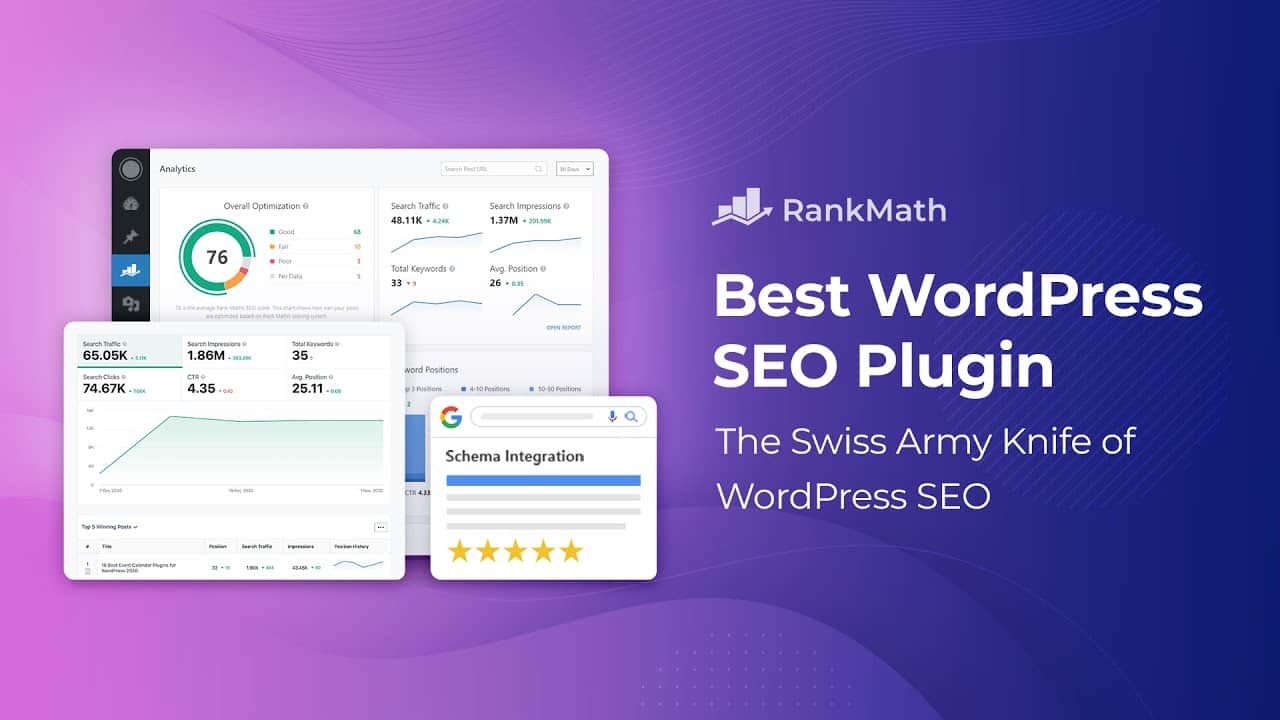
Rank Math is a good WooCommerce SEO plugin because it provides WooCommerce product schema, on-page SEO optimization, keyword tracking, and about 50 other features in the free version. Competitors charge $100+/year for this functionality.
WooCommerce-Specific Features
Rank Math automatically generates Product schema for all your WooCommerce items, including:
- Price and currency
- Availability status
- Review ratings and count
- SKU and product identifiers (GTIN, MPN, brand)
The WooCommerce SEO module adds:
- Product-specific SEO tests
- Bulk editing for product titles and descriptions
- Category and tag optimization
- Automatic breadcrumb schema for product navigation
What I Love
Content AI analyzes your product descriptions and suggests improvements. Keyword tracking monitors where your products rank. Link suggestions help with internal linking between related products.
The interface is clean despite having 100+ settings. The setup wizard guides you through the essentials without overwhelming you.
What Could Be Better
The sheer number of options intimidates beginners. Takes 30 minutes to configure properly versus 5 minutes for simpler plugins.
Best for: Store owners who want maximum features without paying premium prices. Tech-comfortable users who don’t mind configuration.
3. Yoast WooCommerce SEO – Beginner-Friendly Premium Option
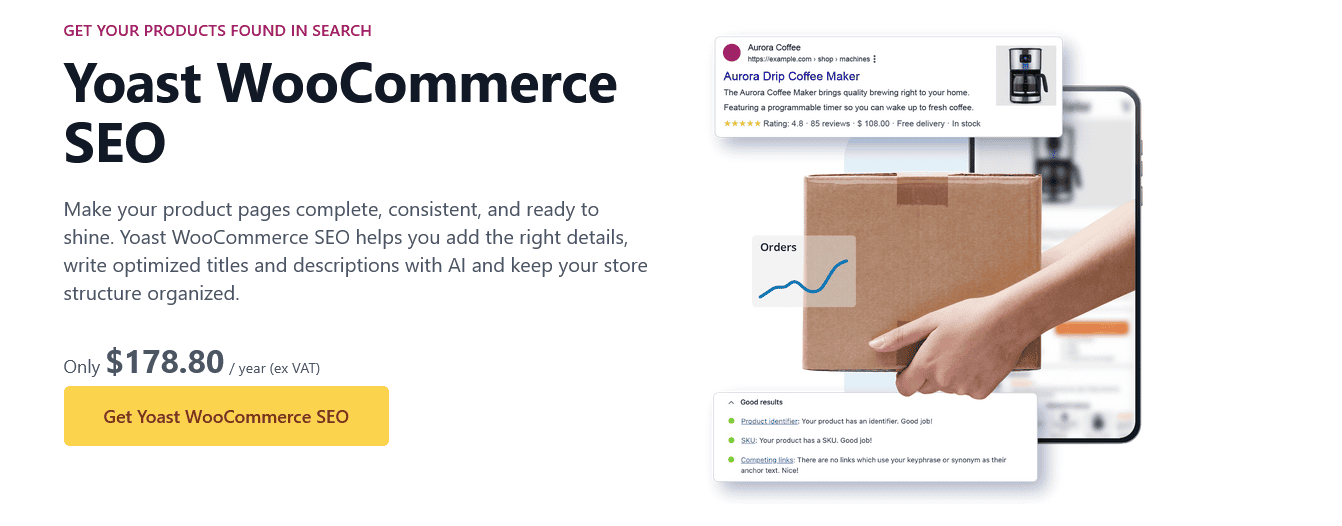
Yoast built the SEO plugin category. Their WooCommerce r3e4x continues that beginner-friendly approach with guided optimization and clear explanations.
What Yoast WooCommerce SEO Includes
The bundle gives you:
- Yoast SEO Premium (base plugin)
- Yoast WooCommerce SEO (dedicated ecommerce extension)
- Yoast Local SEO
- Yoast News SEO
- Yoast Video SEO
- Google Docs add-on
WooCommerce-specific features:
- Automatic product schema (price, availability, reviews)
- Optimized product sitemaps (excludes cart, checkout, filter pages)
- AI-generated product titles and meta descriptions
- Product identifier fields (GTINs, SKUs)
- WooCommerce-focused content analysis
Yoast Advantage
The traffic light system (red/yellow/green) makes optimization foolproof. Real-time feedback as you write product descriptions. Readability analysis ensures product copy is scannable.
Access to Yoast SEO Academy includes a dedicated ecommerce SEO course.
Downsides
Everything’s behind a paywall. A free version is available, but it doesn’t include WooCommerce features. That’s frustrating when Rank Math and AIOSEO offer WooCommerce support for free.
UI feels cluttered with upsells and feature promotions.
Best for: Beginners who value hand-holding over features. Store owners are willing to pay for simplicity and education.
4. All In One SEO (AIOSEO) – Free WooCommerce Features Without The Complexity

AIOSEO is one of the best WooCommerce SEO plugins. It sits between Yoast’s simplicity and Rank Math’s feature overload. Crucially, it includes WooCommerce SEO tools in the free version – something Yoast doesn’t do.
WooCommerce Features (Free Version)
- Product-specific SEO titles and descriptions
- Basic product schema markup
- Category and tag optimization
- Product sitemap generation
Free version covers 80% of what small-to-medium stores need.
Pro Version Adds
- Advanced product schema (GTIN, MPN, brand fields)
- Automatic schema for product variations
- Bulk optimization tools
- WooCommerce-specific redirects
- Product-focused analytics
Why AIOSEO Works
The setup wizard is genuinely helpful. Interface is cleaner than Rank Math, more modern than Yoast. Smart recommendations don’t require SEO expertise to implement.
Integration with other Awesome Motive products (WPForms, MonsterInsights) if you’re in that ecosystem.
The Reality
Pro features justify the cost if you’re running a serious store. The free version handles the basics well, but you’ll eventually want schema for variations, bulk tools, and better analytics.
Best for: Store owners who want WooCommerce support without the complexity of Rank Math or the paywall of Yoast. Beginners to intermediate users.
5. SEOPress – Clean, Affordable Alternative
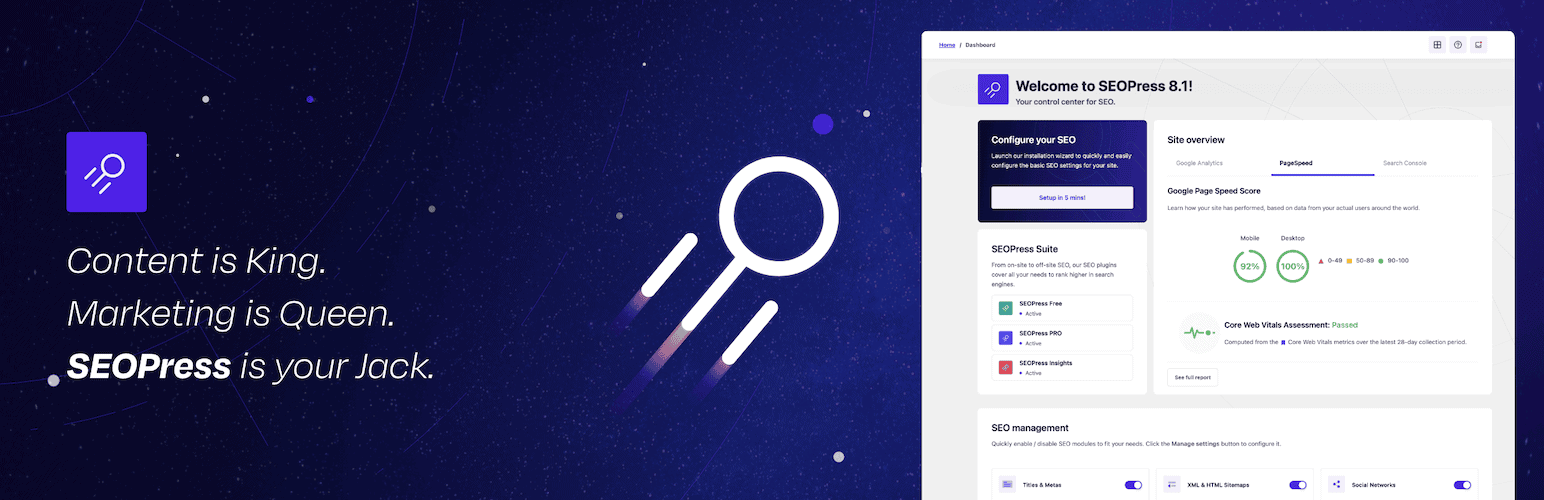
SEOPress flies under the radar but delivers solid WooCommerce SEO without bloat or upsells.
What SEOPress Offers
Free version includes:
- Product and offer schema
- Google Analytics integration
- XML sitemaps with WooCommerce support
- Social media optimization
- Redirections
Pro version ($49/year) adds:
- Advanced schema types
- Local business SEO
- Google Analytics dashboard inside WordPress
- WooCommerce-specific structured data enhancements
SEOPress Philosophy
No ads in the admin interface. No constant upsells. Lighter codebase than Yoast or AIOSEO (faster page load times).
White-label option for agencies that don’t want plugin branding showing to clients.
Where It Falls Short
A smaller user base means fewer tutorials and community resources. The feature set is solid but not as comprehensive as Rank Math or AIOSEO.
WooCommerce features are good but not exceptional. You’ll need additional plugins for advanced product optimization.
Best for: Store owners who want clean, efficient SEO without complexity. Agencies need white-label options.
6. The SEO Framework – Lightweight Automation Machine

The SEO Framework takes the opposite approach: automated SEO with minimal configuration.
How It Works
Plugin automatically generates:
- Optimal meta titles and descriptions
- Open Graph tags for social sharing
- Schema.org markup, including Product schema
- XML sitemaps
No traffic lights. No optimization scores. Just silent, automated SEO in the background.
WooCommerce Support
Basic product schema generation. Automatic meta tag optimization for product pages. Clean sitemaps, excluding unnecessary WooCommerce pages.
Not as feature-rich as dedicated WooCommerce plugins, but it covers fundamentals.
Philosophy
“Set it and forget it” approach. Appeals to users who don’t want to constantly think about SEO.
No ads. No upsells. No premium version is trying to extract money.
Limitations
Automation means less control. No keyword tracking. No content analysis. No AI features.
For complex WooCommerce stores needing advanced schema or detailed optimization, you’ll need additional tools.
Best for: Store owners who want autopilot SEO. Tech-averse users. Small stores with simple needs.
7. Schema Pro – Dedicated Schema Specialist

Schema Pro does one thing exceptionally well: structured data markup. For WooCommerce, that means rich results in search.
What Schema Pro Delivers
35+ schema types, including:
- Product (with all product properties)
- Review
- Offer
- Brand
- Rating
- Q&A
- Video
- Article
Automatic schema based on page type. Manual override for custom configurations.
WooCommerce Advantages
Schema Pro generates a comprehensive product schema that competitors miss:
- Product variants with individual schema
- Dynamic pricing schema
- Real-time stock availability
- Product reviews from multiple sources
- Related products schema
The Visual schema markup builder shows exactly what Google sees.
The Catch
Only does schema. You’ll need a separate SEO plugin for titles, meta descriptions, sitemaps, etc.
Price is steep for a single-purpose plugin, especially when Rank Math includes extensive schema for free.
Best for: Stores where rich results are critical (luxury goods, electronics, fashion). Users are already happy with their base SEO plugin, but want better schema support.
Critical WooCommerce SEO Factors These Plugins Address
Regardless of which plugin you choose, here’s what actually matters for WooCommerce SEO:
Product Indexing – CrawlWP dominates here. Nothing else compares for speed.
Product Schema – Rank Math, AIOSEO, and Schema Pro all handle this well. Yoast requires a premium. WooCommerce itself outputs basic product schema, which CrawlWP builds on with the site graph and breadcrumbs.
Category Optimization – Rank Math and AIOSEO offer the most control. CrawlWP gives product categories, brands and tags their own templates.
Internal Linking – Rank Math’s link suggestions win. Please note they also launched AI link genius, available in Pro plans. CrawlWP also suggests links in the editor and flags products nothing links to. Manual with others.
Page Speed – None of these directly helps speed. Pair with caching/optimization plugins.
Duplicate Content – All handle canonical tags. The SEO Framework does this automatically.
XML Sitemaps – Every plugin generates product sitemaps. Yoast and Rank Math offer the most customization. CrawlWP works with the WordPress core sitemap and keeps noindexed products out of it.
Mistakes That Tank WooCommerce SEO
Ignoring indexing – You can’t rank pages that Google hasn’t indexed. Check Search Console weekly.
Skipping product schema – Rich results with prices/reviews increase CTR by 20-30%.
Optimizing every single variation – Focus on main products. Variations inherit optimization.
Keyword stuffing product titles – “Blue Men’s Running Shoes Size 10 Cheap Best Buy” is spam.
Forgetting category pages – Categories often rank better than individual products. Optimize them.
No internal linking – Link related products together. “Customers also viewed” isn’t enough.
Slow page speed – Product images are usually the killer. Compress them.
Duplicate content – Manufacturer descriptions used across multiple sites. Rewrite them.
Installation And Setup Priority
If you’re starting fresh, here’s the order that makes sense:
Week 1:
- Install CrawlWP – Import your old SEO plugin’s data and get products indexing immediately
- Set product, category and brand templates – Sensible titles and descriptions for every product
- Set up Google Search Console – Monitor indexing status
- Check product schema – Test a product in Google’s Rich Results Test
Week 2:
- Optimize existing product pages – Titles, descriptions, images
- Create category page content – Don’t leave them thin
- Build internal linking – Related products, category links 8. Check Core Web Vitals – Fix major speed issues
Ongoing:
- Monitor indexing weekly
- Update product optimization as you add inventory
- Track rankings monthly
- Adjust based on performance data
Don’t try to do everything at once. Start with indexing and schema. Layer in optimization over time.
Which Plugin Wins For YOUR Store?
Pick CrawlWP if: You want one plugin for store SEO and indexing: product templates, bulk editing, redirects, and products that aren’t getting indexed fast enough. Essential for product launches.
Pick Rank Math if: You want maximum features without paying. Comfortable with configuration. Running stores with 100+ products that need comprehensive optimization.
Pick Yoast WooCommerce SEO if: You’re brand new to SEO and value guided optimization over features. Willing to pay for simplicity and education.
Pick AIOSEO if: You want WooCommerce features in the free tier. Prefer a cleaner interface than Rank Math. Good middle ground.
Pick SEOPress if: You want lightweight, no-bloat SEO. Running an agency and need a white-label. Prefer a one-time annual fee.
Pick the SEO Framework if: You want automated, set-it-and-forget-it optimization. Running a small store with simple needs.
Pick Schema Pro if: Rich results are critical for your product type. Already have base SEO covered and need advanced schema.
For most stores, CrawlWP on its own covers indexing, on-page optimization and tracking, from $59/year. Add Schema Pro only if you need richer product schema than WooCommerce provides.
Now stop reading and install something already. Your products won’t rank themselves.
FAQs
Which is the best free WooCommerce SEO plugin?
CrawlWP and Rank Math are the best free options. CrawlWP’s free version covers product and category templates, redirects and instant indexing. Rank Math offers the most free WooCommerce features, including product schema, category optimization, and bulk editing. AIOSEO is a close with a simpler interface.
Do I really need a WooCommerce SEO plugin, or is the default WooCommerce enough?
WooCommerce provides basic SEO fields but lacks automatic schema markup, advanced optimization tools, and indexing acceleration. Without a dedicated plugin, your products will rank worse and get indexed more slowly.
The best WooCommerce SEO plugins automate what would otherwise take hours to do manually.
Can I use multiple SEO plugins together on my WooCommerce store?
Generally, running Rank Math + Yoast simultaneously causes conflicts.
That includes CrawlWP: it is a full SEO plugin, so use it instead of Rank Math or AIOSEO, not alongside them.
How long does it take to see SEO results with these plugins?
Indexing improvements (from CrawlWP) show within days. Ranking improvements take 4-12 weeks, depending on competition. New stores need 3-6 months to build authority. Installing a plugin won’t magically rank you #1 overnight, but it prevents the mistakes that keep you invisible.
Will these plugins slow down my WooCommerce store?
Rank Math and AIOSEO add ~50-100ms load time. The SEO Framework is the lightest (~20ms). Yoast is the heaviest (~150ms).
For comparison, unoptimized images slow your site 10x more than any SEO plugin.
What’s the difference between Yoast SEO and Yoast WooCommerce SEO?
Yoast SEO is the base plugin (free or premium). Yoast WooCommerce SEO is a separate add-on specifically for ecommerce. The bundle includes both plus Local SEO, News SEO, and Video SEO.
You need the bundle for WooCommerce features – the free Yoast SEO doesn’t include them.
Can these plugins help my products show up in Google Shopping?
Indirectly, yes. A proper product schema (provided by all these plugins) helps Google understand your products, which can lead to rich results in regular search results. For actual Google Shopping listings, you need Google Merchant Center integration – that’s separate from these SEO plugins.
Should I switch from Rank Math or Yoast to CrawlWP?
If fast indexing and simpler catalogue SEO matter, yes. CrawlWP covers product templates, bulk editing and redirects, and notifies search engines the moment products are added or updated. Its importer moves your Rank Math or Yoast data across, so you don’t redo your product SEO.
For stores launching products frequently or seasonally, the indexing speed difference directly impacts revenue.