
Yoast SEO has over ten million active installations. That makes it the most popular WordPress SEO plugin by a mile.
But popularity doesn’t equal “best.” Especially when competitors now offer features Yoast locks behind premium paywalls for free. And when Yoast charges $118.80/year per site, while alternatives cover unlimited sites for half the price.
The WordPress SEO plugins market has evolved dramatically. Yoast built its reputation when competition was weak. Today, plugins like CrawlWP, Rank Math, AIOSEO, and SEOPress match or exceed Yoast’s capabilities while costing less and adding less bloat.
This guide ranks the best Yoast SEO alternatives based on features, pricing, performance, and real-world testing. Whether you’re frustrated with Yoast’s costs, its traffic-light interface, or its constant upsells, there’s a better option.
Let’s find it.
Table of Contents
Why People Leave Yoast SEO for Alternatives
Before jumping to alternatives to Yoast SEO, understand why site owners switch:
Cost stacks up fast – $118.80/year per site. Managing 10 sites? That’s $1,188/year before VAT/taxes. WooCommerce integration? Extra $60/year. Local SEO? More money. The full bundle hits $129/year per site.
Limited free version – One focus keyword only. No redirects. No schema beyond basics. No multiple keyword tracking. Features competitors give away for free.
Plugin bloat – Yoast loads slowly compared to lighter alternatives. Uses more resources. Query Monitor tests consistently show Yoast among the slowest WordPress plugins.
Dashboard clutter – Ads for premium upgrades everywhere. Banners. Notifications. Upsells. Even with the free “Hide SEO Bloat” plugin, it’s annoying.
Slow innovation – Yoast adds features gradually. Competitors innovate faster, adding AI tools, advanced schema, and instant indexing while Yoast plays catch-up.
None of these means Yoast is bad. If you’ve used it for years and it works, switching risks zero benefit. But if you’re starting fresh or genuinely frustrated, alternatives deliver better value.
Quick Comparison: Top 7 Yoast Alternatives
| Plugin | Free Version Quality | Premium Price | Best For |
| Rank Math | Excellent (rivals Yoast Premium) | $95.88/year (unlimited sites) | Power users wanting maximum free features |
| AIOSEO | Good (comparable to Yoast free) | $99/year single site | Beginners want a clean interface |
| SEOPress | Very Good | $49/year | Budget-conscious multi-site operators |
| The SEO Framework | Good (automated) | Free (extensions available) | Set-it-and-forget-it users |
| Slim SEO | Good (minimalist) | $59/year | Developers wanting zero bloat |
| Squirrly SEO | Fair (AI-focused) | $9.99/month | Complete SEO beginners needing guidance |
| CrawlWP | Essential (indexing only) | Free (Pro $59/year) | Everyone handles what SEO plugins can’t |
Now let’s dive into each option.
1. Rank Math – Feature-Packed Free Alternative ⭐
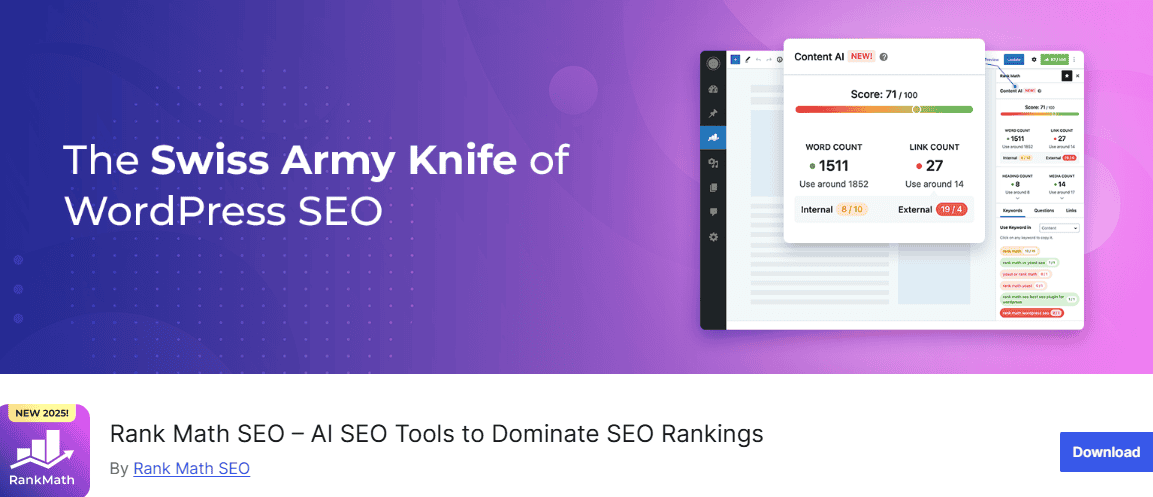
Rank Math is the strongest Yoast alternative for most WordPress sites in 2026. The free version includes features Yoast charges a lot for, and the premium version costs less while delivering more.
What Rank Math Offers (Free Version)
Features locked behind Yoast Premium but free in Rank Math:
- Unlimited focus keywords (Yoast free: 1 keyword only)
- Advanced schema markup (18+ types including FAQ, HowTo, Recipe, Review, Product)
- Google Search Console integration (traffic data in WordPress dashboard)
- 404 monitoring and redirect manager (Yoast charges $118.80/year for redirects alone)
- Internal linking suggestions (helps build site structure)
- Image SEO (auto-adds alt text to images)
- WooCommerce SEO (product schema, URL optimization)
- Local SEO (business schema, opening hours, locations)
- Content AI (optimization suggestions as you write)
The scoring system gives real-time feedback on SEO and readability. Unlike Yoast’s traffic lights, Rank Math shows a numerical score with specific recommendations.
Rank Math Pro ($95.88/year)
Pro adds:
- Rank tracking for 500 keywords
- Advanced schema generator
- Google Trends integration
- Video SEO schema
- News SEO features
- Content AI with 7,500 credits trial
Critical detail: $95.88/year covers unlimited personal sites. Running 5 WordPress sites? Still just $95.88 total. Yoast charges $594/year for 5 sites.
What Could Be Better
The setup wizard requires connecting to a Google account (skippable but slightly annoying). Interface feels crowded compared to Yoast’s simplicity – more options mean a steeper learning curve.
Some users report occasional conflicts with page builders, though compatibility has improved significantly in 2026.
Migration From Yoast
Rank Math includes a one-click migration tool that imports:
- All meta titles and descriptions
- Schema data
- Redirects
- Focus keywords
- Social settings
Takes 2-3 minutes. Zero data loss if done correctly (backup first anyway).
Pricing
- Free: Feature-rich, covers most sites
- Pro: $95.88/year unlimited personal sites
- Business: $299/year for agencies (100 client sites)
- Agency: $659/year (500 client sites)
Best for: Power users, agencies, anyone managing multiple sites, WooCommerce stores wanting free product schema.
2. All In One SEO (AIOSEO) – Clean, Beginner-Friendly Option
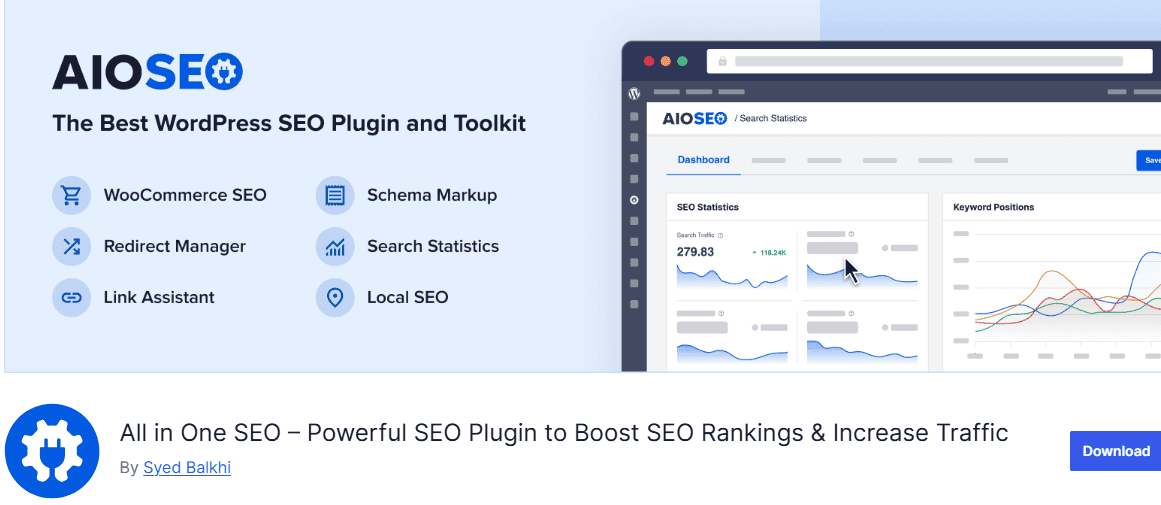
AIOSEO sits between Yoast’s simplicity and Rank Math’s complexity. Clean interface. Solid features. WooCommerce support is available in the free version (Yoast requires a premium).
What AIOSEO Delivers
Free version:
- Single focus keyword optimization
- Basic schema markup
- XML sitemap generation
- Social media meta tags
- Image SEO
- WooCommerce product optimization
- Robots.txt editor
Pro version adds:
- Multiple keywords per post
- Advanced schema (FAQ, HowTo, Product variations)
- Local SEO features
- Video SEO sitemap
- Smart internal link assistant
- Redirection manager
- WooCommerce advanced features
TruSEO Score
AIOSEO’s content analysis is less detailed than Yoast’s readability checker but more actionable. Shows exactly what needs fixing without overwhelming beginners.
The Link Assistant feature automatically suggests internal links as you write. Saves time and improves site structure.
What Works Well
The setup wizard completes configuration in under 10 minutes. Interface is cleaner than Rank Math, less cluttered than Yoast.
Integration with other Awesome Motive products (MonsterInsights, WPForms, OptinMonster) if you’re in that ecosystem.
Pricing
- Free: Solid basics
- Basic: $99/year (1 site)
- Plus: $199/year (3 sites)
- Pro: $399/year (10 sites)
- Elite: $599/year (100 sites)
Note: Introductory pricing doubles at renewal for some plans. Check current rates.
Best for: Beginners wanting guidance without complexity, WooCommerce sites needing free product SEO, and agencies preferring clean dashboards.
3. SEOPress – Budget Premium Choice
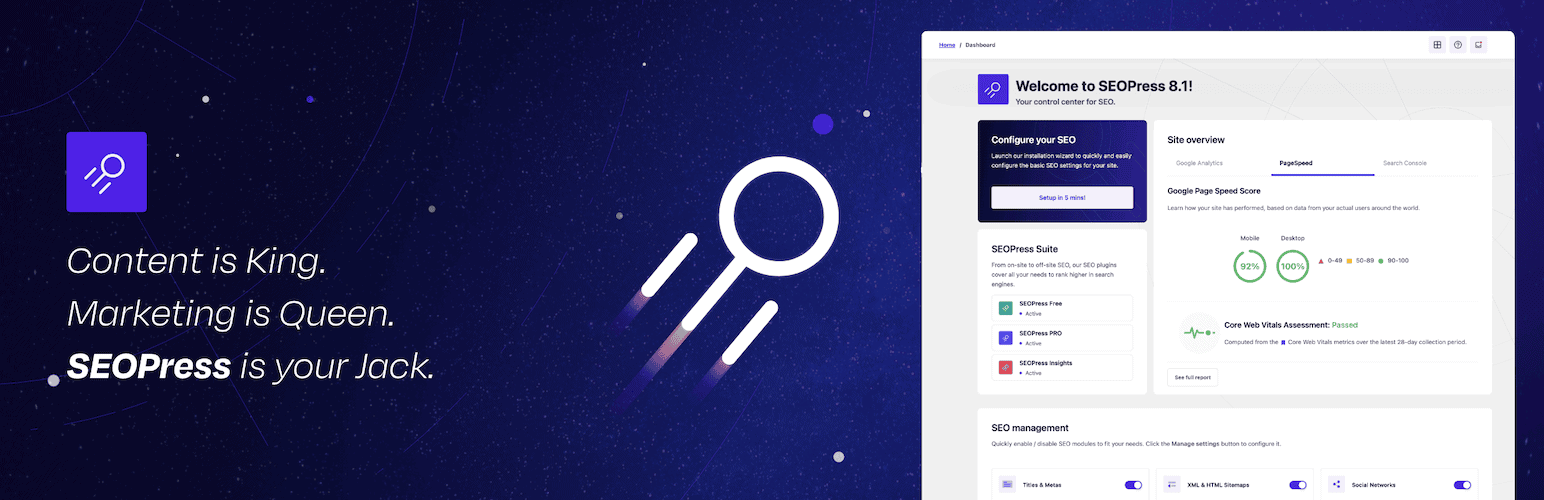
SEOPress offers premium features at the lowest price while maintaining quality. No ads in the admin interface. No upsells, just clean, efficient SEO.
SEOPress Features
Free version:
- Unlimited keywords
- Google Analytics integration
- XML and HTML sitemaps
- Redirections (301, 302, 307)
- Google local business schema
- Social media optimization
- Content analysis
Pro version ($49/year):
- Advanced schema types (FAQ, HowTo, Recipe, Product, Event)
- Google Analytics dashboard inside WordPress
- WooCommerce-specific structured data
- Breadcrumbs
- Google Suggest for keywords
- White label option (for agencies)
The SEOPress Philosophy
No bloat. No ads. No constant upgrade prompts. The interface feels refreshingly clean compared to Yoast.
Price lock guarantee – Your $49/year rate is permanent. No surprise increases at renewal.
Trade-offs
A smaller user base means fewer third-party tutorials. Community support isn’t as robust as Yoast or Rank Math.
The feature set is solid but not as comprehensive. You might need additional plugins for specific advanced needs.
Pricing
- Free: Available
- Pro: $49/year (unlimited sites)
- Insights add-on: $29/year (Google Analytics integration)
Best for: Budget-conscious site owners, agencies needing white-label options, and anyone wanting a clean admin without upsells.
4. SureRank – The Modern Minimalist Built For 2026
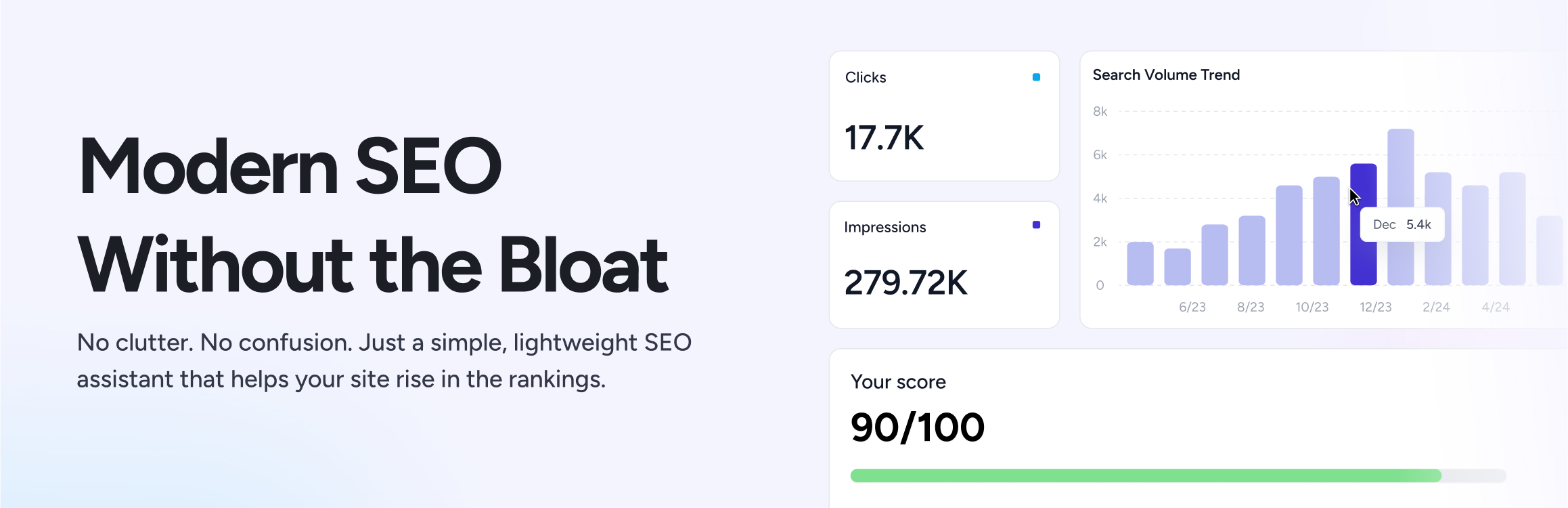
SureRank is the newest in WordPress SEO plugins, launched officially in July 2025 by Brainstorm Force (the team behind the Astra theme). In under a year, it’s gained over 200,000 active installations by doing something radical: stripping away feature bloat and focusing only on what actually matters.
What Makes SureRank Different
Most SEO plugins for WordPress were built 10+ years ago and have accumulated features over time. SureRank was designed from scratch with a single philosophy: SEO should work silently without overwhelming you.
The core approach:
- Clean, modern interface with “smart white space” design
- Pre-configured templates and defaults (optimization from day one)
- Plain English explanations instead of jargon
- Built-in AI with no API keys or additional costs required
- Lightweight code that doesn’t slow your site
Setup takes 3 minutes. The wizard asks for your site type, automatically configures essential settings, and performs an initial SEO health check. Then you’re done.
What SureRank Includes (Free Version)
Here’s what shocked people: everything is free. No limited free version. The entire plugin.
- Unlimited focus keywords
- Meta titles and descriptions
- XML sitemap generation
- Schema markup (Article, Product, Organization, Breadcrumbs)
- Social media previews (Facebook, Twitter)
- Google Search Console integration
- WooCommerce support
- Site-level SEO audit
- Migration from Yoast, Rank Math, AIOSEO, SEOPress, Slim SEO
- Image optimization suggestions
- Canonical URLs
Features competitors charge $49-118/year for. All free. Permanently.
SureRank Pro ($99/Year)
Pro version launched late 2025 with advanced features:
- Built-in AI content optimization (no API keys, no per-use charges)
- Content gap analysis
- SERP preview and research
- Advanced redirect manager
- Internal link suggestions
- Outline builder for content planning
- Priority support
Pricing tiers:
- Pro: $99/year — up to 10 sites
- Business: $199/year — higher site limits/features
- Lifetime plans are also available
Critical detail: The free version isn’t getting stripped down. Brainstorm Force is committed to keeping the free version feature-complete forever.
SureRank Philosophy
Traditional SEO plugins use traffic lights and scores (0-100) to gamify optimization. SureRank rejects this approach.
Instead of “Your SEO score is 67/100” with vague suggestions, SureRank shows:
- Poor/Satisfactory/Good status for each element
- Plain English explanations of what needs fixing
- Concrete suggestions you can act on immediately
- No jargon – accessible to complete beginners
The interface feels native to WordPress, not like a foreign dashboard bolted on. Everything integrates cleanly with the block editor.
Performance Testing
Independent testing shows SureRank loads 50-100ms faster than Yoast or Rank Math. Doesn’t sound like much until you multiply by thousands of visitors.
The difference: SureRank ships only what you need. No disabled modules loading “just in case.” No features 80% of users never touch.
For sites where Core Web Vitals matter (which is every site in 2026), this performance edge compounds.
Built-In AI (Pro Feature)
Unlike AIOSEO or Yoast, which require connecting your own OpenAI API key (with per-use charges), SureRank’s AI is included in the Pro subscription with no additional costs.
The AI automatically:
- Generates optimized meta titles and descriptions
- Suggests image alt text
- Recommends internal links based on content analysis
- Creates content outlines
No usage limits. No surprise API bills. Just works.
Migration From Other Plugins
One-click migration wizard imports:
- All meta titles and descriptions
- Schema data
- Social settings
- Focus keywords
- Sitemaps
Tested migrations from Yoast, Rank Math, and AIOSEO completed in under 3 minutes with zero data loss. Significantly smoother than competitors’ migration tools.
What SureRank Doesn’t Have (Yet)
No built-in rank tracking – You’ll need SE Ranking, Semrush, or similar for keyword position monitoring.
Basic redirect management – Pro version includes redirects, but it’s not as comprehensive as SEOPress. No CSV import/export for bulk operations.
No readability scoring – Unlike Yoast’s Flesch Reading Ease analysis, SureRank doesn’t grade content readability. Use Hemingway Editor separately if you need this.
Smaller community – Launched in 2025, so fewer third-party tutorials and integrations compared to established plugins. Official documentation is solid, though.
Still evolving – Some Pro features are recent additions. Long-term stability remains to be proven (though Brainstorm Force’s track record with Astra is excellent).
Who SureRank Is For
Perfect for:
- Beginners are overwhelmed by complex SEO plugins
- Content creators who want “set it and forget it” optimization
- Small businesses needing clean, simple SEO
- Bloggers are tired of cluttered interfaces
- Anyone prioritizing site speed
- WordPress users who appreciate modern, well-designed tools
Not ideal for:
- SEO agencies needing advanced client management
- Power users wanting granular control over every setting
- Large sites requiring complex redirect management
- Teams that need extensive third-party integrations
- Users who rely on detailed readability analysis
Reality Check
SureRank is less than a year old. While it’s backed by Brainstorm Force (makers of Astra, used by 1.7+ million sites), it doesn’t have the battle-tested history of Yoast or Rank Math.
That said, for most WordPress sites, SureRank’s approach makes more sense than feature-stuffed alternatives. The free version legitimately delivers what most sites need. The Pro version adds genuinely useful tools at competitive pricing.
The interface feels refreshingly modern. Setup is genuinely fast. Performance impact is minimal. And the price (free for full features, $99/year for Pro) beats everyone except Rank Math.
Best for: Beginners wanting modern, clean SEO without complexity. Content creators prioritize speed and simplicity. Anyone tired of bloated SEO plugins.
5. The SEO Framework – Automated Lightweight Option
The SEO Framework takes the opposite approach to Yoast: automation over manual configuration. Minimal settings. Clean code. No traffic lights or scores.
How It Works
This alternative to Yoast SEO automatically generates:
- Optimal meta titles and descriptions
- Open Graph tags for social sharing
- Schema.org markup (including Product schema)
- XML sitemaps
- Canonical URLs
No keyword analysis. No readability scores. No traffic lights telling you what to do.
The philosophy: SEO should work silently in the background while you focus on content.
What You Get
Free version (full plugin):
- Complete automation
- All schema types
- Social media optimization
- Breadcrumbs
- AMP support
- Sitemap generation
Extensions (optional):
- Focus (keyword analysis): $8/month
- Articles (schema for news sites): $6/month
- Local (local business SEO): $6/month
- AMP (accelerated mobile pages): $3/month
The Philosophy
Perfect for users who find Yoast’s constant suggestions annoying. Set it once, forget it forever.
Lightweight code means faster page loads compared to Yoast or Rank Math.
Limitations
No AI features. No content analysis. No keyword tracking. Less control for power users who want to tweak everything.
For complex sites needing detailed optimization, this might feel limiting.
Pricing
Completely free. Extensions available à la carte for specific needs.
Best for: Tech-averse users, small sites with simple needs, anyone wanting autopilot SEO.
6. Slim SEO – Developer’s Minimalist Choice
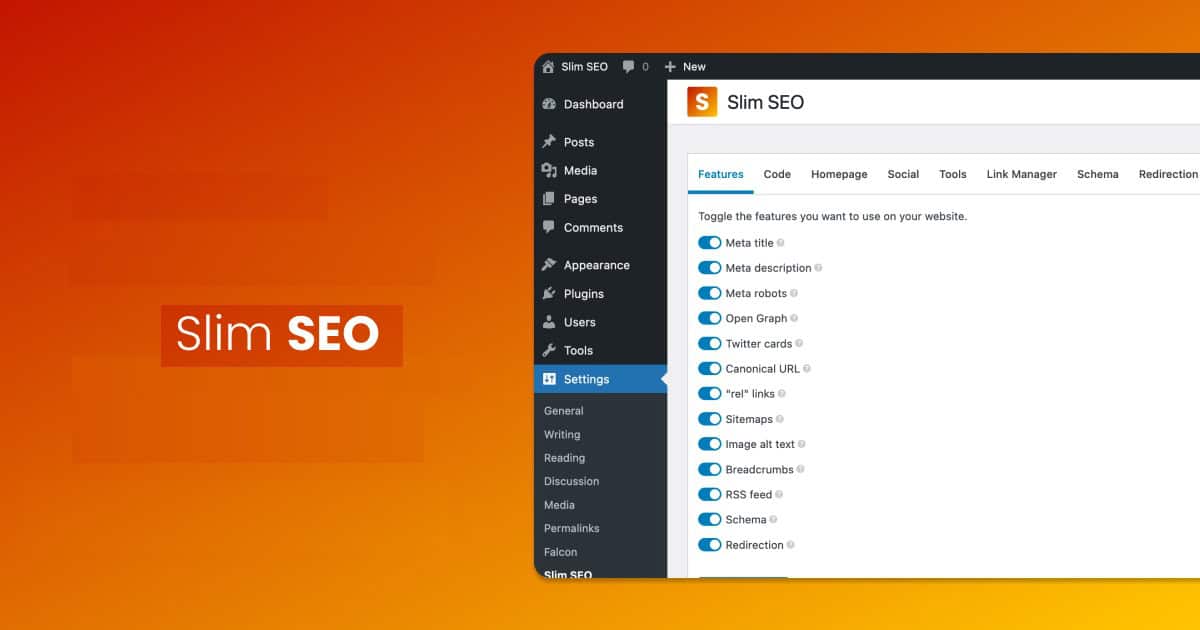
Slim SEO auto-generates meta tags, schema markup, sitemaps, and redirects with near-zero configuration. Built for speed and simplicity.
What Makes It Different
No settings page. No configuration panel. Install, activate, done.
Slim SEO automatically:
- Creates meta titles from page titles
- Generates meta descriptions from content excerpts
- Adds schema markup based on content type
- Builds XML sitemaps
- Handles 301 redirects
- Optimizes images
Lightest WordPress SEO plugin available. Adds virtually zero overhead to page load times.
Who This Is For
Developers who want SEO to “just work” without touching settings. Sites where speed is critical. Projects where you don’t want clients messing with SEO configurations.
What It Doesn’t Do
No keyword analysis. No readability checks. No content optimization suggestions. No advanced schema beyond basics.
You’re trading control for simplicity and speed.
Pricing
- Free: Core functionality
- Pro: $59/year (auto redirects, breadcrumbs, more schema types)
Best for: Developers prioritizing speed, simple sites that don’t need advanced features, and anyone allergic to bloat.
7. Squirrly SEO – AI-Powered Training Wheels
Squirrly is less an SEO plugin and more an SEO education platform. Built for complete beginners who need step-by-step guidance.
How Squirrly Works
Cloud-based AI does the heavy lifting on Squirrly’s servers (without slowing your site). Provides:
- Real-time keyword research inside the post editor
- Step-by-step SEO strategy
- Weekly goals and tasks
- Automated suggestions
- Competition analysis
Think of it as SEO training wheels with AI assistance.
Features
- Keyword research without leaving WordPress
- Focus pages (detailed optimization checklists)
- SEO live assistant (real-time content feedback)
- Rank tracking
- Audit tools
- Content suggestions
The Catch
More expensive than competitors. Pricing starts at $9.99/month with multi-site support, which is $119.88/year compared to Rank Math Pro at $95.88/year.
Interface feels cluttered and overwhelming despite being “beginner-friendly.”
Feature overlap with other plugins – you’re paying for the AI guidance and education, not just the SEO tools.
Pricing
- Free: Limited version
- Pro: $9.99/month (5 sites)
- Business: $71.99/month (7 sites)
Best for: Complete SEO beginners needing constant guidance and users who are lost without step-by-step instructions.
Skip if: You have basic SEO knowledge or want cost-effective solutions.
8. CrawlWP – Indexing Specialist Everyone Needs
Here’s what every Yoast alternative comparison misses: none of them handle indexing speed.
Yoast, Rank Math, AIOSEO, and SEOPress all generate sitemaps that search engines check on their schedules. You publish new content and wait. Sometimes hours. Sometimes days. Sometimes weeks.
CrawlWP solves the one problem most WordPress SEO plugins, including Yoast, ignore: getting Google to actually index your pages quicker. It also lets you view and understand how your WordPress site is performing on search engines (including Google and Bing).
With CrawlWP, you can see the impressions and clicks generated by your website from search results as well as the ranking positions of your various website pages.
Our plugin also lets you know which pages and content on your website are indexed, not indexed, and awaiting indexing. You can submit the pages that are not indexed for indexing in one click, or let the plugin do this automatically for you by scanning for unindexed pages and submitting them to search engines for indexing.
What CrawlWP Does
Automatically notifies Google, Bing, Yandex, and other search engines the instant you publish or update content.
The workflow:
- You publish a post/page/product
- CrawlWP detects it automatically
- Submits URL to search engines (Google, Bing, Yandex, Yep, etc.)
- Search engines instantly get notified
- Indexing happens within hours and days instead of weeks and months
Why This Matters
Traditional WordPress SEO plugins are passive. They create sitemaps and hope that search engines, including Bing, Yandex, Yep, and Google, will eventually find them.
CrawlWP is active. It pushes notifications directly to search engines.
Real impact:
- New blog posts are indexed within hours
- Product launches appear in search during peak buzz
- Updated content was re-indexed the same day
- Seasonal content doesn’t miss its traffic window
The CrawlWP + SEO Plugin Stack
The winning combination:
- Pick one SEO plugin: Rank Math (power users), AIOSEO (beginners), or SEOPress (budget)
- Add CrawlWP: Handles instant indexing automatically
- Result: On-page SEO optimization + instant search engine notification
CrawlWP doesn’t conflict with Yoast or other SEO plugins because it performs a completely different function. It’s not Yoast vs CrawlWP – it’s Yoast (or alternative) plus CrawlWP.
CrawlWP Features
Free version:
- Automatic indexing submission
- Google Search Console integration
- Bing IndexNow support
- Real-time notifications
- Indexing status dashboard
Pro version ($59/year):
- Bulk URL submissions
- Detailed email reports
- Priority support
- Advanced analytics
Pricing
- Free: Core instant indexing
- Pro: $59/year
Best for: Every WordPress site. Seriously. Regardless of which SEO plugin you choose, add CrawlWP for indexing speed.
Install CrawlWP and stop waiting for Google →
Feature Comparison: Yoast vs Top Alternatives
| Feature | Yoast Free | Yoast Premium | Rank Math Free | AIOSEO Free | SEOPress Free |
| Focus Keywords | 1 | Unlimited | 5 | 1 | Unlimited |
| Schema Markup | Basic | Advanced | 18+ types | Basic | Basic |
| Redirects | ❌ | ✅ | ✅ | ❌ | ✅ |
| WooCommerce | ❌ | Extra $60/yr | ✅ | ✅ | ❌ |
| Local SEO | ❌ | Extra $69/yr | ✅ | ❌ | ✅ |
| Google Analytics | ❌ | ❌ | ✅ | ❌ | ✅ |
| Internal Links | ❌ | ✅ | ✅ | ❌ | ❌ |
| 404 Monitoring | ❌ | ❌ | ✅ | ❌ | ❌ |
| Price (Premium) | N/A | $99/yr per site | $59/yr unlimited | $99/yr | $49/yr unlimited |
The pattern is clear: competitors give away free what Yoast charges for.
Cost Comparison: Scenarios
Single personal blog:
- Yoast Premium: $118.80/year
- Rank Math Pro: $95.88/year
- AIOSEO Basic: $99/year
- SEOPress Pro: $49/year
- Winner: SEOPress or AIOSEO ($49-50/year)
5 personal sites:
- Yoast Premium: $495/year (5 × $99)
- Rank Math Pro: $95.88/year (unlimited)
- AIOSEO Plus: $99.50/year (3 sites) + Basic for 2 more = $198.50/year
- SEOPress Pro: $49/year (unlimited)
- Winner: SEOPress ($49/year total)
Agency with 20 client sites:
- Yoast Premium: $1,980/year (20 × $99)
- Rank Math Business: $199/year (100 sites)
- AIOSEO Pro: $199.50/year (10 sites) × 2 = $399/year
- SEOPress Pro: $49/year (unlimited)
- Winner: SEOPress ($49/year) or Rank Math ($199/year with better features)
The savings compound dramatically for multi-site operations.
Migration Guide: Switching From Yoast
Before switching:
- Backup your site (UpdraftPlus, BackWPup, or host backup)
- Document current rankings (note positions for top keywords)
- Export Yoast settings (just in case)
- Test on staging site first (if available)
Migration process:
- Install new SEO plugin (don’t activate yet)
- Activate new plugin
- Run migration wizard (Rank Math, AIOSEO, SEOPress, all import Yoast data)
- Verify meta titles and descriptions transferred correctly
- Check that schema markup is working
- Confirm sitemaps are generated properly
- Deactivate Yoast (keep installed for 1 week as backup)
- Monitor Search Console for issues
- Delete Yoast after confirming everything works
Common migration issues:
- Meta descriptions sometimes need manual verification
- Custom schema may not transfer perfectly
- Redirects occasionally require recreation
- Social meta tags should be checked
Plan 30-60 minutes for migration and verification.
Which Yoast Alternative Should You Choose?
Choose Rank Math if:
- You want maximum features for minimum cost
- You’re comfortable with slightly more complex interfaces
- You manage multiple sites
- WooCommerce product optimization matters
- Free schema markup is essential
Choose AIOSEO if:
- You want simplicity between Yoast and Rank Math
- Clean interfaces matter more than feature quantity
- You’re willing to pay a bit more for ease of use
- You use other Awesome Motive products
Choose SEOPress if:
- Budget is the primary concern
- You manage many sites
- You want white-label options
- Clean, ad-free admin is important
- Price lock guarantees matter
Choose The SEO Framework if:
- You want set-it-and-forget-it automation
- Lightweight code matters most
- You don’t need advanced features
- Simple sites are your focus
Choose Slim SEO if:
- You’re a developer prioritizing speed above all
- Zero configuration appeals to you
- Your sites don’t need advanced optimization
Choose Squirrly if:
- You’re a complete beginner needing training wheels
- Budget isn’t a constraint
- AI-guided optimization sounds helpful
Choose CrawlWP regardless:
- Every site benefits from instant indexing
- Works alongside any SEO plugin
- Free version handles most needs
- The Pro version is worth it for serious sites
Bottom Line
Yoast SEO built its reputation when competition was weak. It’s still solid, reliable, and works well.
But in 2026, you’re paying premium prices for features that Yoast SEO alternatives are giving away for free. You’re dealing with dashboard clutter and upsells. You’re managing per-site licensing that gets expensive fast.
For most WordPress sites, Rank Math delivers better value. More free features. Lower premium cost. Faster innovation.
For beginners seeking simplicity, AIOSEO strikes a middle ground. Cleaner than Rank Math. More features than Yoast free. Reasonable pricing.
For budget-conscious multi-site operators, SEOPress wins on price. $49/year for unlimited sites with no renewal increases.
And regardless of which you choose, add CrawlWP for instant indexing. SEO plugins optimize your pages. CrawlWP gets them indexed fast. You need both.
The WordPress SEO plugin market is no longer a one-horse race. Competition gave us better options at lower prices.
Use them.
FAQs
Can I switch from Yoast to another SEO plugin without losing rankings?
Yes. Migration tools in Rank Math, AIOSEO, and SEOPress import your Yoast data (meta titles, descriptions, schema, redirects, focus keywords). Rankings depend on content quality and backlinks, not which plugin you use.
Backup first, verify the migration worked correctly, and monitor Google Search Console for issues. Most sites see zero ranking impact.
Is Rank Math really better than Yoast?
Rank Math offers more features in its free version than Yoast Premium ($118.88/year). For power users and multi-site operators, Rank Math provides better value. Yoast has a longer history, a larger community, and a simpler interface – better for beginners, prioritizing stability over features. “Better” depends on your needs and technical comfort.
Will switching SEO plugins improve my rankings?
No. Switching WordPress plugins won’t magically improve rankings. Content quality, backlinks, technical SEO, and user experience determine rankings – not which plugin manages your meta tags. Switch if you need features your current plugin lacks or want better pricing.
Don’t switch, expecting automatic ranking improvements.
Which is cheaper: Yoast Premium or Rank Math Pro?
Rank Math Pro costs $95.88/year for unlimited personal sites. Yoast Premium costs $118.80 per site per year. For one site, Yoast is $22/year more expensive. For five sites, Yoast costs $495/year vs Rank Math’s $95.88/year – that’s $436/year savings. Yoast’s per-site licensing makes it exponentially more expensive for agencies and multi-site owners.
Do I need a premium SEO plugin, or is free enough?
Free versions of Rank Math, AIOSEO, or SEOPress cover essential SEO needs for most sites: meta tags, XML sitemaps, schema markup, and readability analysis.
Upgrade to premium if you need: multiple keyword tracking, advanced schema types, redirect management (free in Rank Math), video/news SEO, or WooCommerce advanced features. Many successful sites run on free SEO plugins.
Can I use multiple SEO plugins simultaneously?
Never. Running Yoast, Rank Math, and AIOSEO simultaneously causes conflicts: duplicate meta tags, competing sitemaps, and schema conflicts that hurt rankings. Choose one SEO plugin.
Exception: CrawlWP handles only indexing, so it works safely alongside any SEO plugin without conflicts.
How do I migrate from Yoast without breaking my site?
Backup your site first. Install the new plugin without activating. Activate and run the migration wizard. Verify meta titles, descriptions, and schema transferred correctly. Test thoroughly.
Deactivate Yoast but keep it installed for one week as a safety backup. Monitor Search Console for indexing issues. Delete Yoast only after confirming everything works. Most migrations complete in 30-60 minutes.
Why do I need CrawlWP if I have an SEO plugin?
SEO plugins (Yoast, Rank Math, AIOSEO) optimize your content, but don’t control indexing speed. They generate sitemaps that Google checks on its schedule – sometimes days or weeks later. CrawlWP actively notifies Google the instant you publish, cutting indexing time from weeks to 24-48 hours. You need both: an SEO plugin for optimization, and CrawlWP for instant indexing.