
At some point, every website owner has stared at a dashboard full of keyword rankings, traffic numbers, and crawl errors and thought: “What does any of this mean?”
That is not a ‘you’ problem. That is a tool problem.
Raw SEO data without context is just noise. It tells you clicks went up 12% but not why. It shows you three pages dropped in ranking but not which ones matter. It gives you a site audit with 500+ issues but no guidance on which to fix before lunch.
The best SEO reporting tools exist to solve exactly that problem. They take the chaos of search performance data and turn it into something genuinely useful: a clear picture of what is working, what is not, what changed, and what to do next.
The challenge in 2026 is that the market for SEO reporting software is crowded. You have all-in-one platforms trying to do everything, specialized tools that do one thing brilliantly, agency SEO reporting software built for client deliverables, and free tools that are genuinely excellent if you know how to use them.
This guide covers the best SEO reporting software and tools tested and verified in 2026. Every price is current and sourced. Every feature claim is checked. Every verdict is honest about who each tool is actually built for.
Let us find the right SEO reporting solution for you.
Table of Contents
What Makes A Good SEO Reporting Tool?
Before the list, a quick framework. The best SEO report software for your situation depends on three things:
What data you need: Keyword rankings, organic traffic, backlinks, technical issues, competitor data, or all of the above.
Who reads your reports: Yourself, a small internal team, or clients who need branded, client-ready deliverables from a proper SEO reporting platform.
What you can spend: Free SEO reporting solutions exist and are genuinely capable. Paid SEO reporting tools range from $59/year to $500/month and beyond.
With that in mind, here are the best SEO reporting tools in 2026.
1. CrawlWP – SEO Reporting Tool For WordPress
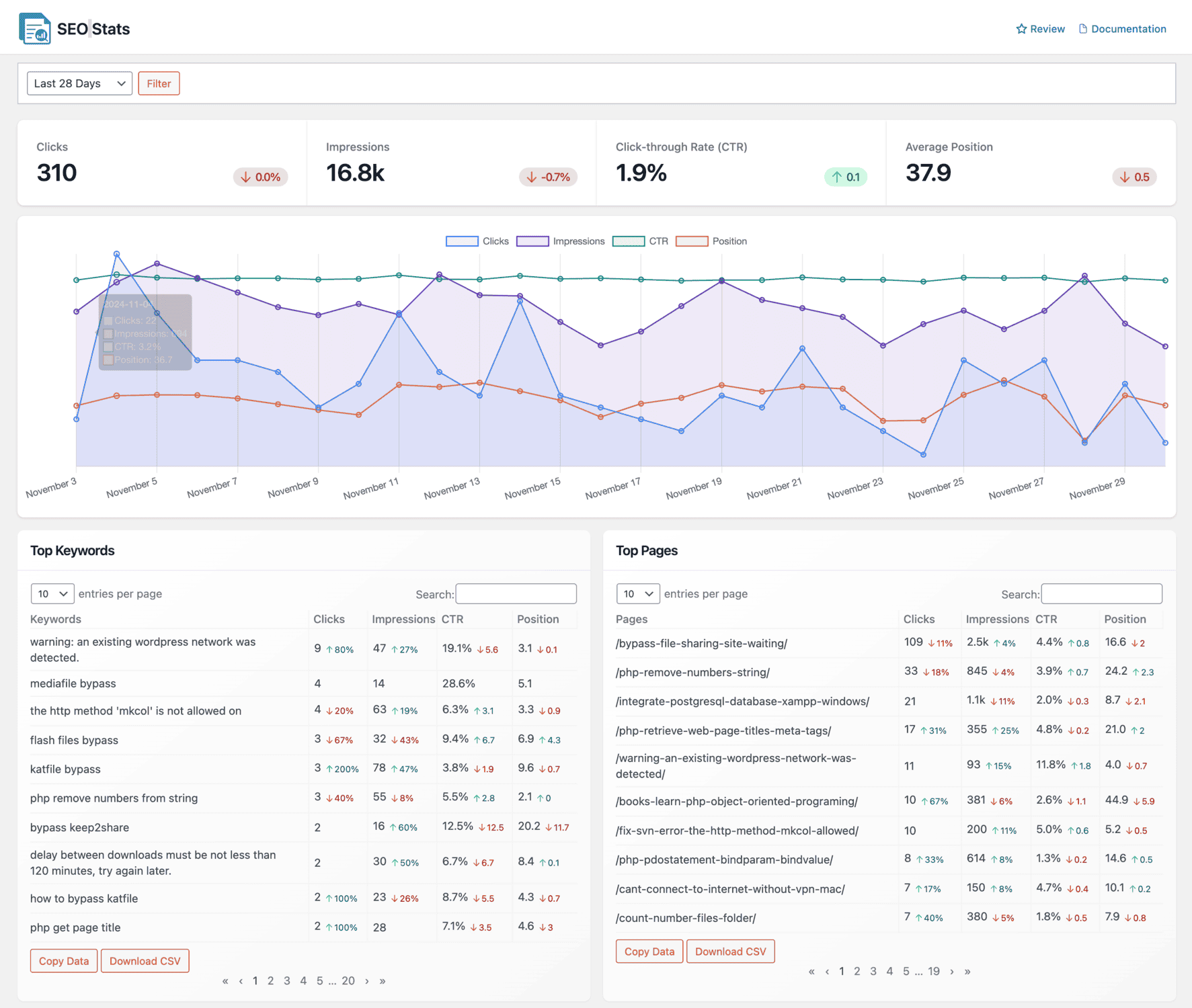
Best for: WordPress site owners who want real SEO performance reporting across Google, Bing, and Yandex without leaving their dashboard
Starting price: Free (paid plans from $59/year)
There is a recurring frustration among WordPress site owners that most SEO reporting software articles never mention: the constant tab-switching to check your data.
You write a post in WordPress. You publish it. Now you need to check whether it got indexed, how it is performing on Google, whether Bing picked it up, and what keywords are driving traffic to it.
So you open Google Search Console in one tab. Bing Webmaster Tools in another. Yandex Webmaster if you remember. You cross-reference rankings manually, correlate them with Google Analytics traffic data in a fourth tab, and by the time you have the full picture, you have forgotten what you were looking for.
CrawlWP is the SEO reporting tool that fixes this. It is also a complete WordPress SEO plugin, so the same plugin handles your titles and meta descriptions, schema, sitemaps and redirects. It brings multi-engine SEO performance data directly into your WordPress dashboard, pulling real numbers from official search engine APIs so nothing is estimated or approximated.
What CrawlWP reports on:
The SEO Stats feature connects to Google Search Console, Bing Webmaster Tools, and Yandex simultaneously. This is not a scraping tool or a third-party estimate. It is your actual data from the source.
Clicks: The number of times users clicked through to your site from search results across all three engines. This is your real organic traffic from search, not a projection.
Impressions: How many times your pages appeared in search results. High impressions with low clicks reveal pages that rank but fail to earn the click, almost always a title or meta description problem worth fixing immediately.
Click-through rate (CTR): The ratio of clicks to impressions. A page that appears 10,000 times and earns 100 clicks has a 1% CTR. CrawlWP displays this per keyword and per page, making it straightforward to spot where traffic is being left on the table.
Average position: Where your pages rank on average across all tracked queries. Watching this trend after publishing new content or making on-page changes is one of the most reliable feedback loops in SEO.
Top Keywords report: Every keyword driving traffic to your site, sortable by clicks, impressions, CTR, or position. The Winners and Losers filter surfaces which keywords are climbing and which are dropping so you can prioritize without digging through spreadsheets manually.
Top Pages report: Which pages attract the most organic traffic. High-impression, low-click pages sit here waiting for a title tag improvement that could unlock real traffic growth without writing a single new word.
Top Countries report: Geographic breakdown of search performance. Essential if you are running international SEO or want to understand where your audience actually comes from before investing in region-specific content.
Device breakdown: Performance split by mobile, tablet, and desktop. Given that Google uses mobile-first indexing, a meaningful gap between mobile and desktop performance is a warning worth acting on quickly.
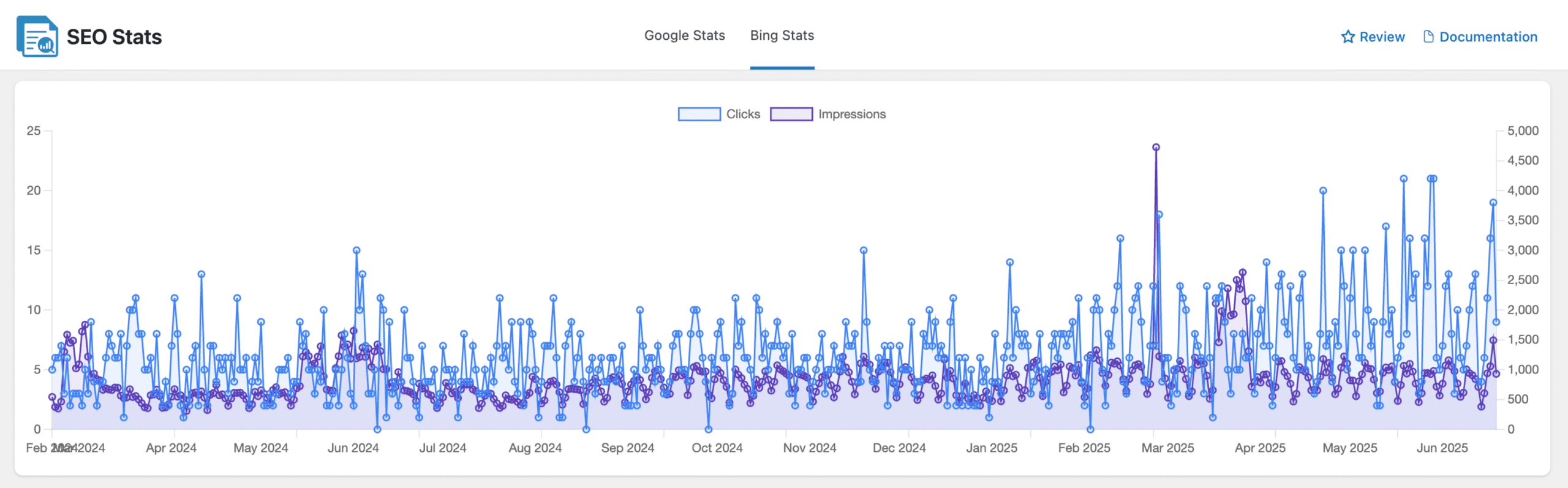
Bing Stats: Daily performance data from Bing search, including top ranking keywords and page-level traffic data. Most WordPress SEOs ignore Bing. That is a mistake. Bing also powers Microsoft Copilot, DuckDuckGo, and Yahoo. Optimizing for Bing costs almost no extra effort if you are already in Google Search Console, and CrawlWP makes ignoring it impossible by putting the data directly in front of you.
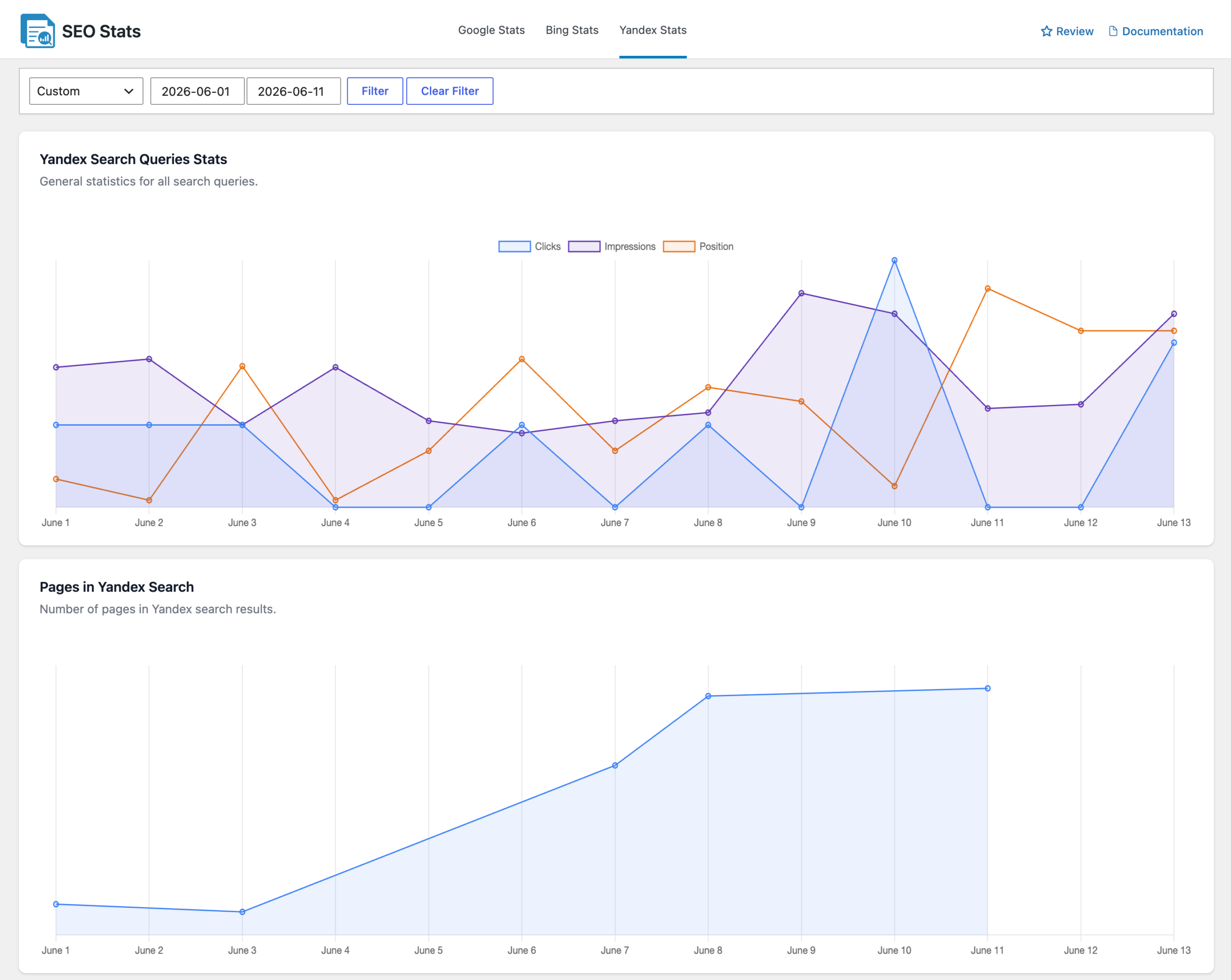
Yandex Stats: Top keywords and indexed pages in Yandex Search. Directly relevant for any site with Eastern European or Russian audiences, and increasingly valuable as Yandex expands its reach.
SEO email reports: Scheduled daily, weekly, or monthly SEO performance summaries of your website emailed to your inbox automatically. You get a clean roundup of search performance, top keywords, and top pages without logging in at all. This alone replaces the manual process most site owners follow of checking their stats, forgetting about it for three weeks, then panicking.
The indexing advantage that other SEO reporting platforms skip:
Beyond reporting, CrawlWP actively submits your content to Google, Bing, and Yandex the moment you publish. Google, Bing and Yandex hear about new pages straight away instead of waiting to find them through your sitemap. Other SEO reporting tools watch your performance after the fact. CrawlWP also influences the performance you are about to see by getting your content into search engines faster.
With over 40,000 WordPress site owners using CrawlWP to monitor and improve their search rankings, the data pipeline is well tested and reliable.
Pricing:
- Free (CrawlWP Lite): on-page SEO, schema, sitemaps, redirects and instant indexing. SEO Stats reporting and email reports are on paid plans.
- Paid plans: from $59/year (bulk submissions, SEO email reports, advanced analytics, priority support)
Best paired with: Google Analytics for total traffic context and Microsoft Clarity for behavioral data. All three together cost almost nothing and cover far more ground than most paid SEO reporting platforms charge for.
Track your SEO performance across Google, Bing, and Yandex with CrawlWP →
2. Google Search Console – The Free Baseline Every SEO Report Needs
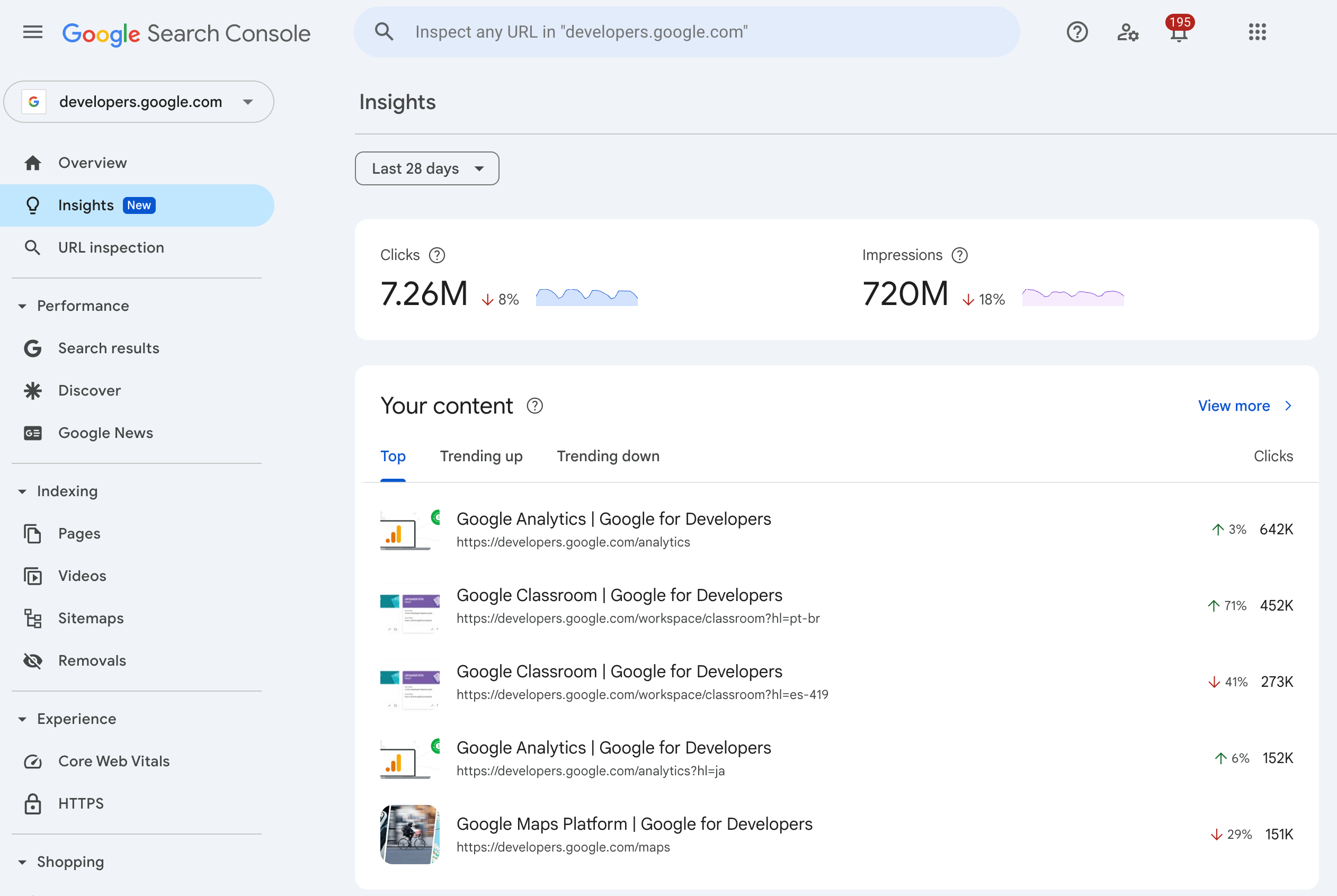
Best for: Anyone who wants accurate, first-party organic search data directly from Google at zero cost
Starting price: Free
Every paid SEO reporting platform either pulls data from Google Search Console, integrates with it, or approximates what it measures. None of them improve on it for your own site. If CrawlWP is where WordPress users access their search data inside their dashboard, Google Search Console is where that data originates.
GSC gives you clicks, impressions, CTR, and average position for every query your site ranks for. It flags indexing errors, mobile usability issues, Core Web Vitals problems, and manual actions from Google. It shows which pages are indexed, which are not, and the specific reason why not.
The data is accurate for your own site because it comes directly from Google. No estimates. No sampling. Real numbers from the source, which is more than any third-party SEO reporting software can claim.
What makes it essential for any SEO report:
The Performance report tracks keyword-level and page-level data going back 16 months.
The Coverage report shows which URLs are indexed and highlights errors preventing others from appearing in search. The Core Web Vitals report flags speed and experience issues that directly affect rankings. The Enhancements report tracks rich result eligibility for schema markup types.
Honest limitation: GSC covers Google only. It does not touch Bing, Yandex, or any other search engine. It also does not help with competitor research, backlink analysis, or the generation of client-ready SEO reports. It is a diagnostic and monitoring tool, not a presentation tool.
For multi-engine reporting, CrawlWP consolidates GSC data with Bing and Yandex in a single WordPress dashboard.
Pricing: Free, permanently
3. Semrush – The All-In-One SEO Reporting Platform For Serious Teams
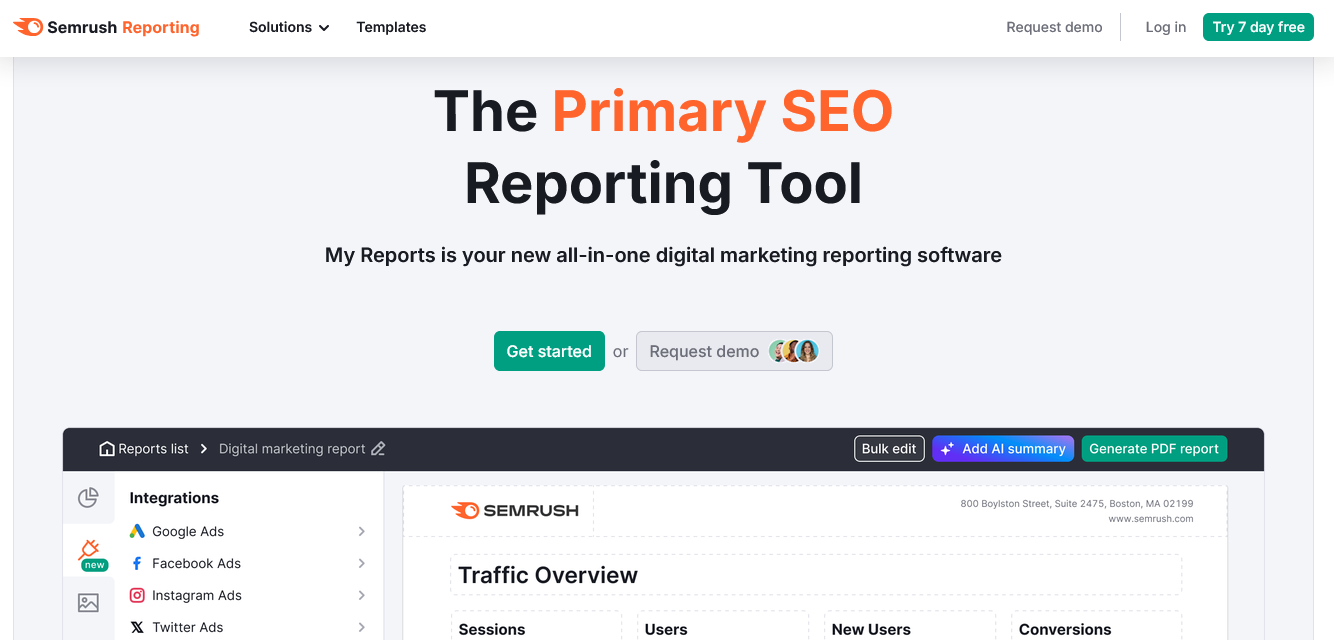
Best for: Agencies and in-house teams needing keyword research, rank tracking, competitor analysis, and SEO reporting software in a single platform
Starting price: $139.95/month
Semrush is the most comprehensive SEO reporting platform on the market in 2026. It is also genuinely expensive. Understanding what you are paying before signing up matters more with Semrush than almost any other tool on this list, because the headline price and the real price diverge significantly once you start adding what most teams need.
2026 pricing (monthly billing):
- Pro: $139.95/month (5 projects, 500 tracked keywords, core SEO tools)
- Guru: $249.95/month (15 projects, 1,500 tracked keywords, historical data, Content Marketing Toolkit)
- Business: $499.95/month (40 projects, 5,000 tracked keywords, API access, Share of Voice)
- Semrush One Starter: $199/month (combines SEO Classic and AI Visibility toolkits)
- Semrush One Pro+: $299/month
- Semrush One Advanced: $549/month
Annual billing saves up to 17% across all plans. Eligible plans also include a 7-day free trial for new users.
The hidden costs nobody mentions in SEO reporting software reviews:
Keep in mind that the advertised price is only the starting point. Additional users cost extra ($45, $80, or $100 per month depending on your plan).
The AI Visibility Toolkit starts at $99/month per domain as a standalone add-on and is bundled with Semrush One plans.
The Local Toolkit starts at $30/month per location (billed annually), while the Content Toolkit starts at $60/month. As an example, a small agency using the Pro plan, two additional users, and AI Visibility for three client domains would pay about $527/month, well above the advertised $139.95 starting price.
What Semrush reports on:
Organic keyword rankings tracked daily. Competitor traffic estimates, top pages, and keyword gaps. Backlink profile analysis. Technical site audit with prioritized recommendations.
The My Reports module builds custom PDF SEO reports combining Semrush data with Google Analytics and Google Search Console integration. White-label reporting is available on supported plans for client-facing SEO reporting.
Honest verdict: Semrush is exceptional when you actively use the research tools alongside the reporting features. For agencies billing clients for SEO work, the data justifies the cost. For small businesses that track one site and check rankings occasionally, it is significantly more than necessary. The Semrush One plans make more sense for teams that already know they need both traditional SEO and AI visibility reporting, since the bundle costs less than purchasing both toolkits separately.
4. Ahrefs – The Backlink and Content Research Standard
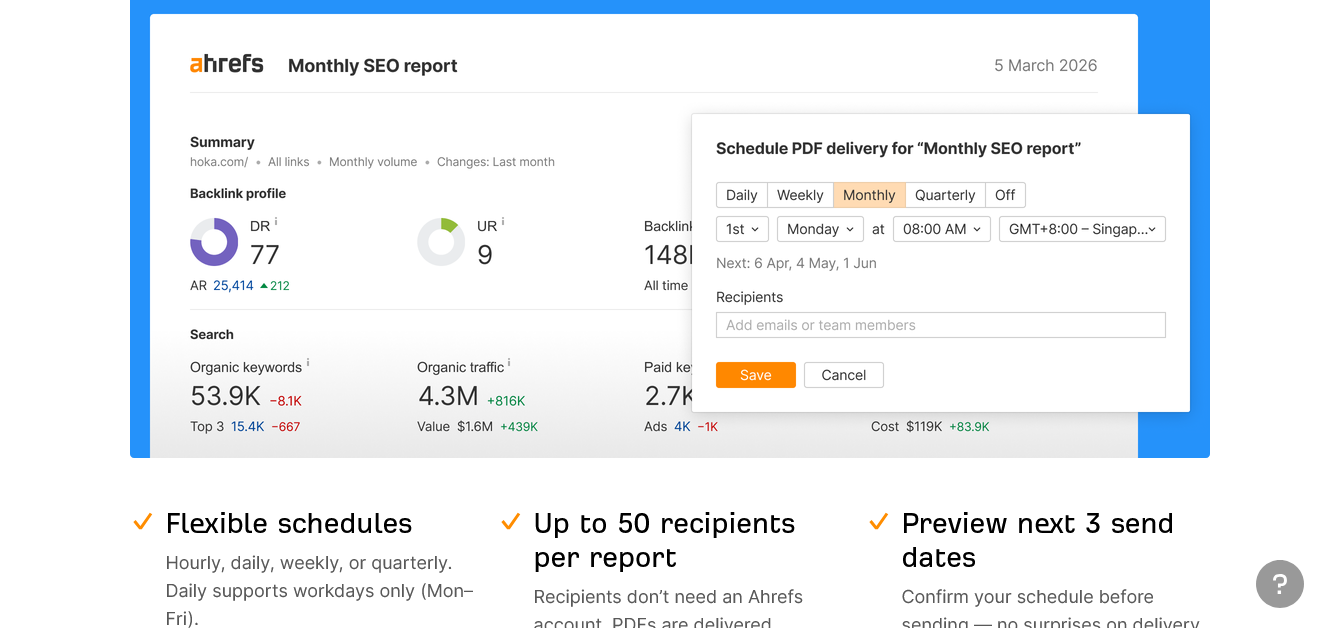
Best for: SEO specialists prioritizing backlink data accuracy and content gap research as the foundation of their SEO reporting
Starting price: $29/month (Starter plan, limited features)
Ahrefs built its reputation on the most accurate backlink database in the industry. It expanded into a full-suite SEO reporting tool, though its core strength remains link intelligence and content research. For agencies and consultants where backlink analysis drives the majority of client strategy, Ahrefs is still the reference point.
2026 pricing (monthly billing):
- Starter: $29/month (50 tracked keywords, 1 unverified project, limited crawl credits, monthly billing only)
- Lite: $129/month (750 tracked keywords, 5 projects, 6 months of historical data)
- Standard: $249/month (2,000 tracked keywords, 20 projects, 2 years of historical data)
- Advanced: $449/month (5,000 tracked keywords, 50 projects, 5 years of historical data)
- Enterprise: Starts at $1,499/month (custom limits, SSO, enterprise support, API access)
Annual billing gives two months free, equivalent to approximately 16.7% off.
The costs that matter before you sign up:
While Ahrefs offers a $29 Starter plan, most businesses and SEO professionals will likely need the $129/month Lite plan for its higher limits and broader feature set. Additional user seats cost $40/month on Lite, $60/month on Standard, and $80/month on Advanced. Ahrefs’ AI Brand Radar, which tracks your visibility across AI search platforms, starts at $199/month. For example, a three-person team on the Standard plan would pay $249/month plus $120 for two additional seats, bringing the total to $369/month before any optional AI products.
What Ahrefs reports on as SEO reporting software:
Organic keyword rankings with daily updates. Backlink profile showing referring domains, new links, and lost links, with 15- to 30-minute refresh rates that are genuinely industry-leading. Site audit with technical issue prioritization. Content gap analysis showing keywords competitors rank for that you do not.
The reporting features include custom dashboards and scheduled PDF SEO reports, though they are less polished than dedicated SEO agency reporting software like AgencyAnalytics.
Honest verdict: Ahrefs is best in class for backlink research and content analysis. If those are the core activities in your SEO workflow, the cost earns its place. If you mostly need rank tracking and client-facing SEO reports, the cost-to-value ratio is less compelling than SE Ranking at roughly half the price.
5. SE Ranking – The Best Value SEO Reporting Solution
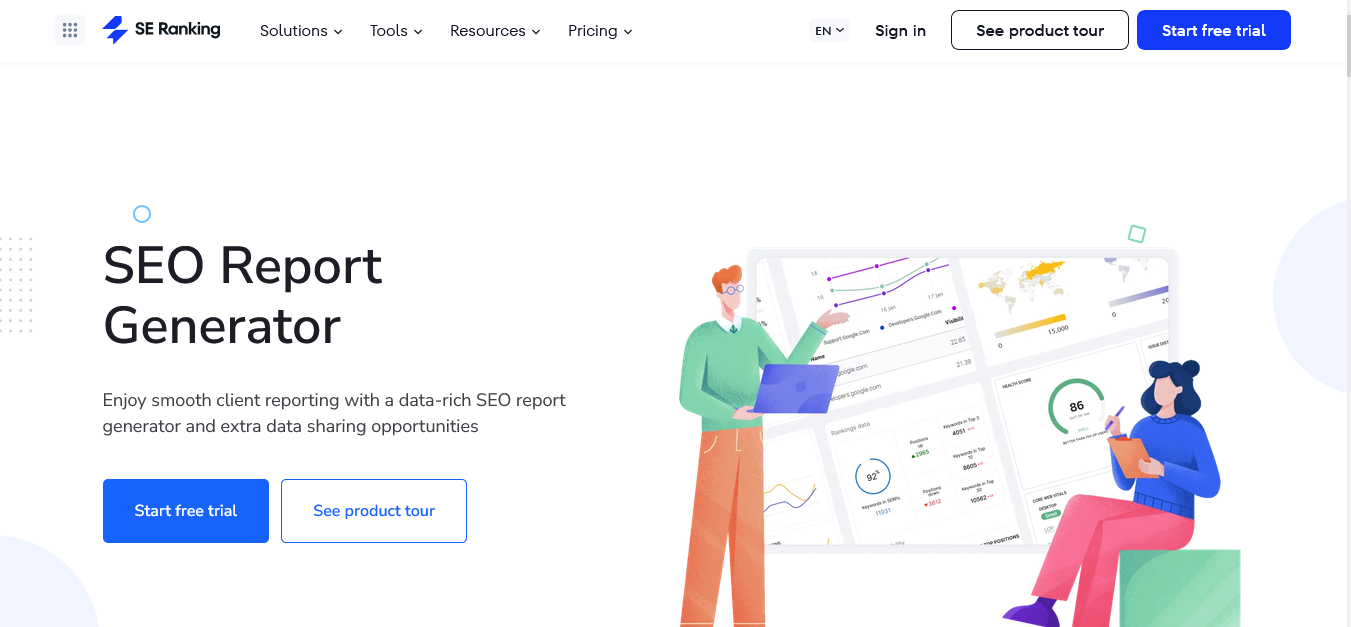
Best for: Agencies and freelancers wanting rank tracking, site audits, and white-label SEO reporting software without enterprise pricing
Starting price: $129/month (Core plan, monthly billing)
SE Ranking occupies a genuinely useful market position: it covers most of what Semrush and Ahrefs offer, delivers it in a cleaner interface, and prices it at roughly half the cost. For agencies needing solid SEO reporting solutions without an enterprise budget, it is the most logical starting point.
2026 pricing (monthly billing):
- Core: $129/month (1 manager seat, 10 projects, 2,000 tracked keywords/day, 250,000 audit pages/month, 100 AI search prompts/day)
- Growth: $279/month (3 manager seats, 30 projects, 5,000 tracked keywords/day, 500,000 audit pages/month, lifetime historical data, 250 AI search prompts/day, 100,000 API credits)
- Enterprise: Custom pricing (custom project and keyword limits, flexible manager seats, enterprise API access, dedicated onboarding and support)
Annual billing saves 20%. A 14-day free trial is available with no credit card required.
Optional add-ons:
- Agency Pack: from $69/month
- AI Search: from $71.20/month (annual billing)
- API: from $149/month
What SE Ranking delivers as an SEO reporting tool:
Daily rank tracking across Google, Bing, Yahoo, and YouTube. Automated white-label SEO reports with custom branding and scheduled delivery to clients. Site audit with categorized technical issues sorted by priority. Backlink monitoring and competitor research. Client access portals so clients view their own data without seeing your other accounts.
The report builder is genuinely well designed for an SEO agency reporting software at this price. You can create scheduled SEO reports combining rankings, traffic data, backlinks, and site health into a single branded PDF that delivers to clients automatically.
For an agency managing ten or more clients, that automation replaces several hours of manual work per month.
AI search visibility tracking for ChatGPT, Perplexity, Gemini, and Google AI Overviews is available as a paid add-on. The base plans do not include it, but the pricing is more accessible than Ahrefs Brand Radar.
Honest verdict: For agencies sitting between the freelancer stage and enterprise scale, SE Ranking delivers the best balance of SEO reporting capability and cost available in 2026. The white-label reporting feature alone justifies the subscription for most agencies with more than five clients. When someone asks for a recommendation on real SEO reporting tools for agencies without the Semrush price tag, SE Ranking is consistently the answer.
6. AgencyAnalytics – The Client SEO Reporting Platform Specialists
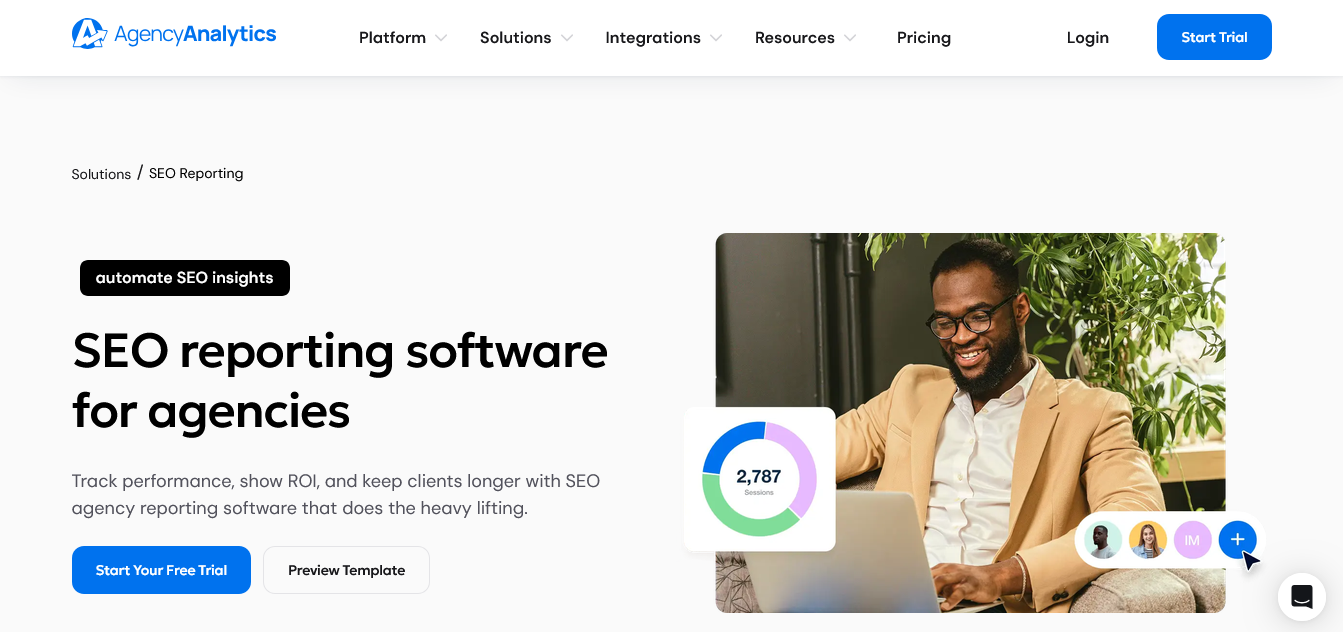
Best for: Marketing agencies that need clean, client-ready dashboards pulling from 80-plus marketing tools into one SEO reporting platform
Starting price: $20/client/month (Core plan, annual billing)
AgencyAnalytics does one thing with genuine focus: turning marketing data from dozens of sources into client-ready SEO reports that look professional without requiring hours of manual design work. As dedicated SEO agency reporting software, it handles the presentation layer better than almost anything else on this list.
2026 pricing:
- Core: $20/client/month (billed annually, no feature restrictions, unlimited reports, dashboards, staff users, client users, API access, AI insights, white-label branding, custom domain, 85+ integrations)
- Enterprise: Custom pricing (starts at 25 clients, volume discounts, database connectors, priority support, dedicated onboarding)
Annual billing saves 20%. Monthly billing is also available at approximately $25/client/month.
A 14-day free trial is available with no credit card required.
Optional add-ons
AI Tracker: $20/month per 250 credits (annual billing)
Rank Tracker: $41.67/month per 500 keywords (annual billing)
What AgencyAnalytics reports on:
Integrations with 80-plus platforms including Google Analytics, Google Search Console, Google Ads, Facebook Ads, Instagram, LinkedIn, Mailchimp, and Shopify, all pulling into unified client dashboards.
Automated SEO report scheduling with full white-label branding. Client dashboards accessible via custom domain. Smart Reports with AI-generated summaries that explain performance changes in plain language, which saves the time of writing monthly commentary from scratch.
Honest verdict: If your agency sends regular SEO reports to clients and currently spends hours each month pulling data from multiple platforms manually, AgencyAnalytics pays for itself quickly in recovered time. The per-client pricing model is predictable at lower volumes but scales steeply at 30-plus clients, where alternatives like SE Ranking with built-in SEO agency reporting software may offer better economics overall.
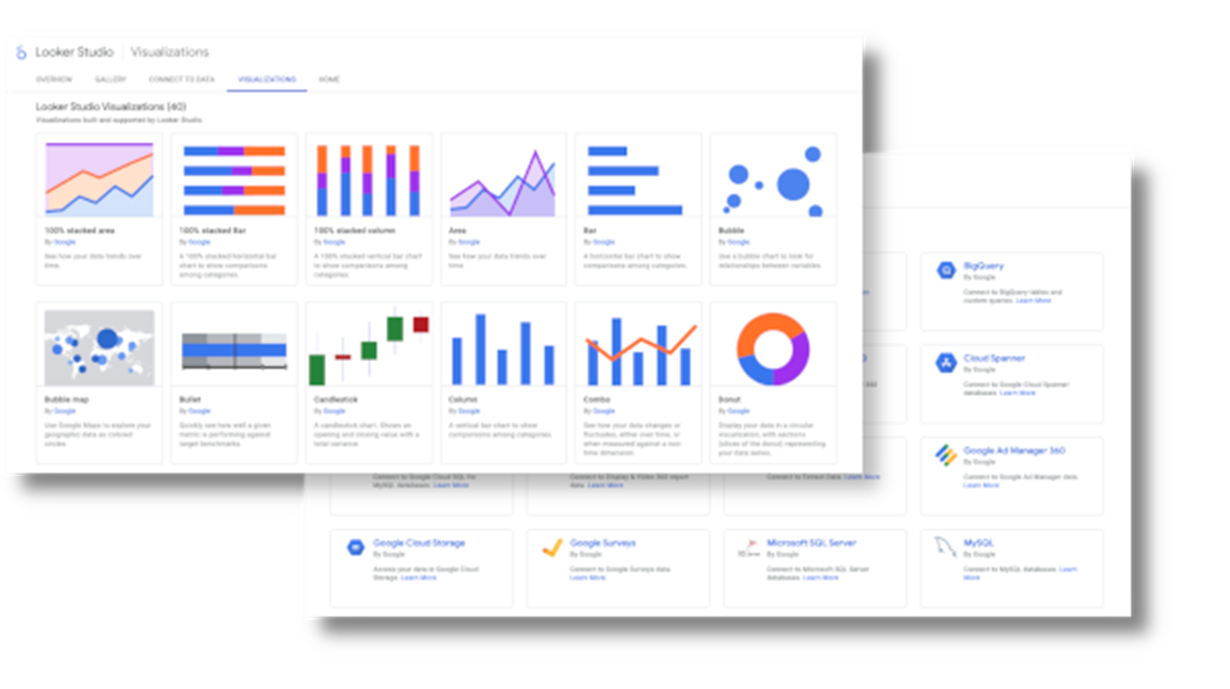
7. Google Data Studio – The Free Custom SEO Reporting Solution
Best for: Teams wanting fully customized, free SEO report dashboards connecting Google tools without a subscription fee.
Starting price: Free (Pro at $9/user/month)
Data Studio (formerly Looker Studio) is the free answer for teams wanting more reporting flexibility than Google Search Console offers but not ready to pay for a dedicated SEO reporting platform. The core product is genuinely free and genuinely capable for Google-centric workflows.
Verified 2026 pricing:
- Free: $0 (interactive dashboards, unlimited reports, Google connectors, report sharing and embedding)
- Google Data Studio Pro: $9/user/month (enterprise collaboration, team workspaces, content management, technical support, Gemini-powered features, governance and administration)
- Annual billing: $108/user/year (equivalent to $9/month)
A free version is available with no time limit.
Important pricing note: While Data Studio itself is free, many non-Google data sources require paid third-party connectors. Connectors for platforms like Meta Ads, Microsoft Ads, TikTok Ads, WooCommerce, Shopify, HubSpot, and LinkedIn Ads typically cost between $20 and $500+ per month, depending on the provider and the number of data sources.
If you only use Google’s native products, Data Studio can remain completely free. However, most agencies rely on multiple marketing platforms, making connector costs an important part of the total ownership cost.
What Data Studio delivers as a free SEO reporting tool:
Any data source you can connect, fully customizable with drag-and-drop widgets, charts, tables, and scorecards. For SEO purposes, this typically means combining Google Analytics traffic data with Search Console keyword data in a single visual dashboard that updates automatically.
The flexibility is its strength and its learning curve simultaneously. Building a functional SEO report from scratch takes a few hours if you are new to the platform. Once built, it updates automatically and can be shared as a live link with clients or stakeholders.
The ownership risk worth knowing: Reports in the free tier live in the creator’s personal account. When that person leaves, reports and data source credentials may be lost. Google’s own documentation recommends administrators transfer assets proactively.
The Pro tier at $9/user/month moves report ownership to the organization, eliminating this risk.
Honest verdict: Data Studio is excellent for teams already using Google’s ecosystem heavily and willing to invest time building custom SEO report templates. For individual site owners, it is a genuinely powerful free SEO reporting solution.
For agencies managing many clients, the manual build-per-client process becomes time-consuming, and automated SEO agency reporting software like AgencyAnalytics or SE Ranking tends to offer better long-term efficiency.
8. Moz Pro – The SEO Reporting Tool That Pioneered Domain Authority
Best for: Teams that need Domain Authority metrics and straightforward rank tracking in a clean, approachable SEO reporting platform
Starting price: Entry-level plan is available for $49/month
Moz invented Domain Authority. In 2026, DA remains one of the most recognized metrics in SEO reports everywhere, cited in client deliverables and agency pitches across the industry.
Whether you find DA theoretically compelling or not, clients understand it and ask about it, which makes Moz Pro a natural fit for agencies whose client conversations start with “what is my Domain Authority?”
2026 pricing (annual billing):
- Starter: $49/month (1 user, 1 tracked site, 50 tracked keywords/month, MozBar Premium)
- Standard: $99/month (1 user, 3 tracked sites, 300 tracked keywords/month, AI Visibility Dashboard, AI Overviews tracking)
- Medium: $179/month (2 users, 10 tracked sites, 1,500 tracked keywords/month, 2 AI Visibility Dashboards, Google AI Mode tracking, 10 AI Content Briefs/month)
- Large: $299/month (3 users, 25 tracked sites, 3,000 tracked keywords/month, 50 AI Content Briefs/month)
- Enterprise: Custom pricing
Annual billing saves 20%. A free trial is available on eligible plans.
A 7-day free trial is available across all plans. Monthly billing costs more.
What Moz Pro delivers as SEO ranking report software:
Keyword rank tracking with daily updates on higher-tier plans. Domain Authority and Page Authority scores for your site and competitors, widely used in SEO reports as benchmark metrics. Site crawl with prioritized technical issue reporting. Backlink analysis using Moz’s link index. On-page optimization through the Page Optimization feature, which grades individual pages against specific target keywords and suggests improvements.
The reporting interface is cleaner and less overwhelming than Semrush or Ahrefs, which appeals to teams wanting actionable SEO reports without sorting through dense data tables. Moz Pro’s custom SEO report builder lets you combine DA, rankings, traffic, and technical data into client-ready exports.
Honest verdict: Moz Pro’s Starter (entry-level) plan at $49/month offers genuine value for small businesses and individual SEOs tracking one site. The higher tiers face real competition from SE Ranking, which offers comparable features at similar prices with stronger white-label SEO reporting capabilities. Moz’s key advantage remains brand recognition around Domain Authority in client-facing reporting conversations.
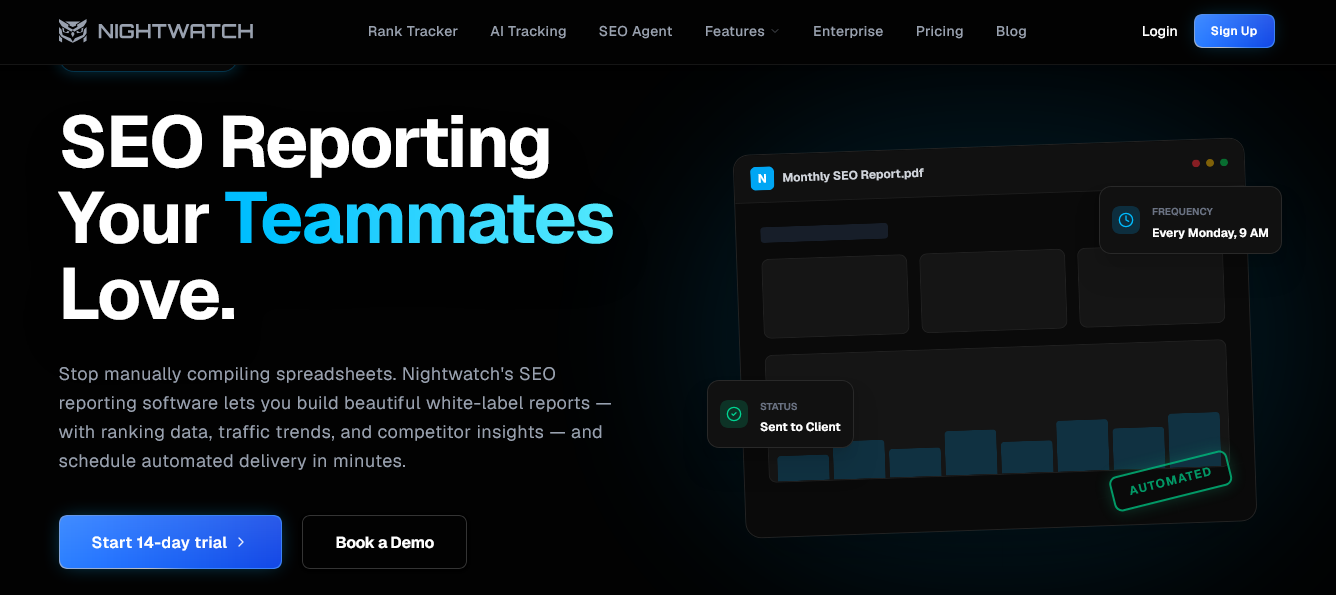
9. Nightwatch – The Rank Tracking SEO Reporting Tool for Local and AI Search
Best for: Agencies needing precise local rank tracking and AI search visibility monitoring in a dedicated SEO reporting solution
Starting price: €79/month (billed annually)
Nightwatch earns its place on this list by doing one thing better than most all-in-one SEO reporting platforms: rank tracking with exceptional precision, particularly for local search. If granular local SEO rank reporting is central to your agency’s service offering, no generalist tool on this list matches it.
2026 pricing (annual billing):
- Starter: €79/month (500 tracked keywords, 5 websites, unlimited users, 50 AI prompts/month, 1,500 AI responses/month, 100 SEO Agent credits)
- Professional: €159/month (2,500 tracked keywords, 25 websites, unlimited users, 150 AI prompts/month, 4,500 AI responses/month, 1,000 SEO Agent credits)
- Agency: €399/month (7,500 tracked keywords, 100 websites, unlimited users, 500 AI prompts/month, 15,000 AI responses/month, dedicated account manager)
- Enterprise: Custom pricing (custom limits, dedicated infrastructure, custom integrations, SLA, volume discounts)
Annual billing saves 20%. A 14-day free trial is available with no credit card required.
What makes Nightwatch different from other SEO reporting tools:
The platform tracks keyword rankings daily across Google, Bing, Yahoo, and YouTube at the local level, supporting over 100,000 locations for precise tracking. For agencies running local SEO campaigns across multiple cities, neighborhoods, or zip codes, that level of geographic precision is difficult to replicate with generalist SEO reporting software.
AI visibility tracking is available as a paid add-on. Nightwatch monitors your presence in Google AI Overviews, ChatGPT, Perplexity, Gemini, and Copilot, showing where your brand and content appear in AI-generated answers. This makes it one of the more practical real SEO reporting tools for the AI search era, though the AI tracking feature adds to the base subscription cost.
The white-label SEO report builder exports clean, branded PDFs with scheduled delivery to clients. The visual design of Nightwatch’s reports is among the most polished of any tool on this list, which matters when you are handing something directly to clients.
Honest verdict: If local rank tracking precision and AI search visibility are your primary SEO reporting needs, Nightwatch is the best dedicated solution. It is not an all-in-one platform. You will need separate tools for backlink analysis and competitor research. But for agencies whose service offering centers on local SEO performance reporting, the precision justifies choosing a specialist over a generalist.
Choosing The Right SEO Reporting Tool: Practical Framework
Rather than covering every scenario, here is a direct question-based guide to picking the right SEO reporting solution:
You run a WordPress site and want to track organic SEO performance without spending much: CrawlWP (free or $59/year) plus Google Search Console. You get multi-engine SEO reporting across Google, Bing, and Yandex inside WordPress. Add Google Analytics for total traffic context. Total annual cost: $0 to $59.
You are an in-house SEO at a mid-size business needing real SEO reporting tools with research capability: SE Ranking Core at $129/month covers rank tracking, site audits, backlink monitoring, and automated reporting without Semrush’s complexity or Ahrefs’ pricing at comparable feature levels.
You need SEO reporting tools for agencies managing 5 to 30 clients: AgencyAnalytics Core at $20/client/month for client-facing dashboards combined with SE Ranking for SEO research gives you clean separation between client presentation and internal analysis tools.
You need the deepest competitive intelligence, and the cost is secondary: Semrush Guru at $249.95/month or Ahrefs Standard at $249/month. Both represent the best SEO reporting software at this level of research depth.
You need top SEO reporting tools for local campaigns with AI visibility: Nightwatch Agency at €399/mo /month with the AI tracking add-on. No all-in-one platform matches its local rank tracking precision.
You want free custom SEO reports combining all your Google data: Google Data Studio free tier. Connect Google Analytics, Search Console, and Google Ads into one visual SEO report with no subscription.
AI Search Is Now Part Of Every SEO Report
SEO reporting has a new variable that did not exist two years ago. AI search engines are sending real traffic to websites, and most SEO reporting platforms are not tracking it properly yet.
ChatGPT, Perplexity, Google AI Overviews, Microsoft Copilot, and Gemini are all routing users to websites. Traditional Google Analytics reports classify much of this as “direct” traffic, making it invisible in standard SEO reports. If your direct traffic has grown unexpectedly over the past 12 months without a clear explanation, a portion of it is almost certainly AI referral traffic that your current SEO reporting software cannot see.
The SEO reporting tools on this list that address AI visibility directly:
- Semrush One plans include the AI Visibility toolkit for tracking brand mentions in ChatGPT, Gemini, Perplexity, and Google AI Overviews
- Ahrefs offers Brand Radar as an add-on starting at $199/month
- SE Ranking offers AI search tracking as a paid add-on at more accessible pricing
- Nightwatch tracks AI Overview presence as part of its rank tracking focus
CrawlWP approaches this from a different angle. By notifying Google, Bing, and Yandex the moment you publish, it maximizes the chance that your freshest content appears in AI Overviews and AI search citations. AI systems prioritize indexed, authoritative, recently crawled content. CrawlWP handles the indexing speed side of that equation directly.
Comparison: 9 Best SEO Reporting Tools At A Glance
| Tool | Starting Price | Best For | White-Label Reports | Free Trial |
| CrawlWP | Free / $59/yr | WordPress multi-engine SEO reporting | No | Free version available |
| Google Search Console | Free | First-party Google data | No | Free |
| Semrush | $139.95/mo | All-in-one SEO research and reporting | Yes (higher tiers) | 14-day trial |
| Ahrefs | $29/mo | Backlink and content research | Limited | No (Starter plan only) |
| SE Ranking | $129/mo | Agency SEO reporting and rank tracking | Yes (Pro and above) | 14-day trial |
| AgencyAnalytics | $20/client/mo | Client-facing agency SEO reports | Yes (Agency plan) | 14-day trial |
| Data Studio | Free / $9/user/mo | Custom free SEO report dashboards | No | Free |
| Moz Pro | $49/mo | DA metrics and simple SEO reporting | Limited | 30-day trial |
| Nightwatch | €79/mo | Local SEO and AI visibility reports | Yes (all plans) | 7-day trial |
FAQs
What is SEO reporting software?
SEO reporting software collects data about your website’s search performance, including keyword rankings, organic traffic, backlinks, and technical issues, and presents it in a format that makes decisions easier.
The best SEO reporting tools combine multiple data sources into a single view so you are not manually pulling numbers from different platforms. Good SEO report software answers three questions clearly: what changed, why it matters, and what to do next.
What are the best free SEO reporting tools?
Google Search Console is the best free SEO reporting tool for Google-specific data. CrawlWP’s free tier extends that to Bing and Yandex inside WordPress at no cost. Data Studio is the best free option for building custom SEO report dashboards.
For most solo site owners, the free stack of all three covers the essential SEO reporting needs without paying for SEO reporting software.
What is the best SEO reporting tool for agencies?
The best SEO reporting tools for agencies in 2026 depend on client volume and scope. SE Ranking offers the best balance of SEO capability and white-label reporting for mid-scale agencies.
AgencyAnalytics is stronger for multi-channel client dashboards combining SEO with paid social, email, and advertising data.
For agencies prioritizing SEO research depth, Semrush or Ahrefs remain the standard despite their cost. All serious agencies should also use CrawlWP if their clients run WordPress sites, since it adds Bing and Yandex reporting alongside Google at $59/year.
What should a good SEO report include?
A good SEO report includes organic clicks, impressions, CTR, and average position from search engines. Keyword rankings for target terms. Top-performing pages by traffic. Notable changes since the last report period. Any significant technical issues.
For competitive SEO reports, add Domain Authority comparisons, backlink growth, and keyword gap data. CrawlWP’s dashboard covers the core search performance metrics across Google, Bing, and Yandex, making it a natural starting point for any SEO reporting workflow.
What is the difference between SEO reporting tools and SEO analytics tools?
SEO analytics tools focus on data collection and insight generation: rank tracking, backlink analysis, keyword research, competitor comparisons. SEO reporting tools focus on presenting that data in a readable, shareable format: branded PDFs, automated dashboards, client portals.
The best SEO reporting software does both. Tools like SE Ranking and AgencyAnalytics are purpose-built for SEO reporting. Tools like Ahrefs and Semrush are primarily SEO analytics platforms with reporting features added on.
Can I track SEO performance across Google and Bing in one tool?
Yes. CrawlWP consolidates Google, Bing, and Yandex performance data inside your WordPress dashboard using official API connections. SE Ranking tracks rankings across Google and Bing as part of its standard rank tracking.
Nightwatch also covers Bing in its rank tracking. Most SEO reporting software focuses primarily on Google, making CrawlWP’s multi-engine approach particularly valuable for WordPress sites that want full search engine coverage in one place.
How often should I generate SEO reports?
Weekly for rank tracking to catch drops before they become serious problems. Monthly for organic traffic trends, keyword performance, and backlink growth. Quarterly for full site audits and competitive analysis.
For clients, monthly SEO reports are the standard expectation, though automated tools like AgencyAnalytics can send weekly summaries with minimal extra effort once the system is set up.
What is white-label SEO reporting?
White-label SEO reporting lets you replace a tool’s branding with your own agency name and logo before delivering reports to clients. Instead of your client seeing the platform’s branding, they see your agency’s branding throughout.
Most dedicated SEO agency reporting software includes white-labeling. AgencyAnalytics requires the Agency plan or higher. SE Ranking includes white-labeling from the Pro plan. Nightwatch includes it from the Starter plan, making it one of the most accessible options for agencies wanting branded SEO reports from the start.
Do I need multiple SEO reporting tools?
For most sites, two tools cover the essential needs: one for tracking where traffic comes from (CrawlWP or Google Search Console) and one for understanding what visitors do once they arrive (Google Analytics).
Agencies typically add a dedicated SEO reporting platform like SE Ranking or AgencyAnalytics for client deliverables. Buying more SEO reporting tools than you actively use creates data overload without proportional benefit. The best SEO reporting setup is the simplest one that answers the questions your team actually needs answered.