
Here’s something that keeps every digital marketer up at night: You don’t actually know how much traffic your competitors are getting.
Sure, Google Analytics is tracking your own visitors. You can see every click, every session, every behavior. That data is gospel, 100% accurate because you installed the tracking code yourself.
But your competitors? They’re a black box. You can guess. You can assume. You can scroll through their site and hope you’re not missing anything obvious.
Or you can do what winning marketers do: Use a website traffic checker to see their real numbers.
This is where competitive advantage lives. Not in secrets. Not in luck. But in understanding what’s actually working for sites like yours and replicating it while avoiding their mistakes.
The problem: There are dozens of website traffic checker tools. Some are accurate. Some are complete garbage. Some are free but limited. Some cost thousands monthly and deliver marginally better data.
This guide cuts through that noise. Eight proven website traffic checker tools tested in 2026. Pricing. Real accuracy. Real results. Everything from how to check website traffic for your own site to analyzing competitor traffic sources and identifying ranking sites that are stealing your market share.
Let’s get the real numbers.
Table of Contents
How Website Traffic Checkers Work (The Truth)
Before you start using any traffic checker tool, understand the fundamental difference:
Your own site (actual data):
- For your own site, tools like Google Analytics track every visitor with 100% accuracy
- You installed tracking code = perfect data
- Real-time insights
- Zero estimation needed
Competitor sites (estimated data):
- For competitor sites, tools like SEMrush and Ahrefs use clickstream data and algorithms to estimate traffic
- Uses public data, browser extensions, and web crawlers
- Close approximations, not exact numbers
- Good enough for decision-making, not gospel
The accuracy of competitor traffic estimates has improved significantly in 2026. A SparkToro study found that Similarweb’s traffic estimates are the most accurate and most closely aligned with users’ Google Analytics data compared with those of other digital intelligence providers, such as SEMrush and Ahrefs.
Think of it this way: If your actual competitor traffic numbers are the X-ray, a website traffic checker is an educated guess based on publicly available information. It’s usually close enough to make smart decisions.
The key: Use consistent tools, track trends over time, and don’t obsess over exact numbers. Focus on relative differences instead.
8 Website Traffic Checker Tools That Actually Work In 2026
1. Google Analytics (GA) – The Gold Standard For Your Own Site 🏆
Best for: Tracking your actual website traffic with 100% accuracy
Reality: Google Analytics is the only tool that doesn’t estimate. It measures.
Google Analytics only works for sites you own. You install a tracking code on your website, and Google Analytics records every visit in real-time.
What you actually see:
- Real-time visitor counts
- Total sessions (number of visits) and users (unique visitors identified via cookies)
- Pageviews and traffic sources (organic search, social media, direct, referral, email, paid ads)
- Bounce rate and session duration
- Conversion tracking (purchases, signups, downloads)
- Geographic and device data
Why it matters: You can’t manage what you don’t measure. GA is where you measure your own organic traffic performance, understand traffic sources, and validate whether your SEO efforts are truly moving the needle.
Cost: Free (for most sites)
Learning curve: Moderate (GA is more complex than the old Universal Analytics, but documentation is solid)
Pro tip: Connect GA to Google Search Console to see which keywords drive traffic to specific pages.
2. CrawlWP – The Multi-Search SEO Stats Dashboard
Best for: WordPress sites that want SEO performance tracking directly in their WordPress dashboard (Google, Bing, AND Yandex)
Why it deserves this spot: While most traffic checker tools force you to jump between platforms, CrawlWP consolidates your SEO performance across THREE search engines: Google, Bing, and Yandex, right inside WordPress.
The problem it solves:
You need to track your website SEO performance and traffic. So you install Google Analytics. Then you add Google Search Console. Then you sign up for Bing Webmaster Tools. Then Yandex Webmaster (if you care about Eastern European/Russian traffic).
Now you’re juggling four separate dashboards. Logging into each one separately. Checking metrics across different interfaces. Spending hours collecting data from different sources.
CrawlWP consolidates everything into one place: your WordPress dashboard.
What CrawlWP’s SEO Stats tracks:
Google Search Performance:
- Clicks: The total number of times users clicked on your WordPress site in Google search results
- Impressions: The number of times your WordPress site pages appeared on Google search results
- Click-Through Rate (CTR): The ratio of clicks to impressions, expressed as a percentage
- Average Position: The average ranking of your WordPress site in Google search results
Performance visualization:
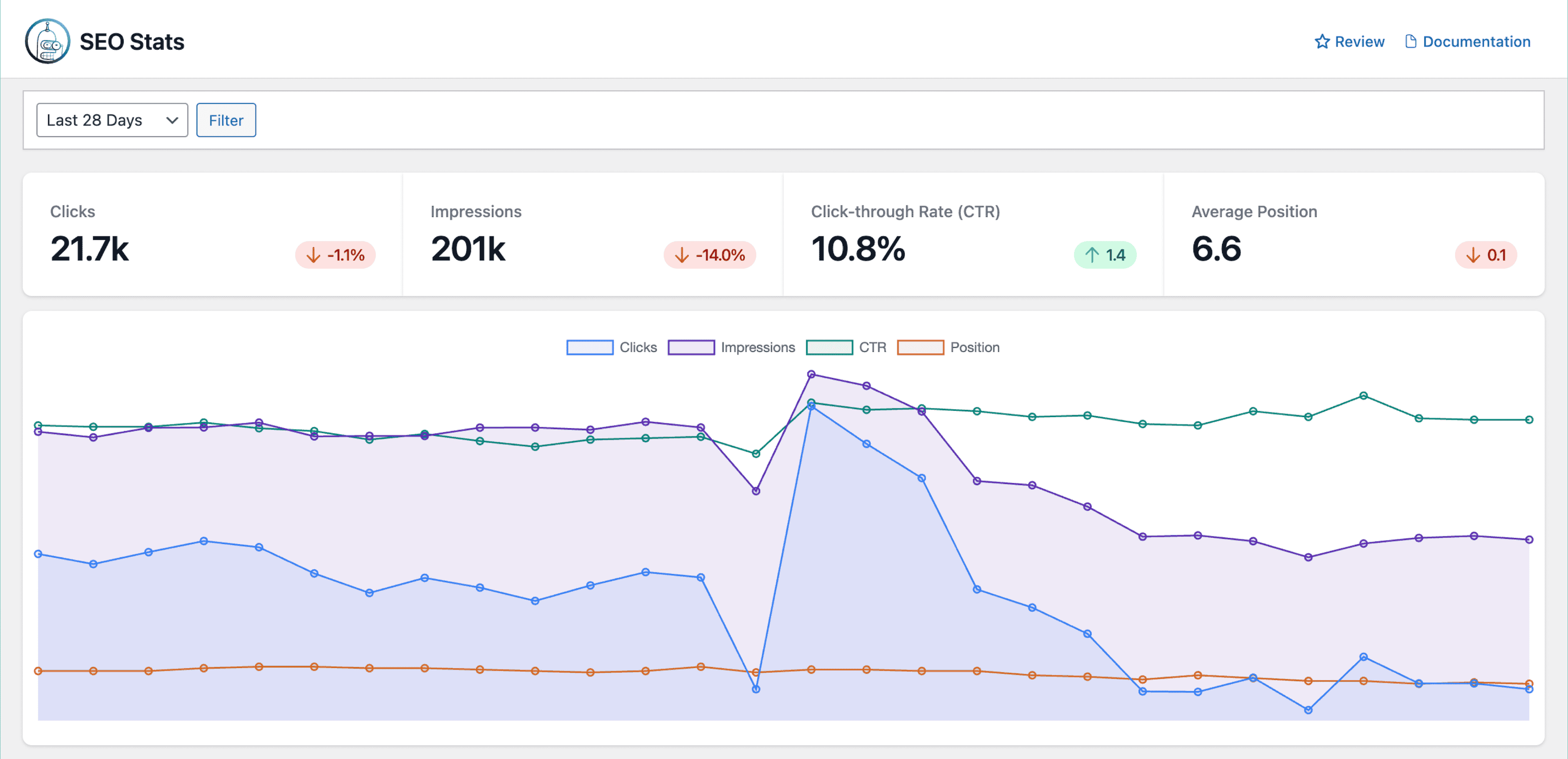
- The performance graph visualizes trends in clicks, impressions, CTR, and average position over time
- Track how user engagement changes daily with the clicks metric
- Monitor visibility trends for your pages through impressions
- Understand if your content is capturing attention via CTR
- Watch how your rankings fluctuate with position tracking
Top keyword intelligence:
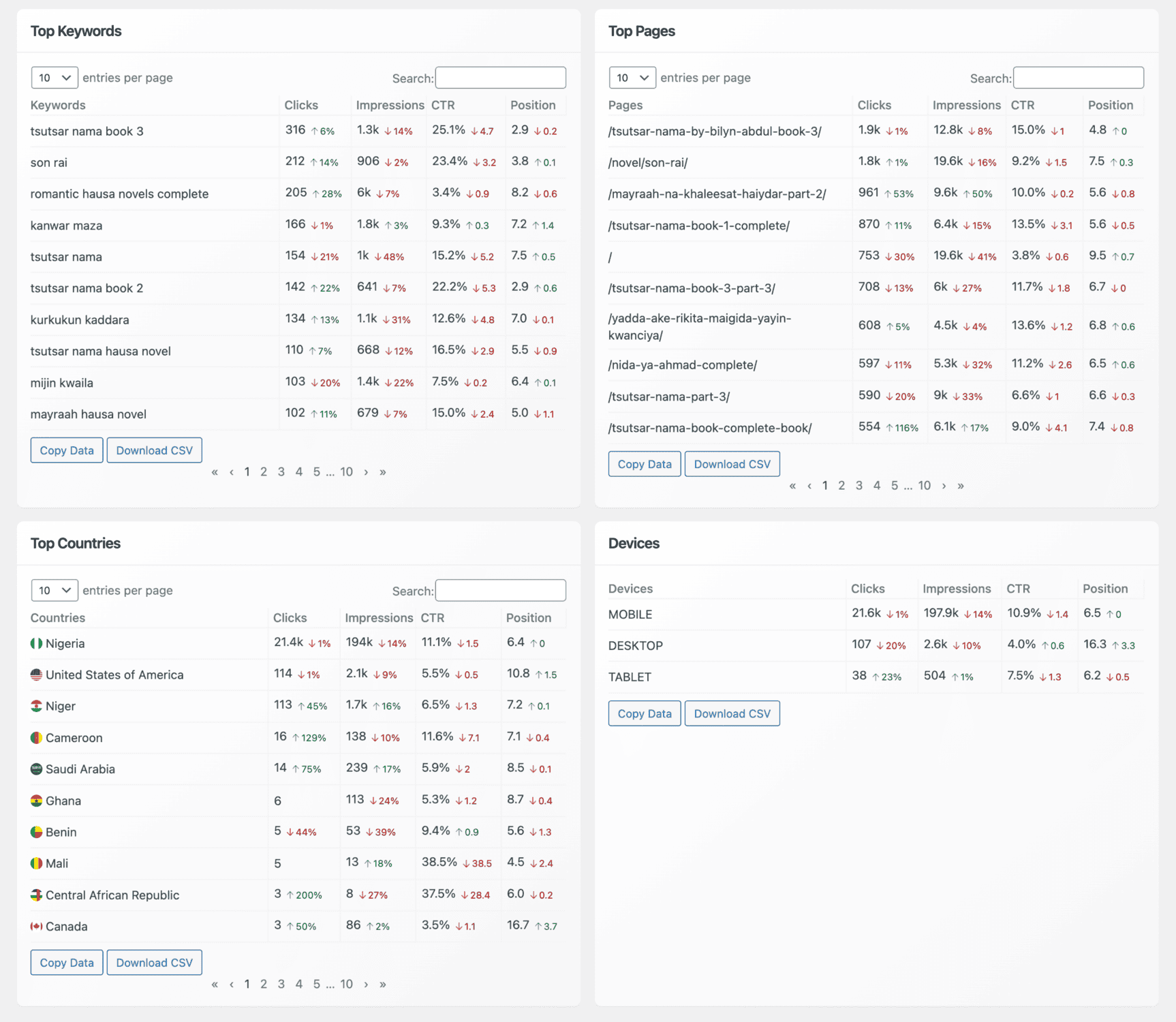
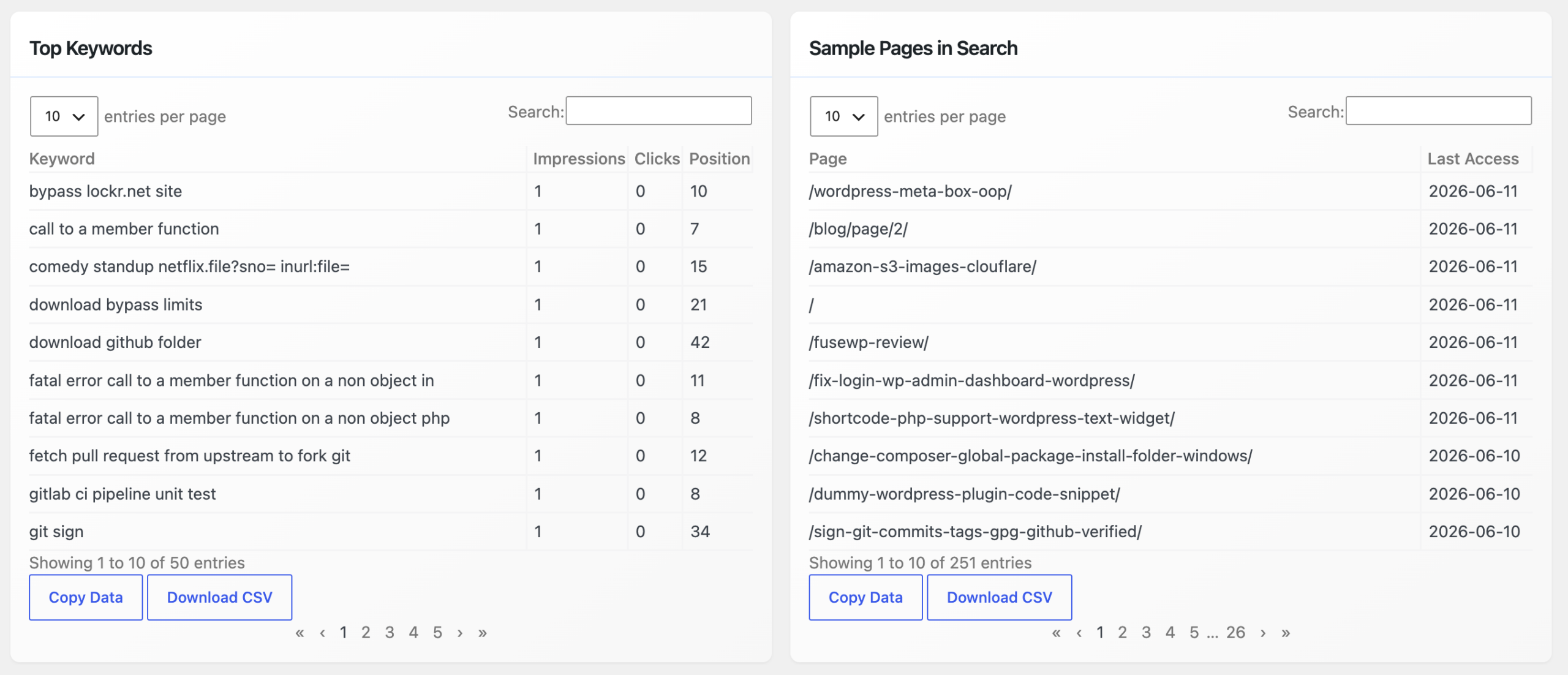
- The Top Keywords section provides detailed performance data for the keywords your WordPress site ranks for, including clicks, impressions, CTR, and average position for each keyword
- Identify high-performing keywords to prioritize for future content
- Spot keywords with low CTRs or poor rankings that need optimization
- Sort by “Winners” (top performing) or “Losers” (declining performance)
Top page performance:
- The Top Pages section lists your site’s highest-performing pages with metrics showing clicks, impressions, CTR, and average position
- Understand which pages attract the most traffic and why
- Replicate success patterns across your site
- Identify underperforming pages worth revisiting
Geographic breakdown:
- The Top Countries section breaks down your site’s performance by geographic region with clicks, impressions, CTR, and position for each country
- Perfect if your site targets international audiences
- Run region-specific campaigns with confidence
- Identify geographic opportunities and weak spots
Device performance:
- The Devices section reveals how users access your site, with metrics for mobile, tablet, and desktop showing clicks, impressions, CTR, and position
- Optimize for mobile-first indexing with real performance data
- Understand device-specific user behavior
- Allocate resources where they matter most
Bing & Yandex Support:
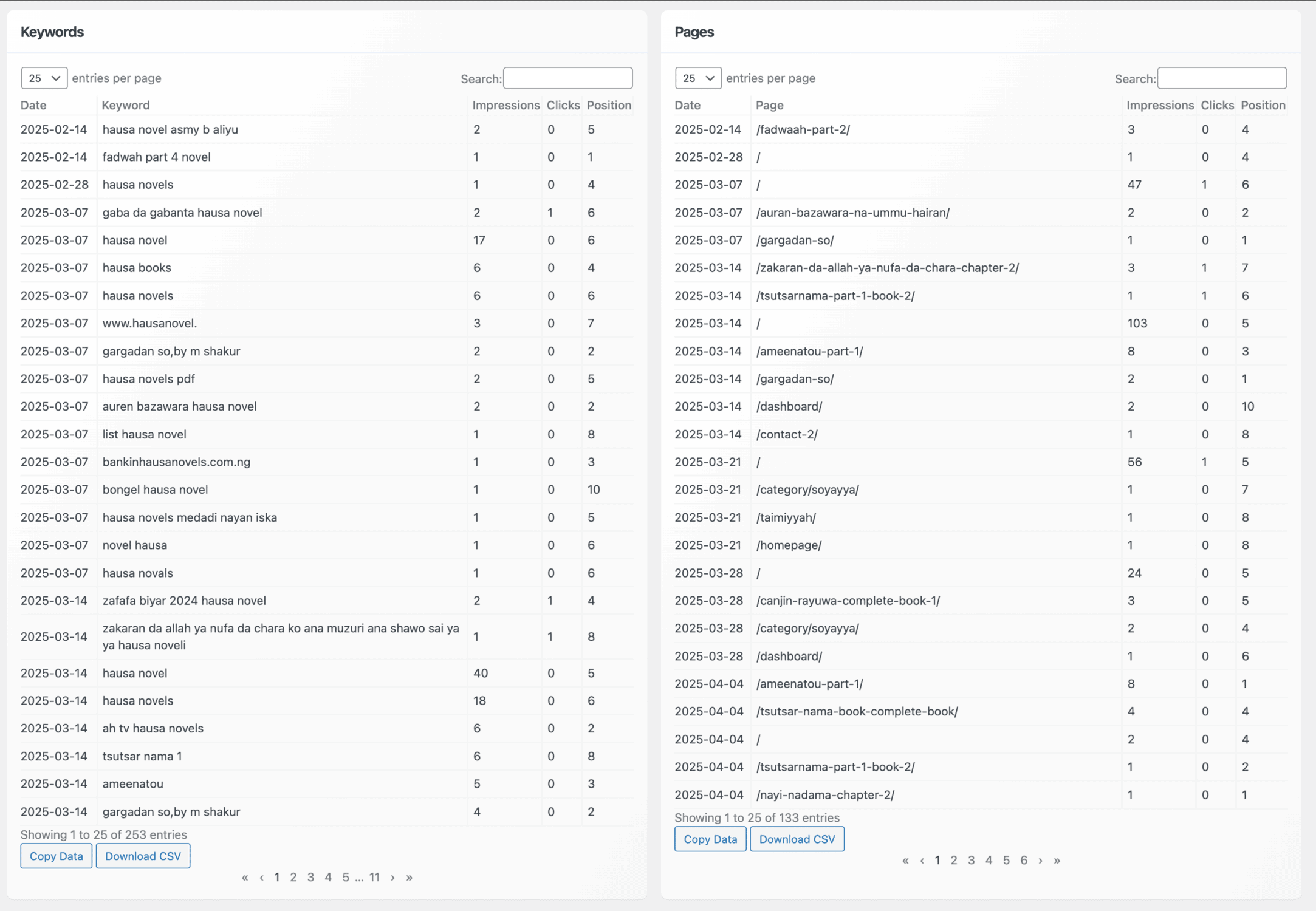
- In the Bing Stats section, you can see the daily performance of your pages and ranking keywords on the Bing search engine.
- In the Yandex Stats section, you get to see the top keywords your website is ranking for in Yandex Search as well as pages indexed and visible in Yandex search results.
- Don’t ignore Bing (powers 7% of searches + Microsoft Copilot integration)
- Capture Eastern European/Russian traffic through Yandex
- Three search engines = three traffic opportunities
Advanced features:
You can click on keywords, page URLs, countries, or devices to filter and deeply analyze your WordPress site’s performance on Google Search, Microsoft Bing, and Yandex
Each section includes Copy Data and Download CSV buttons, allowing you to export your stats for further analysis or reporting
Email performance reports:
- CrawlWP includes an SEO email reports feature that sends daily, weekly, or monthly roundups of your website’s search engine performance
- Receive automated insights without logging in
- Get daily notifications about recently indexed/de-indexed pages
- Track search performance metrics, top keywords, and top pages
Real impact:
- 40,000+ WordPress website owners use CrawlWP to improve and monitor their search rankings
- All data pulls directly from official search engine APIs (Google, Bing, Yandex)
- 100% accurate because it’s coming from the search engines themselves
- No estimation or guessing
Why CrawlWP is different from other website traffic checker tools:
Other tools require you to leave WordPress. CrawlWP brings search performance data INTO WordPress.
Comparison:
- Google Search Console: Only Google data, requires separate login, not integrated with WordPress
- Bing Webmaster Tools: Only Bing data, requires separate login, limited insights
- Yandex Webmaster: Only Yandex data, requires separate login, most people forget to check it
- CrawlWP: Google + Bing + Yandex, all in WordPress dashboard, integrated reporting
Pricing:
- Free: Basic tracking
- Paid plans: from $59/year (bulk analysis, advanced reporting, priority support)
Best use case: Pairing CrawlWP with Similarweb or SEMrush. You identify competitor opportunities via traffic checkers (Similarweb), then track whether your optimization efforts actually moved the needle via CrawlWP’s integrated dashboard.
The complete workflow:
- Use Similarweb to spot competitor traffic gaps
- Create better content targeting those keywords
- Publish your content
- Use CrawlWP to track rankings, clicks, impressions, and CTR
- Optimize underperforming keywords based on real data
- Watch your position improve week-by-week
Monitor your website traffic and SEO performance with CrawlWP →
3. Similarweb – The Accuracy Leader For Competitor Analysis
Best for: Understanding competitor traffic and market intelligence
The competitive edge: A SparkToro study found that Similarweb’s traffic estimates are the most accurate and most closely aligned with users’ Google Analytics data among digital intelligence providers.
What makes it different:
Similarweb isn’t just a website traffic checker. It’s a market intelligence platform. You’re not just checking competitor website traffic; you’re understanding entire markets.
Similarweb’s Website Analysis tool provides total monthly visits from all sources. It shows a detailed breakdown of traffic sources, with percentages for organic, direct, referral, social, paid, and email traffic.
What you see:
- Monthly visitor estimates
- Traffic source breakdown (organic, direct, referral, social, paid, email)
- Audience interests reveal what else your audience cares about. You’ll see other sites they visit and topics they search for
- Geographic distribution
- Engagement metrics (pages per visit, average session duration)
- Top traffic-driving keywords
The 2026 upgrade: In 2026, “traffic source” no longer means only search, direct, social, email, and paid. It also includes AI referrals. Similarweb now offers a free AI Traffic Checker that shows AI traffic volumes, top prompts, and which engines (ChatGPT, Gemini, Claude, Copilot, Perplexity) are driving visits.
Pricing:
- Free version: Check 3 websites per day
- Paid plans: Starting around $99/month
Reality check: Similarweb’s strength lies with sites that receive between 5K-100K GA users/month. Extremely small or massive sites might show less reliable estimates.
4. SEMrush – Swiss Army Knife Of Digital Marketing
Best for: Combined keyword research, rank tracking, and competitive traffic analysis
What makes it powerful: SEMrush is less “pure traffic checker” and more “complete marketing intelligence platform that happens to include traffic analysis.”
SEMrush provides competitive intelligence showing traffic checkers reveal competitor top pages, traffic sources, and monthly visitor counts.
Core features:
- Website traffic checker showing estimated monthly visitors
- Traffic source breakdown (including paid vs organic split)
- Top-performing pages
- Keyword rankings and search traffic estimates
- Backlink analysis
- Paid ad analysis (you can see what ads competitors are running)
New addition: SEMrush now tracks AI search traffic, showing which pages get discovered through ChatGPT, Perplexity, Gemini, Copilot, and Claude.
Pricing:
- Free tier: Very limited
- Pro: $139.95/month
- Advanced: $549/month
Best use case: Agencies and serious in-house SEOs who need rank tracking, keyword research, AND traffic analysis in one platform. If you only need a website traffic checker tool, the subscription is overkill. But if you’re managing multiple clients or competing keywords, the integration saves you hours each month.
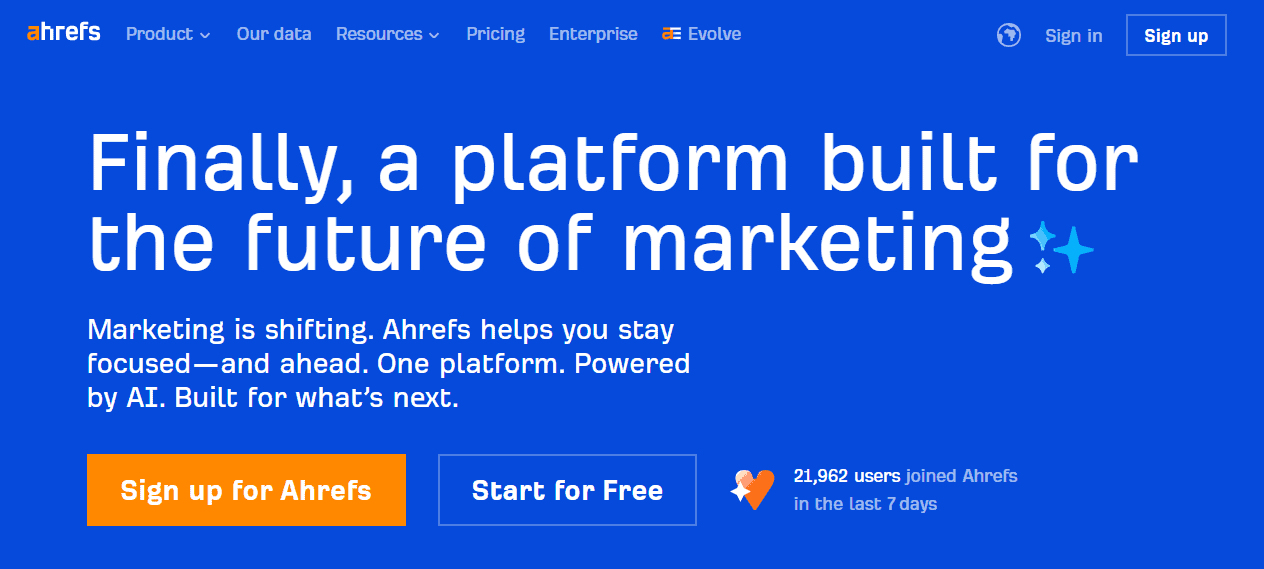
5. Ahrefs – Backlink & Traffic Specialist
Best for: Understanding competitor link profiles AND traffic patterns
The strength: Ahrefs excels at showing which pages drive the most traffic and where those pages get backlinks.
What you get:
- Estimated monthly organic traffic
- Top pages ranked by traffic potential
- Organic keywords and their rankings
- Backlink data (which sites link to top pages)
- Referral traffic sources
- Traffic trend analysis
Why it’s valuable: You can see competitor traffic sources, identify their top-ranking pages, check why those pages rank (backlink profile), and then replicate the strategy.
Ahrefs says its Web Analytics can identify AI traffic from chatbots, making it useful for tracking AI-driven discovery.
Pricing:
- Lite: $129/month (most popular for SMBs)
- Standard: $249/month
- Advanced: $449/month
Reality: Ahrefs is expensive, but for serious SEOs analyzing high-volume keywords and competitive niches, the data quality justifies it.
6. Ubersuggest – The Budget-Friendly Alternative
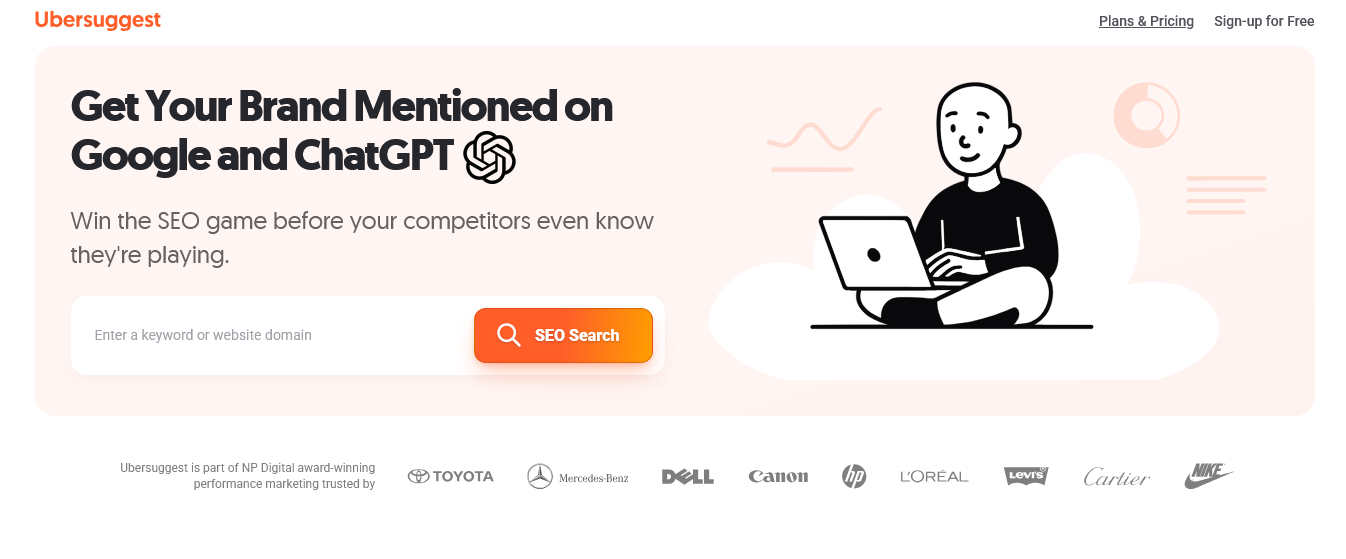
Best for: Solopreneurs and small agencies wanting power without enterprise pricing
What you can do:
- Ubersuggest is a user-friendly platform offering domain analysis, keyword research, and backlink insights
- Check organic traffic estimates
- See top pages and traffic sources
- Keyword research for your niche
- Backlink analysis
- Website audit tools
Pricing: Starts at $12/month for the individual plan
Reality check: You’re not getting Ahrefs-level data, but you’re not paying Ahrefs prices either. For checking competitor traffic occasionally or monitoring your own site’s organic traffic trends, it’s solid.
Pro tip: This is the best entry-level website traffic checker tool. If you’re new to competitive analysis, start here before investing in Ahrefs or SEMrush.
7. SE Ranking – The Underrated Mid-Market Option
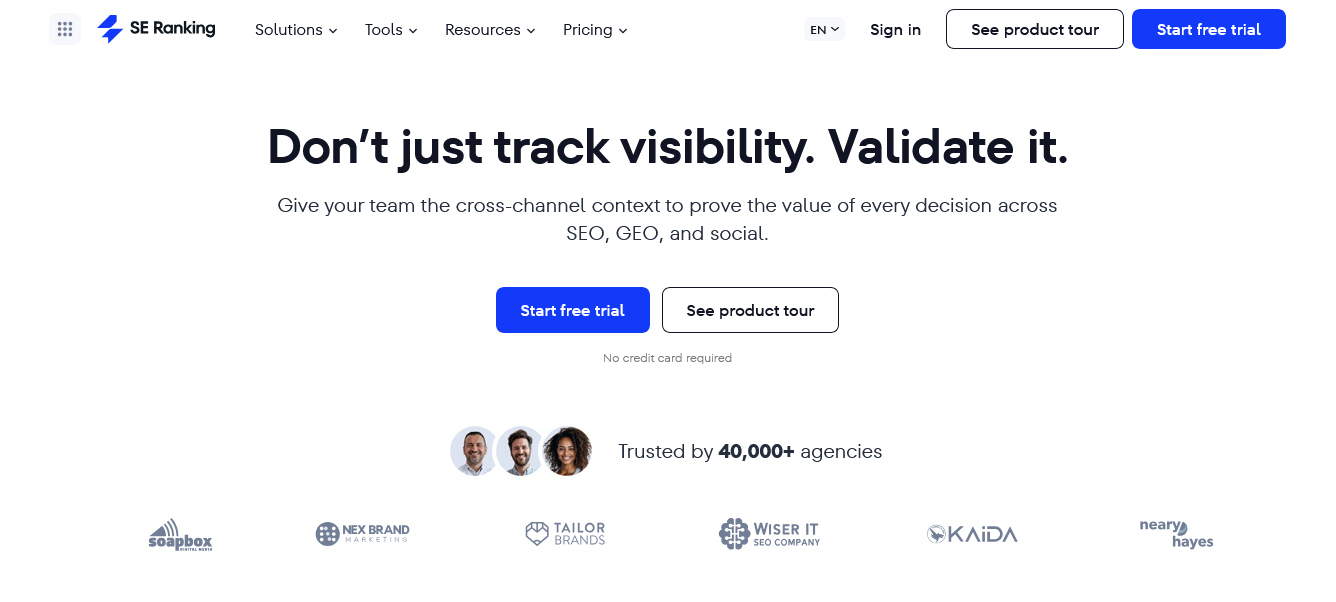
Best for: Agencies needing client reporting without SEMrush’s price tag
Why people miss it: SE Ranking doesn’t get the marketing hype of Ahrefs or SEMrush, but it delivers comparable functionality at 40-50% lower cost.
SE Ranking is an all-in-one SEO platform that includes a website traffic checker, rank tracker, site audit tool, backlink monitor, and keyword research suite. Its traffic checker estimates any domain’s organic and paid visitors, top pages, and keyword rankings.
What’s included:
- Website traffic estimates
- Rank tracking across 190+ countries
- Keyword research
- Backlink monitoring
- Site audit
- White-label reporting (great for agencies)
Pricing:
- Core: Starting at $129/month
- Growth: $279/month
- Enterprise: Custom pricing
Agencies, in particular, appreciate its white-label reporting, client seat management, and the ability to combine rank tracking with traffic analysis in a single dashboard.
Best for: Boutique agencies managing 20-50 client sites who need integrated solutions without enterprise pricing.
8. Lookkle – The Free Website Traffic Checker Champion
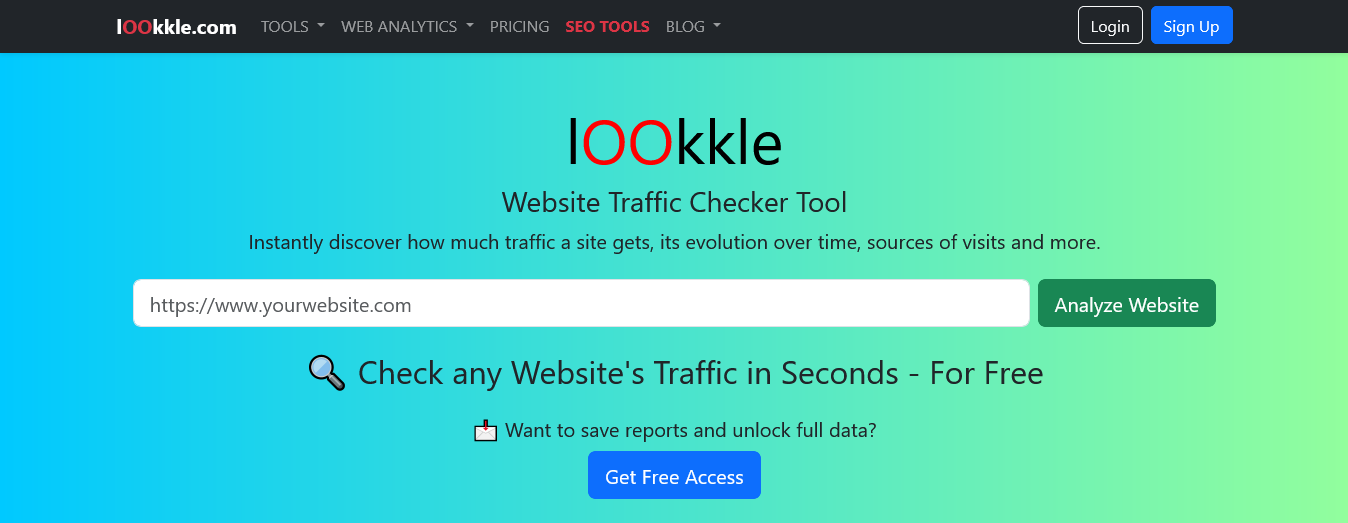
Best for: Anyone wanting instant traffic insights without creating an account
Here’s what’s revolutionary about Lookkle: Lookkle’s Website Traffic Checker stands out as one of the most accessible and comprehensive free tools available in 2026. Unlike tools that require authentication or limit free users, Lookkle provides instant access to detailed traffic data.
How to check website traffic:
- Go to Lookkle
- Enter any website URL
- Instantly see estimated monthly traffic
- No signup required
- No paywall blocking key metrics
What you see:
- Estimated monthly visitors
- Traffic sources breakdown
- Top pages
- Geographic distribution
- Engagement metrics
Pricing:
- Free: Basic traffic analysis
- Premium: $19.95/month starter plan
Reality: This is perfect for quick competitive checks, validating whether a competitor is worth deeper analysis, or occasionally checking how your site traffic is trending.
Pro tip: Use this as your “quick check” tool. When you need faster analysis without creating yet another login, Lookkle delivers.
How To Choose: Quick Decision Framework
If you want to track YOUR OWN website traffic: → Google Analytics 4 (free, 100% accurate)
If you want to check competitor traffic occasionally: → Lookkle (free, fast, no signup)
If you want to understand entire markets and audience behavior: → Similarweb (most accurate, market intelligence)
If you’re an agency managing multiple clients: → SE Ranking (white-label, all-in-one)
If you need enterprise-level data and don’t care about cost: → SEMrush or Ahrefs (more features than you’ll use, but unmatched depth)
If you’re bootstrapped and need 80% of the value: → Ubersuggest ($12/month, solid fundamentals)
Latest Game-Changer: AI Traffic Monitoring
Remember when “traffic source” just meant organic, direct, paid, social, referral, and email?
In 2026, “traffic source” no longer means only search, direct, social, email, and paid. It also includes AI referrals. People are discovering websites through ChatGPT, Perplexity, Gemini, Copilot, and Claude.
What this means:
If your Google Analytics shows a growing “direct” traffic segment you can’t explain, part of it’s probably AI discovery being misclassified.
Smart website traffic checker tools now include:
Similarweb offers a free AI Traffic Checker that surfaces AI visits, top prompts, and sending engines.
This is critical because your competitor might be getting significant traffic from ChatGPT mentions that your traditional analytics completely miss.
Action item: Start checking which of your top pages appear in AI-generated answers. Tools like SEMrush and Similarweb now show this explicitly.
Website Traffic Checker vs Google Search Console (The Difference)
Google Search Console:
- Shows only organic search performance
- Data is 100% accurate (it’s directly from Google)
- Shows clicks, impressions, average position
- Doesn’t show traffic from other sources (social, direct, referral)
- Free
Website Traffic Checker tools:
- Show all traffic sources combined
- Estimates for competitors (actual data for your own site)
- Include social, direct, referral, paid, email
- Broader picture of competitive landscape
- Mostly paid (except free versions)
Use both: Google Search Console for your own search performance. Traffic checkers for competitive intelligence and understanding the full traffic picture.
Honest Truth About Traffic Checker Accuracy
All traffic checker tools estimate competitor traffic. No tool is 100% accurate for sites you don’t own.
Here’s why:
- They use aggregated data, browser extensions, and public APIs
- Small sample sizes lead to estimation errors
- New or extremely small sites lack data
- Different tools use different methodologies
What this means for you:
- Don’t obsess over exact numbers (10,000 vs 10,150 visitors)
- Focus on trends (is traffic growing or declining?)
- Use rankings for comparison (is competitor A bigger than B?)
- Verify surprising findings with multiple tools
If one tool says a competitor gets 50K monthly visitors and another says 35K, they’re probably both somewhat right, and the actual number is somewhere in between.
Website Traffic Checker + CrawlWP: The Winning Combo
Here’s something most people don’t think about: A website traffic checker reveals opportunities. CrawlWP helps you capitalize on them.
Traditional approach:
- Discover a competitor is ranking for a high-traffic keyword
- Create similar content
- Publish it
- Wait for search engines to crawl and index
- Wait for ranking improvements
- Eventually capture some traffic
With CrawlWP:
- Discover opportunity via traffic checker
- Create content
- CrawlWP instantly notifies Google, Bing, Yandex, and other search engines
- Indexed within 24-48 hours
- Ranking competition starts sooner
- Capture opportunity while it’s still hot
Traffic checker tools show you what to do. CrawlWP helps you do it faster.
Get instant indexing with CrawlWP →
Action Plan: Start Using Website Traffic Checker Tools Today
Week 1: Foundation
- Set up Google Analytics on your own site
- Connect Google Analytics to Google Search Console
- Identify your 3 main competitors
- Use Lookkle to check their estimated traffic (free)
- Note which competitor is largest
Week 2: Deeper Dive
- Use Similarweb’s free version to analyze top 3 competitors
- Check their traffic sources breakdown.
- Identify which channels drive most of their traffic
- Note which of their pages get the most visitors
- Look for gaps where they’re weak
Week 3: Strategy Development
- Analyze your own traffic in Google Analytics
- Compare your top pages to competitors’ top pages
- Identify keywords they rank for that you don’t
- Plan content to compete in their high-traffic areas
- Set up CrawlWP to accelerate your new content indexing
Ongoing:
- Monitor your own traffic weekly in Google Analytics
- Check competitor traffic monthly in your chosen tool
- Track whether your new content captures share of their traffic
- Adjust strategy based on what’s actually working
FAQs
Is it illegal to check competitor website traffic?
No. Using a website traffic checker on public websites is completely legal. You’re analyzing publicly available data. This is standard competitive intelligence.
Which website traffic checker is most accurate?
A SparkToro study found that Similarweb’s traffic estimations are the most accurate and closely aligned to users’ Google Analytics data. However, accuracy varies by site size; Similarweb performs best on sites with 5K-100K monthly visitors.
Can I check my own traffic with these tools?
Yes, but Google Analytics is more accurate for your own site. Use traffic-checking tools to validate trends or compare your traffic with competitors’.
How often should I check competitor traffic?
Monthly is usually sufficient. Weekly checks waste time since significant changes take weeks to develop. Quarterly reviews work too for slow-moving markets.
Do these tools show AI traffic separately?
The best tools like Similarweb and SEMrush now track AI search traffic separately from traditional search. This is relatively new functionality (2025-2026), so check the tool’s current features.
Should I pay for an expensive tool or use free options?
Start free (Lookkle, Google Analytics), validate your strategy, then upgrade if ROI justifies it. Most solopreneurs and small businesses get 80% of value from free tools.
Can I trust traffic estimates or should I ignore them?
Use them for competitive comparison and trend analysis, not exact numbers. If one competitor shows 10K visitors and another shows 50K, the 50K competitor is bigger, but the exact numbers might be off.
How do I know if a traffic checker tool is reliable?
Check independent studies (like SparkToro’s), read reviews from actual users, and compare the same website across multiple tools. Consistent estimates across tools usually indicate reliability.
Can traffic checkers show paid ad spending?
Some tools (like SEMrush) show estimated paid ad spend and which ads competitors are running. This is bonus intelligence for competitive advantage.
What if a website has very low traffic—will tools show anything?
Very small or brand-new websites might not have enough public data. Tools typically need minimum traffic thresholds to estimate numbers reliably.
Do I need multiple traffic checker tools?
Not necessarily. Pick one and use it consistently. Switching between tools confuses comparisons. Pick based on your budget and needs, then stick with it for at least 3-6 months.