
Google Analytics (GA) is free. That part is true and worth acknowledging upfront.
But free is doing a lot of work in that sentence. Google Analytics requires a cookie consent banner in the EU, which costs real development hours and suppresses real data. Its interface confuses experienced marketers who built careers on Universal Analytics and now have to relearn everything. Data sampling kicks in on busier sites.
Your visitor data sits on Google’s servers, not yours. And the learning curve for setting up custom events, funnels, and conversions is steep enough that most people either pay for someone to configure it or settle for surface-level reports they never act on.
None of this makes Google Analytics a bad tool. For large organizations with dedicated analysts and a full compliance infrastructure, it remains the most powerful free analytics platform available.
But for everyone else, the real cost of Google Analytics shows up in time, compliance overhead, and the gap between what the tool can do in theory and what most teams actually get from it.
The good news is the alternatives have never been better. In 2026, you can track your website visitors accurately, own your own data, skip the cookie consent banner entirely, and do it all from inside your WordPress dashboard if that is where you spend your time.
The options range from completely free to enterprise-grade paid platforms, and the best one for you depends entirely on what questions you actually need answered.
This guide covers the best Google Analytics alternatives in 2026, including general analytics tools, WordPress-specific plugins that store data on your own server, and privacy-first solutions that work without cookies.
Table of Contents
Why People Switch Away From Google Analytics
Before the list, the honest reasons:
Google Analytics’s interface is genuinely difficult
Many marketers default to Google Analytics because it is free and popular. But those same marketers report issues like steep learning curves, even for people familiar with Universal Analytics, its predecessor. If you are spending more time navigating the tool than acting on the data, the tool is not working for you.
Cookie consent overhead is real
For GA and Mixpanel, a cookie consent banner is required under EU GDPR and UK ePrivacy rules. For Plausible, Fathom, Cloudflare Web Analytics, and Umami, no cookie consent prompt is required. If your audience is EU-based and consent banners suppress 20-30% of your data, that is a significant accuracy problem.
Data stays on Google’s servers
Every session, every click, every conversion event from every visitor you have ever had lives in Google’s infrastructure. For regulated industries, privacy-conscious businesses, or anyone who prefers data sovereignty, that matters.
Ad blockers reduce accuracy.
A portion of visitors using browser extensions block Google Analytics’s tracking script entirely, meaning your real traffic numbers are consistently understated. Cookieless server-side alternatives bypass this problem.
With those reasons clear, here is where to go instead.
WordPress-Specific Alternatives (Start Here If You Run WordPress)
1. Independent Analytics – Smart WordPress-Native Choice
Type: WordPress plugin
Free plan: Yes, fully featured free version
Best for: WordPress site owners who want privacy-friendly analytics without leaving their dashboard
Active installations: 100,000+
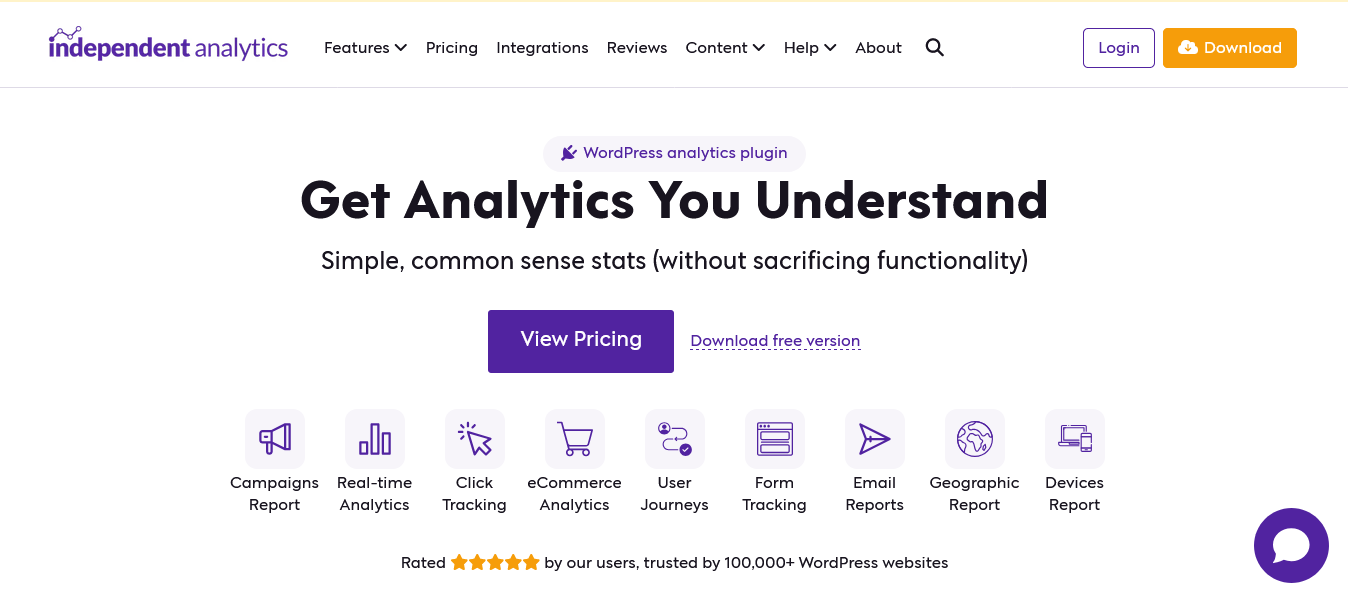
Independent Analytics tops this list of Google Analytics alternatives because it solves the specific problem WordPress site owners face. You do not want to log into a separate analytics platform. You do not want to configure tracking scripts, set up API connections, or cross-reference data across multiple tabs.
You want to open your WordPress dashboard and immediately understand how your site is performing.
Independent Analytics gives you simple, common-sense stats you can use to grow your website.
No more complex metrics or messy menus. The plugin stores all visitor data directly in your WordPress database without communicating with external servers. No cookies are used. No personal data is ever saved. GDPR, CCPA, and other regional privacy regulations are covered by design, not configuration.
What the free version tracks:
Visitors, views, sessions, average session duration, bounce rate, and views per session. Pages, referrers, geographic data, and device breakdown.
The free version includes CSV and PDF export, saved custom reports, and the ability to share access with authors. A notable 2026 update added the ability to filter by referrer type, making it easy to compare traffic from search, social, and AI sources including ChatGPT.
That last point matters more than it might seem.
AI search engines are sending real traffic to websites, and most analytics tools either misclassify it as direct traffic or miss it entirely. Independent Analytics now surfaces it as its own referrer category.
What Pro adds:
Real-time analytics (including live filtering, city data, UTM parameters, and conversions), WooCommerce integration for ecommerce tracking, campaign URL builder, and email reports.
Version 2.15.0 added Real-time Analytics Version 2.0 with live filtering, city data, UTM parameters, conversions, and the ability to pause the report.
Pricing:
- Free: Fully featured, unlimited views, unlimited sites, no restrictions on core analytics
- Pro: Starting at $49/year (exact Pro tiers: visit independentwp.com/pricing for current plans)
Honest assessment: The free version of Independent Analytics is more than sufficient for most WordPress sites. The Pro upgrade makes sense if you actively use WooCommerce, run campaigns you need to track with UTM parameters, or want the real-time dashboard. For a basic blog or business site, the free version never needs an upgrade.
2. Koko Analytics – Ultralight WordPress Privacy Plugin
Type: WordPress plugin
Free plan: Yes, completely free core plugin
Best for: WordPress sites where script weight and performance impact matter most
Active installations: 60,000+
Koko Analytics is a privacy-friendly and lightweight Google Analytics alternative for WordPress sites. It is a plug-and-play solution for obtaining GDPR-compliant insights about your website visitors without requiring any third-party services.
It adds less than 1 kilobyte of data to your pages and is fully compatible with all kinds of caching setups.
One kilobyte. For comparison, Google Analytics’s tracking script weighs approximately 73 kilobytes. That is a 70-plus kilobyte difference in page weight, which directly affects your Core Web Vitals scores.
For sites already aggressively optimizing page speed, replacing GA with Koko Analytics can make a measurable difference in performance.
WordPress is bypassed entirely for its collection endpoint, minimizing the impact on your site’s performance.
The plugin processes analytics data via an optimized endpoint that does not trigger the full WordPress request stack, so high-traffic spikes do not put pressure on your server the way a standard plugin would.
What the free version includes:
All core analytics including visitors, pageviews, referrers, devices, and browsers. The free version is genuinely unlimited and never expires. No credit card required, no upsells, no nag screens.
Pageviews and unique visitors per page. Referrer tracking showing where visitors came from. Filters to exclude your own visits, team members, or known IP addresses. Full cache compatibility. A live view showing real-time activity on your site.
What Koko Analytics Pro adds:
Koko Analytics Pro adds geolocation, device and browser statistics, custom event tracking, and UTM campaign tracking on top of the free plugin. Email reports are also included in Pro. The Pro tier is priced at €59/year for one site, €99 /year for up to five sites, and €249/year for up to 25 sites.
Honest assessment: Koko Analytics is the right choice when two things are true simultaneously: you run WordPress and page performance is a genuine priority. Its 1KB script is technically the lightest analytics option available for WordPress.
The free version covers everything a content site or small business needs. The limitation compared to Independent Analytics is that Koko’s free version does not include geolocation or device breakdown by default, though Pro adds both.
3. CrawlWP – SEO-Focused WordPress Analytics Tool
Type: WordPress plugin
Free plan: Yes
Best for: WordPress sites that want to understand and improve organic search performance, not just count pageviews
Active installations: 40,000+
Most analytics tools answer one question: what did visitors do after they arrived? CrawlWP answers the question that comes before that: how did they get there, and which search engines are sending them?
CrawlWP is not a traditional web analytics tool. It does not track mouse movements, session duration, or conversion funnels. What it does is pull your actual SEO performance data from Google Search Console, Bing Webmaster Tools, and Yandex simultaneously, displaying everything inside your WordPress dashboard without requiring separate logins to three different platforms.
What this looks like in practice:
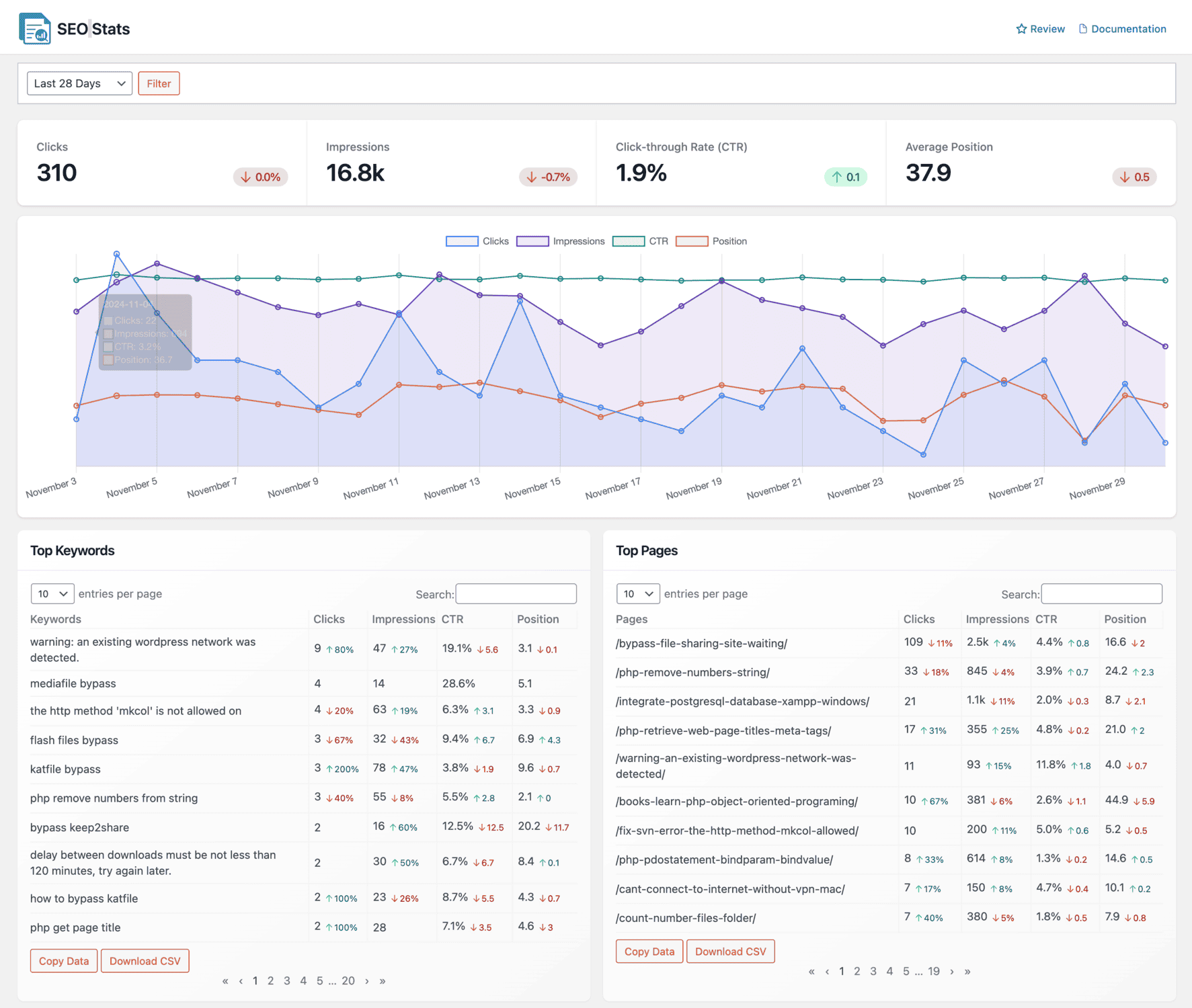
You log into WordPress. Inside your dashboard, you can see how many clicks your site received from Google, Bing, and Yandex.
You can see which keywords people searched before clicking through to your pages, how often each page appears in search results (impressions), what percentage of searchers clicked your result (CTR), and where your pages rank on average for each keyword.
The Top Keywords report shows which search terms are sending you the most traffic, sortable by clicks, impressions, CTR, or position.
A Winners and Losers filter surfaces which keywords are climbing and which are declining, so you know where to focus without manually reviewing hundreds of rows.
The Bing and Yandex data most WordPress SEOs skip:
Nearly every WordPress site owner monitors Google. Almost none actively monitor Bing. That is a mistake. Bing powers Microsoft Copilot, DuckDuckGo, and Yahoo search, meaning a single search engine covers multiple discovery channels.
CrawlWP makes this data available in the same dashboard as your Google data, with no extra login required.
Beyond tracking, CrawlWP also indexes:
The plugin actively submits your content to Google, Bing, and Yandex the moment you publish. New pages get indexed in 24 to 48 hours rather than the typical 5 to 14-day wait. For a Google Analytics alternative, that is an unusual feature. Most tools watch your performance passively. CrawlWP actively influences it.
Pricing:
- Free: Submitting WordPress content and pages to search engines for indexing after publication.
- Paid plans: from $59/year (stats dashboard, bulk submissions, auto-indexing, email performance reports, priority support)
Honest assessment: CrawlWP belongs in this list because WordPress site owners need both a standard analytics tool and an organic performance tracker. For the visitor behavior side, pair CrawlWP with Independent Analytics or Koko Analytics.
For organic SEO performance, CrawlWP is the only WordPress-native solution that consolidates Google, Bing, and Yandex into a single dashboard at this price point.
Track your organic search performance with CrawlWP →
General Alternatives (Works On Any Platform)
4. Plausible Analytics – The Privacy-First Standard

Type: Cloud-hosted (self-hosted option available)
Free plan: No (30-day free trial, no credit card required)
Best for: Businesses and creators who need clean, accurate analytics without a cookie consent banner.
Open source: Yes (AGPL-3 license, self-hostable)
Plausible is a lightweight, open-source web analytics tool built in Estonia and hosted on EU infrastructure. A single tracking script under 1KB gzipped fires a pageview event with the URL, referrer, screen size, and a country lookup derived server-side from the visitor IP.
No persistent identifier is stored, no cookie is dropped, and no fingerprinting is attempted.
Plausible’s pitch is simple: accurate traffic data without the compliance overhead. Because it does not use cookies or store personal data, no consent banner is legally required. Visitors who block Google Analytics tracking still get counted, because the tracking mechanism is fundamentally different.
According to users who switched from Google Analytics to Plausible, the analytics script is more than 75 times smaller than GA’s. One user reported that after removing GA from their website and switching to Plausible, the website’s Core Web Vitals report jumped from 70 to 96.
What Plausible tracks:
Unique visitors, pageviews, bounce rate, visit duration, traffic sources (with referrer domains and UTM parameters), top pages, countries, devices, browsers, and operating systems. Custom events for conversions. Funnels and ecommerce revenue tracking on Business and above plans.
Pricing:
The Growth plan starts at $9 per month for up to 10,000 monthly pageviews. The Business plan starts at $19 per month at the same traffic tier and adds funnels, ecommerce revenue, and API access. Both plans scale up by traffic volume.
An Enterprise tier with custom pricing is available for very large sites. Annual billing reduces costs further.
Honest assessment: Plausible’s $9/month entry point is the lowest of any legitimate privacy-first analytics tool in 2026. The 10,000-pageview limit at that tier is restrictive for established sites, but a reasonable starting point for new sites or personal projects.
The Business plan at $19/month adds features most content sites and ecommerce stores actually need. Self-hosting is possible with Docker if you prefer full control over the infrastructure.
5. Matomo – Full-Featured Open Source Option

Type: Cloud-hosted or self-hosted (on-premise)
Free plan: Yes (self-hosted version is free forever)
Best for: Organizations that need GA-level analytics depth with complete data ownership
Open source: Yes
Matomo is the gold standard for free, open-source web analytics. Another perfect alternative to Google Analytics.
The self-hosted version installs on your own server and tracks unlimited websites and visitors at zero cost beyond your hosting fees. The feature set is genuinely comprehensive: session recording, heatmaps, A/B testing, funnel analysis, user journey visualization, a built-in tag manager, and Google Search Console integration for keyword ranking data.
For context on scale, Matomo is used by over 1 million websites globally, including government organizations, healthcare systems, and enterprises in regulated industries where sending data to Google is either legally restricted or strategically undesirable.
Self-hosted vs cloud:
Self-hosted (on-premise) is completely free, unlimited everything, all features included. The tradeoff is that you manage the server, handle updates, and maintain backups. A basic VPS for self-hosting runs approximately $5 to $20 per month depending on your traffic volume.
The cloud (hosted) Starter plan is €22 per month for 50,000 hits across 30 websites. Above Starter, Matomo Cloud pricing requires a custom quote, which forces a sales conversation for higher-traffic sites.
Honest assessment: Matomo self-hosted is the most powerful free Google Analytics alternative available in 2026 for teams comfortable managing their own server. It covers everything Google Analytics offers, plus heatmaps, session recordings, and A/B testing that GA does not. The tradeoff is infrastructure responsibility.
Ad blockers do flag Matomo’s tracking script, leading to some undercounting that is difficult to quantify, which is worth factoring in if your audience skews technical.
6. Microsoft Clarity – Free Behavioral Analytics With No Catch
Type: Cloud-hosted
Free plan: Yes, unlimited and completely free
Best for: Any site that wants heatmaps and session recordings alongside standard traffic analytics
Cost: Free
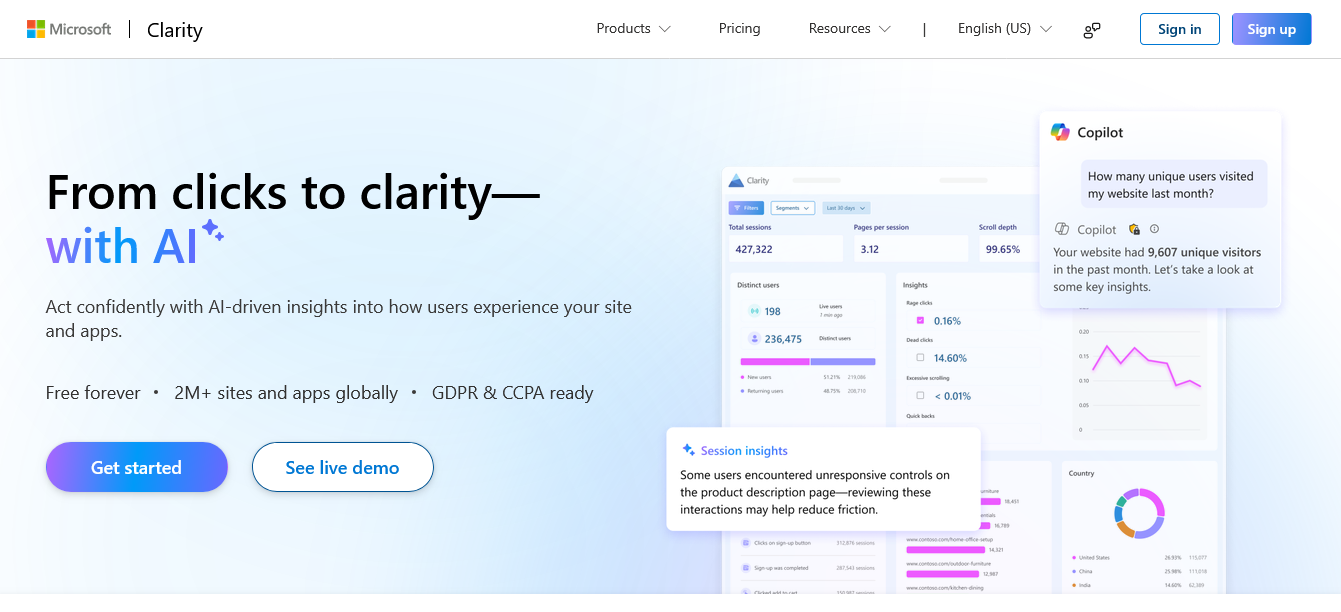
Microsoft Clarity is free, with free heatmaps and session replay. That sentence deserves to sit on its own because the implications are significant. Heatmaps and session recordings typically cost $30 to $100 per month from dedicated behavioral analytics platforms.
Clarity provides them at no cost, with no usage limits, no data sampling on most plan tiers, and no trial period that expires.
What Clarity includes:
Click heatmaps showing where visitors actually click on each page. Scroll maps showing how far down the page visitors read before leaving. Session recordings letting you watch individual visitor journeys in real time.
AI-powered frustration signal detection identifying rage clicks, dead clicks, and quick backs. Copilot integration allowing natural language queries about your analytics data.
What Clarity does not include:
Conversion funnel tracking. Custom event analytics. Traffic source attribution beyond referrer. It is a behavioral analytics tool, not a traffic measurement tool. Pair it with Google Search Console or CrawlWP for organic traffic data, and you have a complete picture for almost nothing.
Cost: Completely free, no credit card, no trial expiry, no usage cap.
7. Fathom Analytics – The Polished Privacy Option
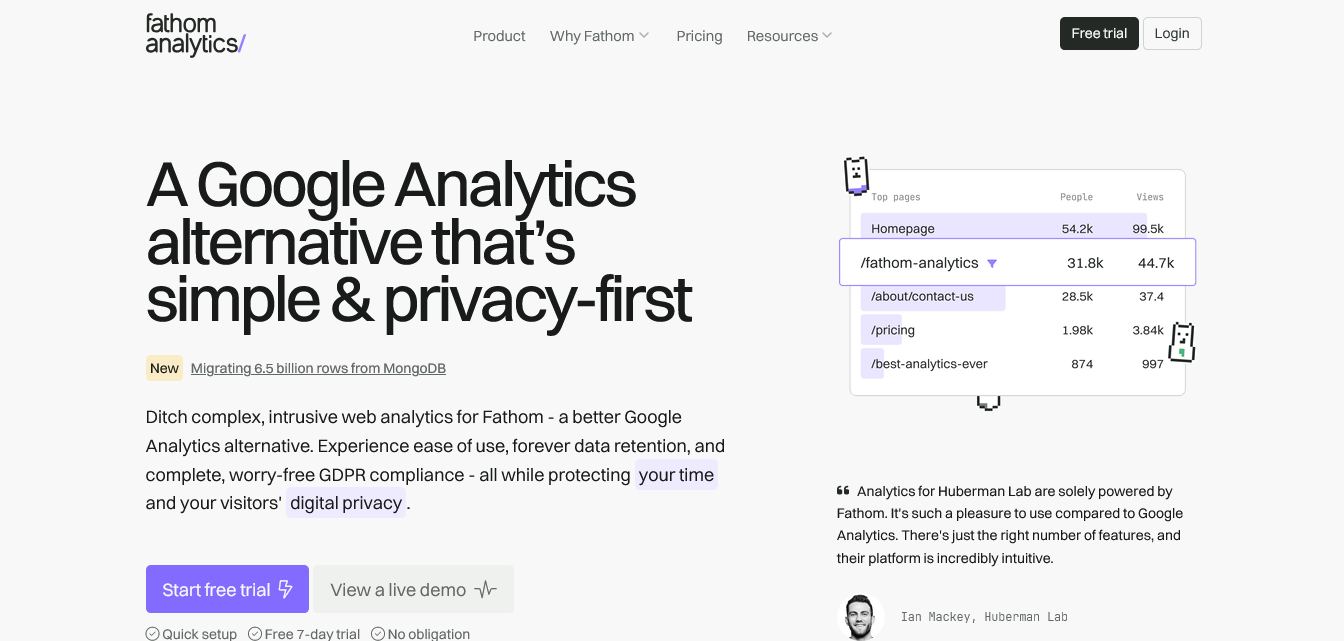
Type: Cloud-hosted only (no self-hosted option)
Free plan: No (7-day free trial)
Best for: Creators, indie developers, and small businesses wanting polished privacy-first analytics with generous pageview limits
Pricing: Starts at $15/month for 100,000 pageviews
Fathom Analytics is Canadian-owned, has a slightly more polished UI than competitors, and includes uptime monitoring. The 100,000-pageview entry tier is more generous than Plausible’s 10,000-pageview starting point.
Fathom’s positioning is clear: privacy-first analytics with a clean interface that takes approximately five minutes to understand. All plans include unlimited websites, unlimited custom domains, and unlimited email reports. There are no per-site fees and no per-user fees.
You pay for traffic volume, nothing else.
Honest assessment: Fathom is more expensive than Plausible at the entry tier ($15 vs $9 monthly) but more generous on pageviews (100,000 vs 10,000). For sites with moderate traffic, Fathom’s entry tier covers more ground without requiring an upgrade as quickly. The trade-off is the lack of a self-hosted option for teams that require full infrastructure control.
8. Umami – Free Self-Hosted Option For Developers

Type: Self-hosted or cloud-hosted
Free plan: Yes (self-hosted version is completely free)
Best for: Developers who want full data ownership, open-source code, and zero per-pageview pricing
Open source: Yes
Umami is an open-source, privacy-focused alternative to Google Analytics. It does not collect any personal information, does not use cookies, and does not track users across websites.
The self-hosted version of Umami is free indefinitely. You run it on your own server, you own all the data, and there are no usage limits. The technical requirements are reasonable: Node.js and either MySQL or PostgreSQL. Setup takes approximately an hour for someone comfortable with server administration.
The cloud-hosted version (Umami Cloud) is available for teams that want Umami’s interface without having to manage infrastructure. Pricing starts at free for personal use (limited features) and goes up to $20/month for teams.
What Umami tracks:
Pageviews, unique visitors, bounce rate, visit duration, referrers, devices, browsers, countries, and custom events. The interface is minimal by design: a single dashboard with the core metrics visible at a glance.
Honest assessment: Umami is the right choice when two things are true: you want open-source code you can inspect and modify, and you are comfortable managing server infrastructure. For non-technical site owners, the setup overhead makes alternatives like Independent Analytics or Koko Analytics more practical.
For developers who prefer to own their stack completely, Umami’s zero-cost self-hosted option is hard to beat.
9. Cloudflare Web Analytics – Free If You Are Already On Cloudflare
Type: Cloud-hosted
Free plan: Yes, completely free with no limits.
Best for: Sites already using Cloudflare for DNS or CDN
Cost: Free
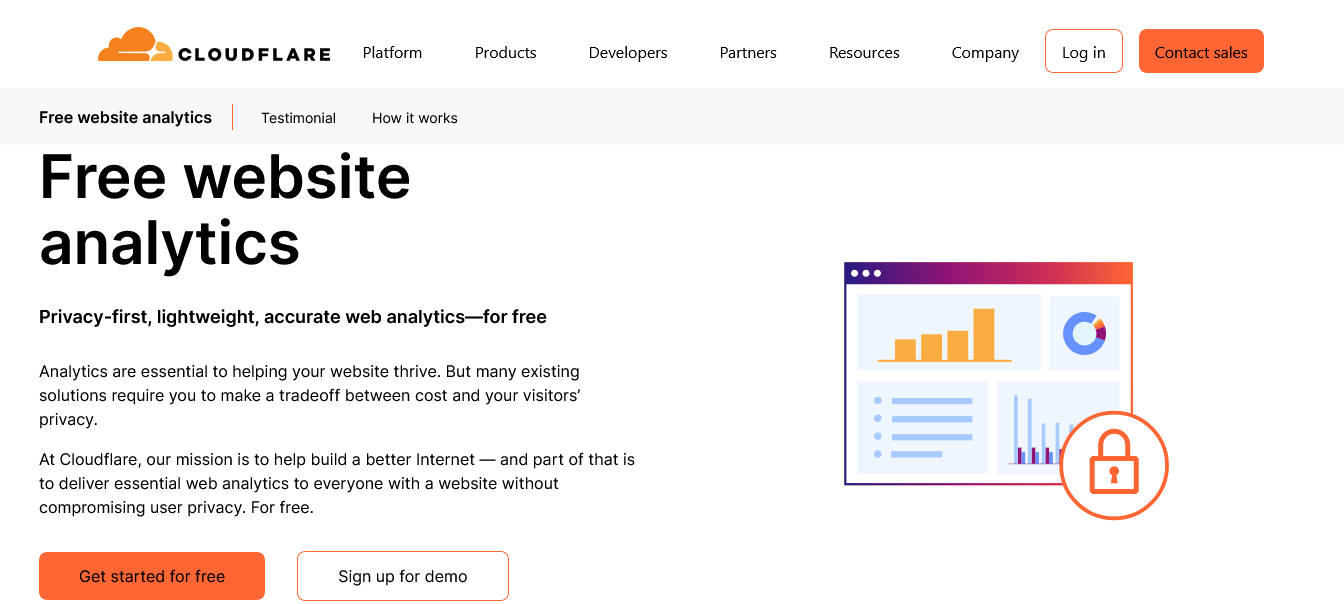
Cloudflare Web Analytics is free. Completely free alternative to Google Analytics, no limits. If you are already using Cloudflare for your site, you can turn it on in seconds. It is privacy-focused, which means no cookies, and it does not slow down your site. You get pageviews, visitors, top pages, referrers, and performance insights.
The key phrase in that description is “if you are already using Cloudflare.” If you are, enabling Web Analytics is a zero-configuration decision: toggle it on in your Cloudflare dashboard.
If you are not already on Cloudflare, the setup overhead of switching your DNS to get a free analytics tool is probably not worth it, especially since Koko Analytics or Independent Analytics install as WordPress plugins in under a minute.
What Cloudflare Web Analytics tracks:
Pageviews, unique visitors, top pages, referrers, countries, devices, browsers, and performance metrics tied to Cloudflare’s network data. No cookies. No personal data stored. No consent banner required.
What it does not track:
Custom events, conversions, funnels, or any behavioral data beyond basic pageviews. The data is basic by design. There is almost no customization available beyond the standard view.
Honest assessment: Free forever with no limits makes Cloudflare Web Analytics an obvious choice if you are already in the Cloudflare ecosystem. As a standalone reason to switch DNS, it is not compelling enough.
As a supplementary tool layered on top of an existing Cloudflare setup, it costs nothing and provides useful baseline data.
10. PostHog – Open-Source Product Analytics Platform
Type: Cloud-hosted or self-hosted
Free plan: Yes (1 million events per month free forever)
Best for: SaaS products and web applications that need event tracking, session recordings, feature flags, and A/B testing in one platform
Open source: Yes
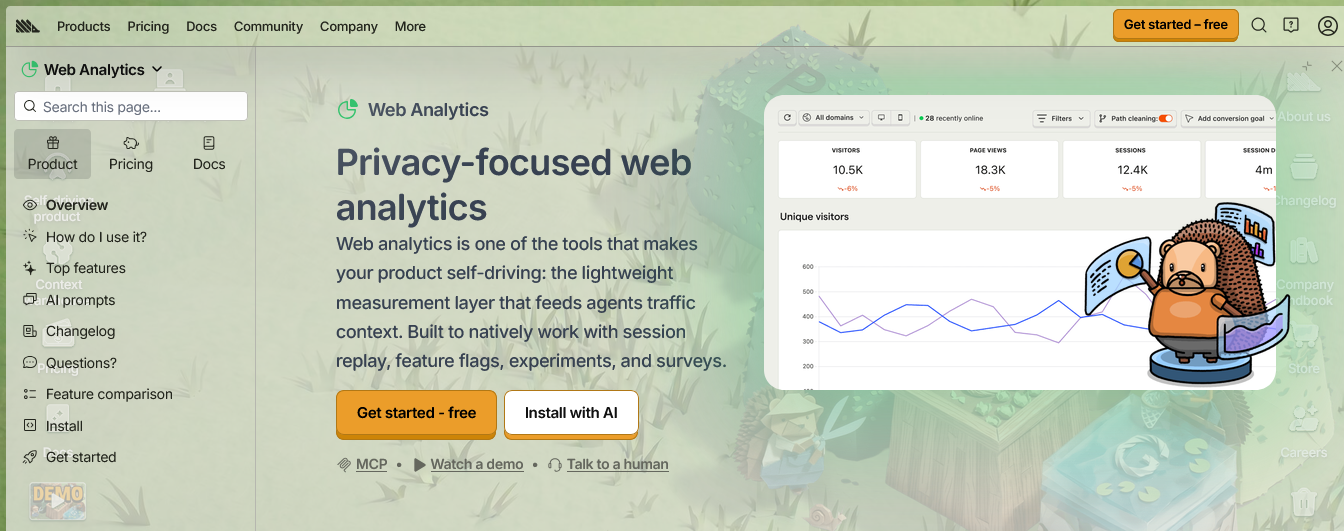
PostHog is technically a product analytics platform rather than a website analytics tool, but the distinction matters less than it used to. PostHog covers pageview analytics, session recordings, heatmaps, event tracking, feature flags, A/B testing, surveys, and a customer data platform, all in one open-source product.
PostHog combines behavioral analytics, experimentation tools, and customer data capabilities all in one place, making it one of the best Google Analytics alternatives.
Best for enterprises and product teams that require detailed behavioral data and have dedicated analytics resources.
The free tier is genuinely generous: 1 million events per month at no cost, with session recordings, heatmaps, feature flags, and A/B testing all included. Paid plans kick in above that limit, with pricing based on usage volume.
Pricing:
Free: 1 million events per month, unlimited seats, all core features included. Paid: Usage-based pricing above 1 million events. The self-hosted version is free to run on your own infrastructure, though PostHog describes the setup as genuinely complex.
The product is open source, and you can self-host if you want. The trade-off is complexity. This is not a simple tool.
Honest assessment: PostHog is the right choice for SaaS founders and product teams that need analytics tightly integrated with their product. For content sites, blogs, or standard business websites, the feature set is more than needed, and the complexity is not worth it. For product-led businesses, the free tier is one of the most valuable analytics offerings available.
11. Simple Analytics – EU-Hosted Minimalist Option
Type: Cloud-hosted
Free plan: No (14-day free trial)
Best for: Businesses and creators that need a simple, transparent alternative to Plausible with EU data residency and a public-facing “building in public” track record
Open source: Partial (frontend is open source)
Simple Analytics is slightly cheaper than Fathom ($10 per month annually versus Fathom’s $15 per month), Dutch-owned, and has a “building in public” transparency approach.
The company publicly shares revenue, decisions, and development roadmap, which appeals to businesses that prefer transparency from their analytics vendor.
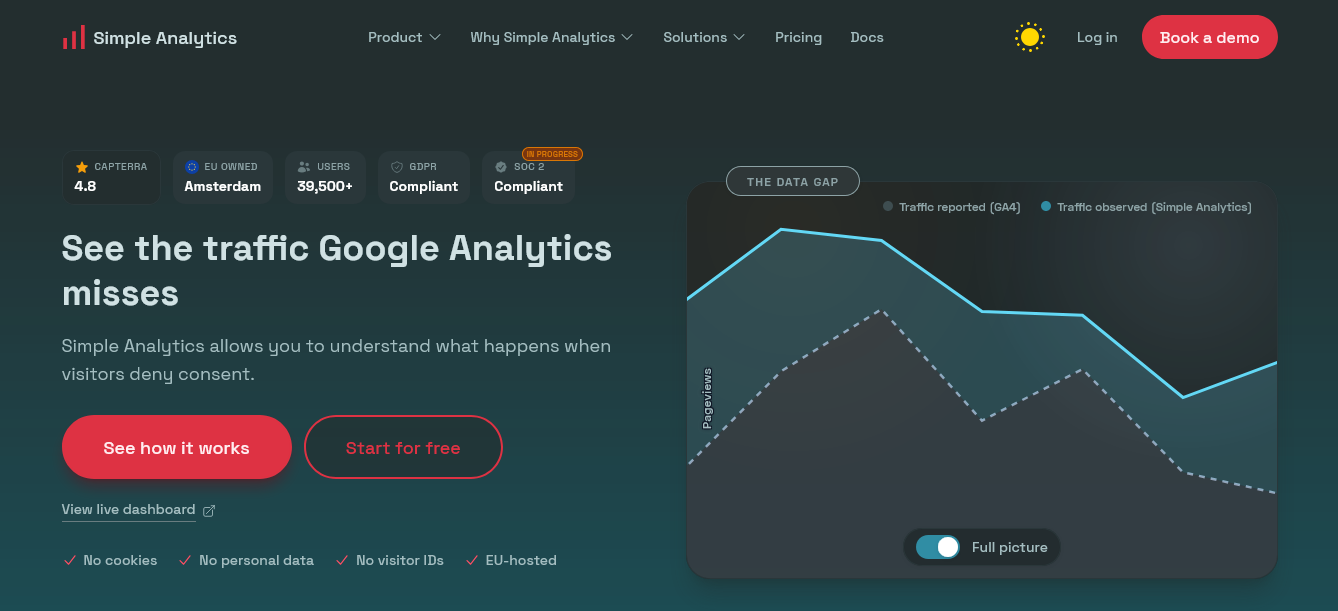
Simple Analytics does not use cookies, does not store personal data, and requires no consent banner. Data is stored on European servers under EU jurisdiction. The interface is exactly as the name suggests: simple, fast, and focused on the core metrics most sites actually need.
Verified 2026 pricing:
Starts at $20/month (billed monthly) or $200/year for 100,000 monthly pageviews. An Enterprise plan with custom pricing for larger organizations.
Honest assessment: Simple Analytics occupies a specific position: between Plausible (slightly cheaper, more features, open-source self-hosting) and Fathom (Canadian ownership, uptime monitoring, more generous pageview limits).
The “building in public” transparency is a genuine differentiator for teams that care about vendor stability and the decision-making process. It is not the most feature-rich option or the cheapest, but for EU-based businesses that want Dutch data hosting and full-company transparency, it is the clearest choice.
How To Choose: Decision Framework
Rather than covering every scenario in detail, here is the fastest path to the right choice:
You run WordPress and want analytics inside your dashboard: Start with Independent Analytics (free, most comprehensive WordPress-native option). Add Koko Analytics if script weight is your primary concern, since its 1KB tracking script is the lightest available. Add CrawlWP alongside either to track your SEO performance from Google, Bing, and Yandex.
You want to eliminate cookie consent banners: Any of Plausible, Fathom, Koko Analytics, Independent Analytics, Umami, Cloudflare Web Analytics, or Simple Analytics. All are cookieless by design. Google Analytics requires a cookie banner in the EU. These tools do not.
You want full data ownership with zero ongoing cost: Matomo self-hosted (most features) or Umami self-hosted (simpler setup). Both are free forever. Both require a server you manage.
You want behavioral data (heatmaps and session recordings) for free: Microsoft Clarity. No trial period, no usage limits, no cost. Pair it with any other tool on this list for traffic data.
You build SaaS products and need product analytics: PostHog (1 million events free per month) or Mixpanel. Both are significantly more than traffic counters.
You are already on Cloudflare: Enable Cloudflare Web Analytics in your dashboard. It costs nothing and takes about 30 seconds.
AI Search Traffic Is A New Analytics Category
A notable update in Independent Analytics added the ability to filter by referrer type, making it easy to compare traffic from search, social, and AI sources including ChatGPT.
This is significant because it reflects a real shift in how people discover websites. ChatGPT, Perplexity, Google AI Overviews, Microsoft Copilot, and Gemini are all routing users to websites in 2026. Standard Google Analytics reports often misclassify this as direct traffic, making it invisible in standard reporting.
The analytics tools that handle this best in 2026 are the ones that track referrers at the domain level without cookies, since AI search traffic typically arrives without the UTM parameters that identify paid or email traffic. Independent Analytics, Plausible, Fathom, and Koko Analytics all surface AI referrers because they track all referrer domains by default.
For the organic search side of AI discovery, CrawlWP tracks whether your pages appear in Google AI Overviews and how your SEO performance changes as AI search grows. That combination of referrer tracking in Independent Analytics or Plausible plus organic performance tracking in CrawlWP covers the full AI traffic picture.
Quick Comparison: 11 Google Analytics Alternatives At A Glance
| Tool | Free Plan | Platform | Cookie-Free | Self-Host | Starting Price |
| Independent Analytics | Yes (full) | WordPress | Yes | On your WP server | Free / $49/yr Pro |
| Koko Analytics | Yes (full) | WordPress | Yes | On your WP server | Free / €59/yr Pro |
| CrawlWP | Yes | WordPress | Yes | On your WP server | Free / from $59/yr |
| Plausible | 30-day trial | Any | Yes | Yes (AGPL) | $9/month |
| Matomo | Yes (self-host) | Any | Configurable | Yes (free) | Free / €22/mo cloud |
| Microsoft Clarity | Yes (unlimited) | Any | No | No | Free |
| Fathom | 7-day trial | Any | Yes | No | $15/month |
| Umami | Yes (self-host) | Any | Yes | Yes (free) | Free / $20/mo cloud |
| Cloudflare Analytics | Yes (unlimited) | Any | Yes | No | Free |
| PostHog | Yes (1M events) | Any | No | Yes | Free / usage-based |
| Simple Analytics | 14-day trial | Any | Yes | No | $20/month |
FAQs
Is there a completely free Google Analytics alternative?
Yes, several. Independent Analytics and Koko Analytics are free WordPress plugins with no feature restrictions on their core version. Microsoft Clarity is free for behavioral analytics with no usage limits. Cloudflare Web Analytics is free if you use Cloudflare. Matomo and Umami are free if you self-host them on your own server. Each serves different needs, so the right free option depends on your platform and what data you need.
Which Google Analytics alternative is best for WordPress?
Independent Analytics is the most complete WordPress-specific alternative in 2026. It tracks visitors, pages, referrers, and geographic data natively inside WordPress without any external server communication, is fully GDPR-compliant, and has a completely free core version with 100,000+ active installations.
Koko Analytics is the better choice when minimizing script weight is the priority. CrawlWP is the right addition for tracking SEO performance.
Do these alternatives work without cookie consent banners?
Most of them, yes. Independent Analytics, Koko Analytics, Plausible, Fathom, Cloudflare Web Analytics, Umami, and Simple Analytics are all cookieless by design and do not require a consent banner under GDPR. Microsoft Clarity and PostHog use session identifiers that may require a banner depending on your configuration and jurisdiction.
Google Analytics requires a banner in the EU. Always confirm compliance requirements with a legal professional for your specific situation.
Can I use multiple analytics tools at the same time?
Yes, and for WordPress sites it makes sense to use two: a behavior or traffic tool (Independent Analytics or Koko Analytics) plus an organic performance tool (CrawlWP).
You can also run Microsoft Clarity for heatmaps alongside any traffic analytics tool without conflict. Running more than two or three tools creates performance overhead and data overload without proportional benefit.
Is self-hosted analytics worth the effort?
For technical teams who want full data ownership and zero per-pageview costs, yes. Matomo and Umami, both self-hosted, are both free and powerful. The recurring cost is a basic VPS at $5 to $20 per month.
The ongoing responsibility is server maintenance, updates, and backups. For non-technical site owners, a managed option like Independent Analytics or Plausible requires far less maintenance while still keeping your data off Google’s servers.
How accurate are privacy-first analytics tools compared to Google Analytics?
Often more accurate, because cookieless tracking is not blocked by the same browser extensions that block Google Analytics. Visitors using ad blockers who GA would miss are typically counted by cookieless tools.
The trade-off is that privacy-first tools do not track individual users across sessions, which means return visitor identification is approximate rather than exact. For content analytics and traffic measurement, cookieless accuracy is generally better. For individual user journey tracking, Google Analytics’s cookie-based approach provides more continuity.
What happens to my GA data if I switch?
Your historical Google Analytics data remains accessible in your Google Analytics account. Switching to a new tool resets data collection to the date of installation.
Most teams run both tools simultaneously for one to three months to compare data and build confidence in the new tool before fully migrating. Your historical Google Analytics data does not transfer to other platforms.