
Features
Content Analysis and Focus Keyword Checks
Content analysis checks your post against the focus keyword you choose. It shows where the keyword is missing, such as the title, URL, or first paragraph, so you can fix it before you publish. It will not push you to repeat the keyword over and over.
What it does
What CrawlWP content analysis checks
Set a focus keyword for a WordPress post. CrawlWP checks the places where that keyword matters, plus a few basics every post should get right.
On this page
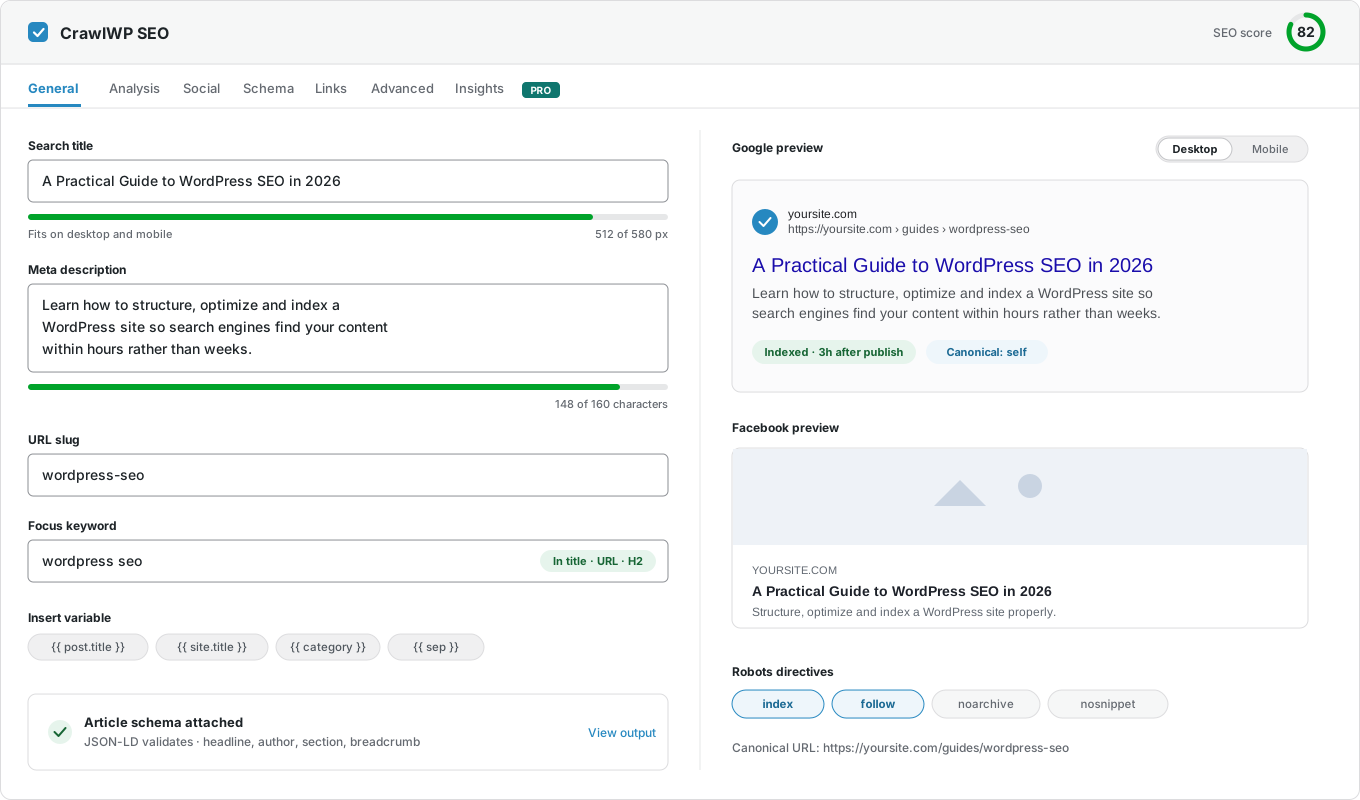
Focus keyword
Choose the search term the post should rank for. Every check runs against it.
Keyword in the right places
Checks the title, URL, meta description, first paragraph, subheadings, and image alt text.
A quick check under the field
See at a glance where the keyword already appears, such as in the title, URL, and headings.
Word count and reading time
See how long the post is, and how long it takes to read.
Keyword density
Spot when a keyword is repeated too often by accident.
Heading structure
Check how the post uses its headings.
Links in and out
Links are counted, so a WordPress post with no internal links stands out.
Images without alt text
Missing alt text is flagged here, and you can fill it in bulk from the Image SEO screen.
SEO score
A score in the metabox that sums up the checks for the post.
Checks as you write
Results update in the WordPress post editor, so you can fix things before you publish.
Advice, not a grade to chase
The checks are prompts you can ignore when you know better.
SEO score on your posts list
Every post gets a score and a badge for each check, right on your posts list.
Why it matters
Why use a focus keyword and content analysis
Search engines look at where words appear on a page, not just whether they appear. A keyword in your title and first paragraph helps them understand what the page is about.
When you write, it is easy to forget one of these places. Content analysis is a quick check before you publish.
How it works
Check your content in three steps
It takes a minute per post, and it runs while you write.
Step 1
Set the focus keyword
In the SEO metabox, type the one search term this post should rank for.
Step 2
Read the checks
They tell you where the keyword is missing, not how many more times to repeat it.
Step 3
Use your judgment
Sometimes the best headline does not contain the keyword. Write for the reader first. The checks are a prompt, not a rule.
Across the site
SEO scores on your posts list
Your posts list gets an SEO column. Each post shows a badge for each check and an overall score, so you can find your weakest posts at a glance. The same screen also shows index status and search data.

Where your focus keyword should appear
Questions
Content analysis and focus keyword questions
Answers to the questions people ask most about focus keywords and content analysis in WordPress.
What is a focus keyword?
It is the main search term you want a post to rank for, such as “wordpress seo”. CrawlWP checks your post against it.
What is content analysis?
It is a set of checks that looks at your post before you publish. It shows where your focus keyword is missing and flags basics like missing alt text or no internal links.
Can I set more than one focus keyword?
You set one per post. Pick the main search term, and write naturally around it.
Is keyword density a ranking factor?
No. Google does not reward a set percentage, and repeating a keyword too often can count as keyword stuffing. CrawlWP shows density so you can spot accidental repetition.
Should I always get a high score?
No. A high score on a poorly written page is worth nothing, and a good page sometimes scores lower. Use the score to catch things you missed.
Where should my focus keyword appear?
In the title, URL, meta description and first paragraph, and in a subheading or image alt text where it fits naturally.
Does content analysis slow down my site?
No. The checks run in the editor while you write. They are not part of what your visitors load.
Is content analysis free?
Yes. Content analysis, the SEO score, and the SEO column on your posts list are all part of CrawlWP Lite, the free version. Premium adds index status and search data to the same posts list.
Pricing
Straightforward pricing, every feature included
Standard
For 1 Site
$59
/ year
Pro
For 5 Sites
$159
/ year
Agency
For Unlimited Sites
$259
/ year
Standard
For 1 Site
$359
once
Pro
For 5 Sites
$559
once
Agency
For Unlimited Sites
$759
once
Publish posts that say clearly what they are about
Join thousands of website owners using CrawlWP for their WordPress SEO. Content analysis is free and ready as soon as you install it.
yoursite.com
https://yoursite.com › guides › wordpress-seo
A Practical Guide to WordPress SEO in 2026
Learn how to structure, optimize and index a WordPress site so search engines find your content within hours rather than weeks.
Google · indexed
Bing · indexed
Yandex · indexed