
Are you searching for the best MemberPress alternatives to power your membership website?
MemberPress has earned its reputation as a heavy hitter in the membership plugin space, but let’s be real, it’s not the perfect fit for everyone. Maybe the pricing doesn’t fit your budget, the learning curve feels a little too steep, or you need features that better match how you want to run your site.
In this guide, we’ll look at the top MemberPress alternatives and break down what each plugin does best, who it’s suited for, and how much it costs. Some offer a similar experience to MemberPress, while others take a different approach to membership management, content protection, online courses, or ecommerce.
By the time you finish reading, you’ll have a clear idea of the membership plugin that will be perfect for your website.
Table of Contents
Factors to Consider When Choosing a Membership Plugin
1. Membership Features: Start by checking whether the plugin provides the features you actually need. Look for options such as multiple membership levels, content restriction, user registration, member profiles, subscription management, and automated emails. If you plan to offer different membership types, make sure the plugin lets you create and manage them without unnecessary limitations.
2. Payment Gateway Support: If your membership site charges users, check which payment gateways the plugin supports. Popular options include Stripe, PayPal, Paystack, Razorpay, and Mollie. Also check whether the plugin supports recurring payments, refunds, coupons, and other payment features relevant to your business.
3. Content Restriction: A good membership plugin should give you control over who can access specific content. Check whether you can restrict pages, posts, categories, custom post types, downloads, or parts of your content based on a user’s membership level.
4. Ease of Use: The plugin should be easy to configure and manage, especially if you will regularly add members, create membership plans, or update access rules. A complicated setup can make routine tasks more time-consuming, so look for a plugin with clear settings and an intuitive interface.
5. Integrations: Consider how well the plugin works with the other services on your website. Integrations with email marketing platforms, payment providers, WooCommerce, LMS plugins, page builders, and other WordPress plugins can help you create a better membership experience and avoid relying on manual processes.
6. Pricing: Compare the plugin’s pricing with the features included in each plan. Some plugins have free versions with limited features, while others require a paid license for payments, advanced content restriction, or integrations. Also check whether the pricing is a one-time payment or a recurring subscription.
7. Security and Reliability: Membership websites handle user accounts and, in many cases, payment-related information. Choose a plugin that is regularly updated and maintained by its developers. It should also work well with current WordPress versions and follow good security practices.
We’ve evaluated each MemberPress alternative below based on the factors above, so you can easily compare your options and find the right fit for your membership site.
SEO tip: whichever membership plugin you choose, keep your sales and pricing pages indexable, and noindex pages that only make sense to logged-in members, such as account, login and members-only archive pages. Search engines can’t see locked content anyway, so indexing those pages only adds thin URLs to your site. With CrawlWP, you can set noindex on any page from the Advanced tab of its SEO panel.
1. ProfilePress
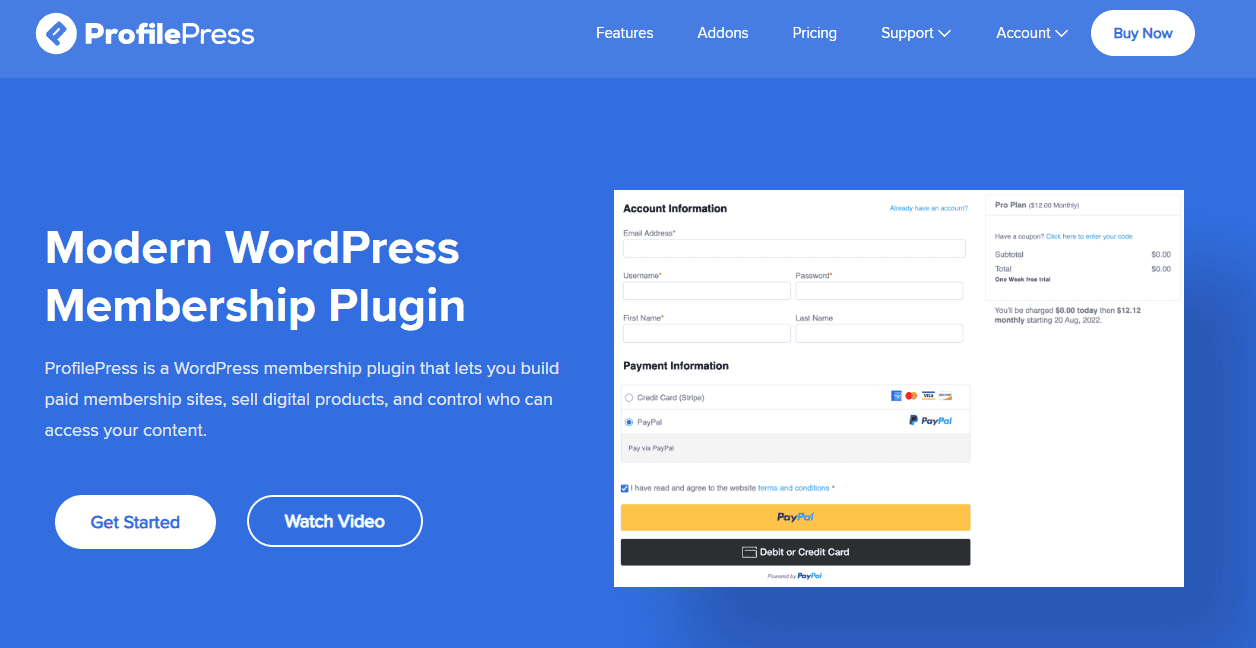
ProfilePress is a powerful WordPress membership and ecommerce plugin that brings together everything you need to build and monetize a membership website.
You can create free or paid membership plans, accept one-time and recurring payments, sell digital products and downloads, and restrict premium content based on membership plans, user roles, login status, and other conditions.
It supports several payment options, including Stripe, PayPal, Razorpay, Mollie, Paddle, Paystack, and bank transfers, making it a flexible choice for businesses serving members in different markets.
Beyond payments and content restriction, ProfilePress focuses heavily on how members interact with your website. Its drag-and-drop form builder lets you create custom registration, login, password reset, checkout, and profile-edit forms without building them from scratch.
You can also create attractive user profiles and searchable, filterable member directories, making the plugin suitable for websites that want to build a community rather than just lock content behind a subscription.
Content creators, publishers, and businesses selling premium content also get plenty of control over access. ProfilePress can restrict posts, pages, categories, tags, custom post types, custom taxonomies, navigation menus, widgets, and specific content sections.
Its paywall features let you charge visitors for premium content, while the metered paywall option lets visitors read a limited number of articles before requiring a subscription.
Course creators can also connect ProfilePress with popular LMS plugins such as LearnDash, LifterLMS, Tutor LMS, Sensei LMS, and Academy LMS to sell courses and automatically enroll users after registration or payment.
There is plenty more under the hood for websites that need ecommerce and membership management in the same package. ProfilePress includes reports for tracking sales, earnings, refunds, and downloads, along with customer management, customizable emails, login redirects, and account management features.
Its addon library adds capabilities such as social login, two-factor authentication, email confirmation, custom fields, affiliate programs, WooCommerce memberships, invitation codes, and email marketing integrations.
These features make ProfilePress a good alternative to MemberPress, especially for website owners who want to sell memberships, digital products, courses, or premium content and provide members with a good experience.
Why Choose ProfilePress?
ProfilePress is worth considering if you want more than basic content restriction from your membership plugin. It brings membership management, ecommerce, user profiles, custom forms, payment processing, and content protection together in one platform.
Its payment support is another notable advantage. You can accept payments through Stripe, PayPal, Razorpay, Mollie, Paddle, Paystack, or bank transfer, and Stripe’s integration also supports Apple Pay, Google Pay, ACH Direct Debit, and other region-specific options.
The plugin is also a good fit for websites where the user experience matters. Its drag-and-drop form builder lets you create branded, custom WordPress registration and login forms, checkout pages, and frontend user profiles, while member directories and profile pages can help turn a basic membership website into a more interactive community.
You can also expand as your website grows. You can add features such as WooCommerce memberships, LMS integrations, social login, 2FA, affiliate programs, email marketing integrations, and metered paywalls through available addons.
ProfilePress Best For
ProfilePress is the ideal choice for:
Creators who want an all-in-one solution: If you’re tired of managing multiple plugins for payments, profiles, forms, and content restriction, ProfilePress consolidates everything under one roof.
Course creators: With native integrations for Tutor LMS, Academy LMS, LearnDash, LifterLMS, Sensei, and MasterStudy LMS, you can sell courses, enroll students, and restrict access seamlessly.
Community builders: Built-in member directories, user profiles, and frontend registration forms make it ideal for online communities, forums, and social networks.
Digital product sellers: Whether you’re selling eBooks, software, music, or any other digital download, ProfilePress handles payment processing and content delivery effortlessly.
Site owners who want global payment flexibility: With support for Stripe, PayPal, Razorpay, Paddle, Paystack, and Mollie, including dozens of regional payment methods, you can sell to almost anyone, anywhere.
Anyone frustrated with MemberPress: If you’ve outgrown MemberPress or find its ecosystem too restrictive, ProfilePress offers a compelling alternative with more features, more payment options, and more flexibility.
ProfilePress Pricing
ProfilePress has a free version that already covers the essentials: membership management, user registration, and basic payment processing. But if you want the full experience, advanced payment gateways, LMS integrations, and ecommerce features, the premium plans start at just $129 per year.
2. MemberMouse
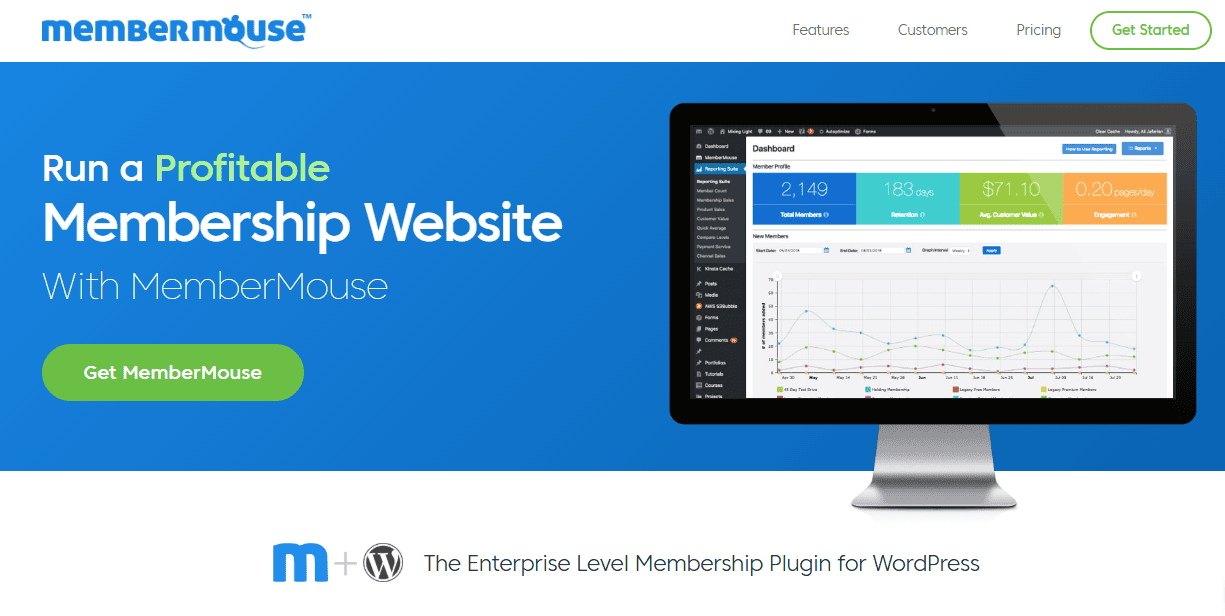
In second place, MemberMouse is a MemberPress alternative for businesses that need a membership platform with ecommerce and customer management features built into the same system.
It allows you to create unlimited free and paid membership levels, sell one-time products or recurring subscriptions, offer free trials, and build product bundles. You can also sell digital downloads and physical products, making it suitable for websites that want to combine memberships with a broader online store.
MemberMouse goes beyond basic membership management with features designed to help you manage the entire customer journey. Its content dripping feature lets you release premium content gradually based on a member’s membership level or purchase, while SmartTags can display content based on member information and activity.
You can also create upsells, cross-sells, coupons, and one-click purchase links, giving you more ways to increase sales from existing members. For businesses focused on retention and revenue, detailed reporting provides insights into metrics such as churn, retention, customer value, revenue, and engagement.
Why Choose MemberMouse?
MemberMouse is a good choice if your membership site is intended to operate as a serious online business rather than just a members-only content area. Its combination of memberships, ecommerce, subscriptions, content dripping, upsells, customer management, and reporting gives you plenty of room to build different types of membership models.
Its SmartTags are particularly useful for creating dynamic member experiences. You can use member information and activity to determine what content visitors see, while content dripping lets you control when members gain access to different pieces of premium content.
Another reason to consider MemberMouse is its focus on increasing the value of existing customers. Features such as one-click purchases, upsells, cross-sells, product bundles, coupons, and flexible subscription options can help you create additional revenue opportunities without requiring a collection of separate plugins.
MemberMouse Best For
MemberMouse is best suited to businesses, established membership websites, course creators, subscription-based businesses, and entrepreneurs who need advanced membership and ecommerce functionality.
It is particularly useful if you want to:
- Create unlimited free and paid membership levels
- Sell recurring subscriptions and one-time products
- Sell digital downloads and physical products
- Create product bundles, trials, coupons, upsells, and cross-sells
- Drip premium content over time
- Create online courses, lessons, and quizzes
- Track member activity and course progress
- Personalize content using SmartTags
- Connect your membership site to email marketing platforms
- Monitor revenue, retention, churn, and customer engagement
- Manage detailed member and transaction records
If your goal is to build a membership business with multiple revenue streams, MemberMouse offers plenty of functionality.
MemberMouse Pricing
MemberMouse pricing begins at $149.50 annually, making it a cost-effective choice for businesses looking for a reliable MemberPress alternative.
3. Paid Memberships Pro
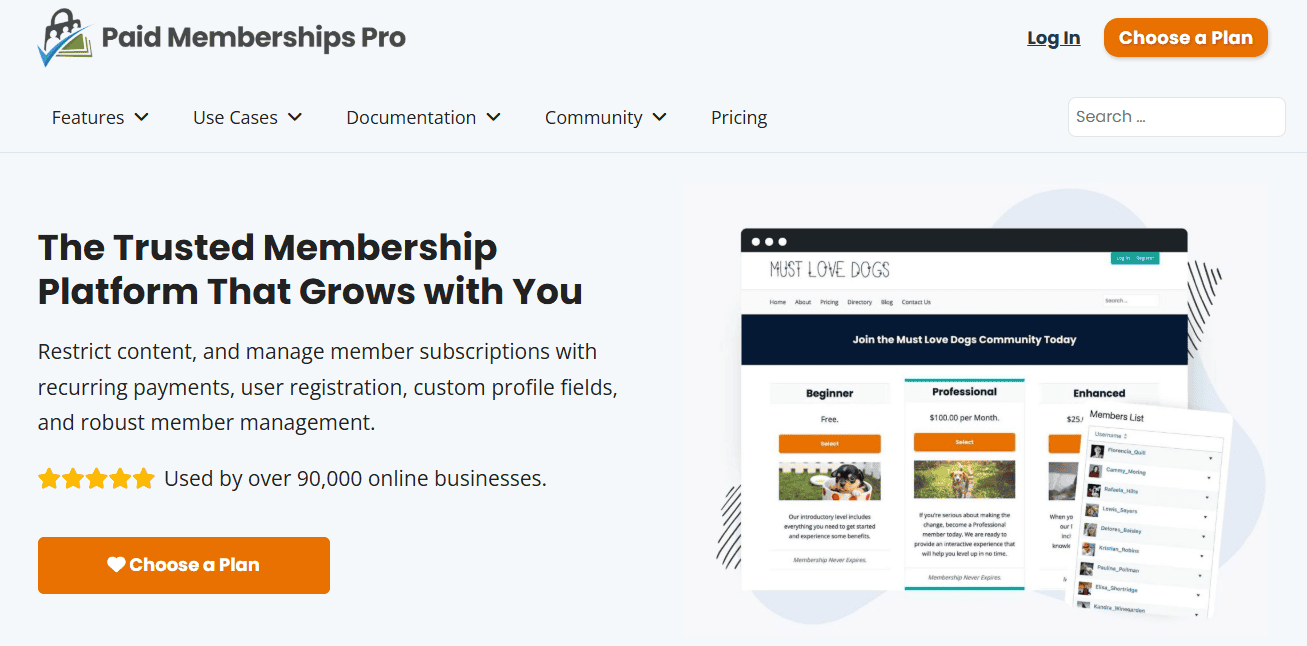
Paid Memberships Pro is another MemberPress alternative for WordPress users who want better control over memberships, content access, and subscriptions. It lets you create free and paid membership levels, set different access rules, accept recurring or one-time payments, and manage members from the WordPress dashboard.
What makes Paid Memberships Pro particularly appealing is the control it gives you over membership levels and content restriction. You can create different pricing and access rules for each membership tier, offer trials, discounts, and coupon codes, and restrict posts, pages, categories, custom post types, downloads, and other premium resources.
Its content dripping feature is also useful for course creators who want to release lessons gradually based on a member’s subscription or membership level. Members can manage their accounts, subscriptions, and billing details from the frontend, creating a more convenient experience.
On the payment side, Paid Memberships Pro supports popular gateways such as Stripe, PayPal, and Authorize.net, while its addon library expands what the plugin can do. You can connect it with services and plugins such as WooCommerce, Mailchimp, Zapier, AffiliateWP, and various learning management systems.
Why Choose Paid Memberships Pro?
Paid Memberships Pro is worth considering if you want a membership plugin that gives you considerable freedom over how your membership site works. It lets you create different plans, pricing options, access rules, trials, discounts, and subscription models to suit your audience.
Another reason to choose PMPro is its extensive addon ecosystem. You can expand the plugin with features for email marketing, affiliate programs, group memberships, ecommerce, online courses, and more.
Paid Memberships Pro Best For
Creators who want maximum flexibility: If you need granular control over membership levels, access rules, and pricing structures, PMPro delivers without forcing you into a rigid template.
Course creators who need content dripping: Releasing lessons gradually keeps members engaged and coming back—perfect for educators and online academies.
Developers and agencies: With hooks, filters, and extensive customization options, PMPro is a developer’s dream, offering deep, code-level control.
Creators who want to minimize plugin bloat: PMPro does the heavy lifting without requiring a dozen additional plugins, keeping your site lean and fast.
Paid Memberships Pro Pricing
Paid Memberships Pro offers a free version, while its paid plans start at $499 per year. Paid plans provide access to additional features, addons, and premium support, and the company also offers a 100-day money-back guarantee.
4. SureMembers
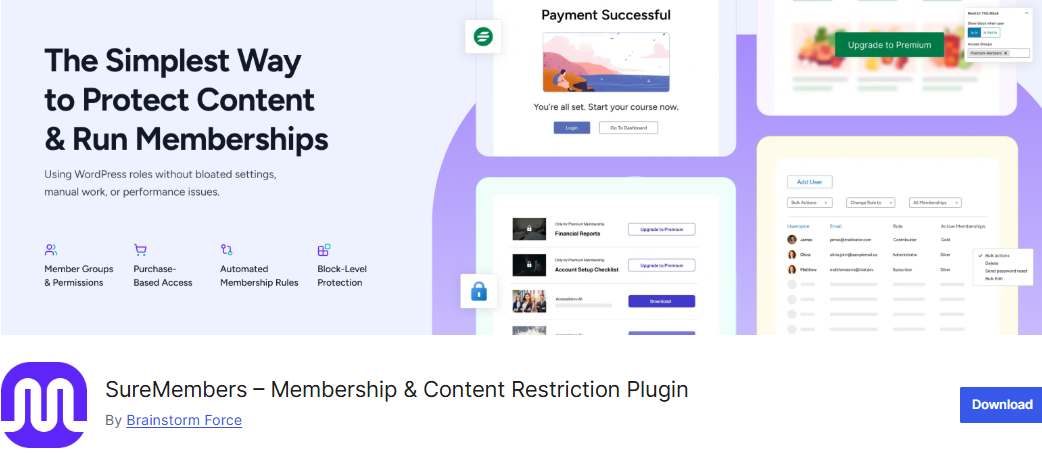
SureMembers takes a slightly different approach from traditional membership plugins. Instead of trying to include every possible feature inside a single platform, it focuses on doing the essentials well: protecting content, managing membership access, and helping WordPress users create organized membership websites without unnecessary complexity.
After reviewing what SureMembers offers, it feels like a practical choice for creators, coaches, and businesses that need a reliable content restriction system. The plugin lets you create unlimited membership levels, control access to specific content, and build different experiences for different user groups.
One area where SureMembers performs well is its connection with the wider WordPress ecosystem. It works alongside products like SureCart and WooCommerce for selling memberships and digital products, while SureDash can help create community spaces and member dashboards.
The plugin also includes useful features such as drip content, download protection, user role syncing, login restrictions, LMS integrations, and customizable login pages.
Why Choose SureMembers?
Choose SureMembers if you want a membership plugin focused on content access management without extra features.
During testing and evaluation, its biggest advantage is the way it keeps membership management within the familiar WordPress environment.
The plugin makes creating membership levels simple, allowing website owners to decide what each group can access. This works well for businesses that offer different subscription packages, such as basic and premium plans, course access levels, private resources, or customer-only content areas.
Another advantage is the way SureMembers handles content protection. You can restrict posts, pages, custom post types, downloads, and other website sections based on membership rules. The drip content feature is especially useful for course creators who want to release lessons over time and keep members engaged throughout their subscription period.
SureMembers Best For
SureMembers is best suited to course creators, coaches, bloggers, content publishers, private communities, and businesses that need to restrict WordPress content based on membership levels.
It is useful for:
- Creating unlimited membership levels
- Protecting posts, pages, and custom post types
- Building paid course websites
- Creating private content libraries
- Restricting community content and private spaces
- Offering premium articles and newsletters
- Protecting downloadable resources
- Dripping content to members
- Restricting individual blocks within WordPress content
- Syncing WordPress user roles with membership access
- Managing different customer access groups
If you want a lightweight membership solution centered around content protection and access control, SureMembers is an excellent MemberPress alternative.
SureMembers Pricing
SureMembers offers both a free version and a premium plan, giving users the flexibility to start with basic features before upgrading. The free version covers the essentials, including creating membership levels, restricting content, customizing login pages, and managing member access.
For website owners who need more advanced features, SureMembers Premium adds options such as drip content, block-level restrictions, download protection, user role syncing, and CSV user imports. Premium plans start at $69 per year.
5. WooCommerce Memberships
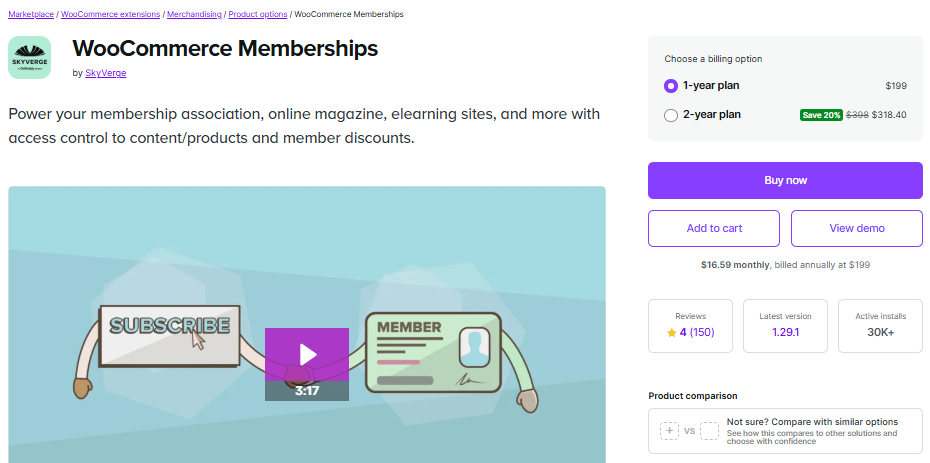
If your website already runs on WooCommerce, or you plan to build a membership business around ecommerce, WooCommerce Memberships is the best MemberPress alternative.
After reviewing its features, WooCommerce Memberships feels especially useful for store owners who want to turn their online shop into a members-only experience. It allows you to create membership plans, restrict access to content and products, offer special discounts, provide free shipping benefits, and manage member privileges directly through the WooCommerce account area.
Another area where WooCommerce Memberships performs well is content control and customer management. The plugin supports content dripping, allowing you to release articles, courses, products, or resources gradually based on how long someone has been a member.
When combined with WooCommerce Subscriptions, it also supports recurring payments, trials, and subscription-based membership models.
Why Choose WooCommerce Memberships?
WooCommerce Memberships is a good choice for website owners who want to add membership features to an existing WooCommerce store. Its biggest advantage is the close connection between ecommerce and memberships, making it easier to manage products, customers, payments, and member benefits from one place.
One feature that makes WooCommerce Memberships appealing is the flexibility it provides when creating membership plans. You can decide exactly how customers gain access, whether through a direct membership purchase, a product purchase, a manual invitation, or multiple products connected to the same membership plan.
The plugin also works well for businesses that want to reward loyal customers. Store owners can create exclusive discounts, members-only products, free shipping offers, and special purchasing privileges. This makes it useful for brands that want to create a premium shopping experience and encourage repeat purchases.
Content creators and course sellers can also benefit from its content drip feature. Instead of giving members immediate access to everything, you can schedule when specific content becomes available. This is useful for online courses, training programs, and subscription-based resources where gradual access improves the learning experience.
However, WooCommerce Memberships is mainly designed for ecommerce-focused websites. If your main goal is only to restrict blog posts or create a simple subscription website, a dedicated membership plugin like ProfilePress may be a better choice.
WooCommerce Memberships Best For
WooCommerce Memberships is best suited for businesses that want to combine online selling with membership benefits. It works particularly well for:
Ecommerce Stores: Store owners can create members-only products, offer exclusive discounts, provide free shipping, and reward loyal customers with special benefits.
Subscription Businesses: Businesses offering recurring memberships can combine WooCommerce Memberships with WooCommerce Subscriptions to manage recurring payments and member access.
Online Course Creators: Course sellers can protect lessons, control student access, and release educational content gradually through content dripping.
Digital Product Sellers: Businesses selling ebooks, templates, software, downloads, or premium resources can restrict access and provide special benefits to members.
Businesses Already Using WooCommerce: Website owners who already rely on WooCommerce can add membership functionality without moving to a separate platform.
WooCommerce Memberships Pricing
WooCommerce Memberships costs $199 per year for a single website. This includes access to the core membership plugin, allowing users to create membership plans, restrict content and products, manage member benefits, offer discounts, and schedule content releases.
6. WishList Member

If you want a membership plugin that gives you plenty of control over who can access what, WishList Member is an excellent alternative to MemberPress.
It lets you create unlimited free, trial, and paid membership levels, and you can even assign members to more than one level. You can then use these levels to protect posts, pages, files, categories, custom post types, or even specific sections of a page. This makes it easier to create different experiences for different member groups without building everything from scratch.
WishList Member really shines in how it handles content. You can give visitors a sneak peek of locked content before asking them to sign up, gradually release lessons or articles with content dripping, or set content to become available or expire at a particular time.
There is also a Sequential Upgrades feature that can automatically move members from one membership level to another based on a schedule. If you run an online course, coaching program, or content library where members need to progress through material over time, these features can come in handy.
WishList Member also works with a good selection of third-party services. You can connect it with payment processors, email marketing platforms, automation services, shopping carts, and LMS platforms such as LearnDash.
It also supports Zapier, which opens up even more integration possibilities. The downside is that some billing and subscription tasks may still need to be handled through your payment processor, and setting up a more advanced membership site can take some time.
Why Choose WishList Member?
The biggest reason to choose WishList Member is the level of control it gives you over your content and members. You are not limited to creating a few basic membership tiers. You can create as many levels as you need and decide exactly what each group can see.
I also like its content scheduling options. If you are running a course website, for example, you can release the first lesson when someone joins, make the next lesson available a week later, and continue releasing new material as the member progresses.
You can also use sneak peeks to show non-members what they are missing, which can help encourage more people to sign up.
Its integrations are another plus. WishList Member can work alongside the payment, email marketing, automation, and LMS services you already use. That flexibility makes it a good choice if you have a specific setup in mind and don’t want to be tied to a single platform.
WishList Member Best For
WishList Member is a good fit for course creators, coaches, bloggers, content publishers, and membership site owners who need detailed control over their content.
It works especially well if you want to:
- Create unlimited free and paid membership levels
- Let members belong to multiple membership levels
- Protect posts, pages, files, and other content
- Show previews of members-only content
- Release content gradually with content dripping
- Move members between membership levels automatically
- Build and sell online courses
- Create different access rules for different members
- Connect your site with email marketing platforms
- Integrate with LearnDash and other LMS platforms
- Connect different services through Zapier
- Require email confirmation or approve new members manually
If your membership site relies heavily on structured content and different access levels, WishList Member is an excellent choice.
WishList Member Pricing
WishList Member starts at $149.50 per year and includes a 14-day money-back guarantee. That gives you some time to test the plugin and see whether it fits your website before fully committing.
7. s2Member

s2Member is an effective MemberPress alternative built for WordPress users who want detailed control over memberships, content access, and payments.
With more than 15 years of development behind it, the plugin offers plenty of flexibility without limiting you to a basic membership setup. You can create free and paid membership levels, sell one-time products or recurring subscriptions, and control access to posts, pages, categories, tags, custom post types, URLs, and downloadable files.
Content protection and account security are also major parts of what s2Member offers. You can drip content over time, protect downloadable files, limit failed login attempts, restrict account sharing through IP controls, and remove access when a membership expires.
The payment options depend on the version you choose. The free version supports PayPal Standard, while s2Member Pro adds Stripe, PayPal Pro, Authorize.Net, and ClickBank. You can also create coupon codes, send renewal reminders, and use one-step checkout forms.
s2Member goes beyond membership management with integrations for Mailchimp, BuddyPress, bbPress, Amazon S3, and CloudFront. This makes it useful for websites that combine memberships with email marketing, online communities, or protected file storage.
Why Choose s2Member?
s2Member is worth considering when you need more control than a basic membership plugin provides. It lets you decide exactly who can access specific content, how long that access should last, and how different membership levels interact with your site.
Its security features are another reason to give it a closer look. IP-based account-sharing restrictions, failed-login protection, membership expiration controls, and protected downloads give you more control over member accounts and premium resources.
The plugin also gives you room to grow. You can start with the free version and move to Pro when you need features such as additional payment gateways, unlimited membership levels, content dripping, coupon codes, and advanced member management.
s2Member Best For
s2Member is best suited for:
- Membership sites that need detailed content protection
- Businesses selling digital products and protected downloads
- Course creators who want to drip lessons and resources
- Websites offering free, paid, or recurring memberships
- Sites that need additional controls against account sharing
- Membership websites using Mailchimp, BuddyPress, bbPress, or Amazon S3
- WordPress users who are comfortable with a more technical setup
s2Member Pricing
s2Member offers a free version with features such as content protection, basic membership management, and PayPal Standard integration.
For more advanced features, s2Member Pro starts at $89 as a one-time payment for a single-site license. The Pro version adds unlimited membership levels, content dripping, Stripe support, coupon codes, one-step checkout forms, member directories, and bulk member management.
FAQs About MemberPress Alternatives
Q1. Which alternative should I choose if I’m just starting out?
I recommend ProfilePress because it gives you the features you need to build and manage a membership site without making setup unnecessarily complicated. You can create membership levels, restrict content, accept payments, manage user profiles, and connect your site with other services. It also offers a free version, making it easier to get started before upgrading as your membership site grows.
Q2. Which MemberPress alternative supports the most payment gateways?
Payment gateway support varies between plugins. ProfilePress supports Stripe, PayPal, Razorpay, Paddle, Paystack, Mollie, and bank transfers, while WooCommerce Memberships can work with the payment gateways available through WooCommerce extensions. Your choice should depend on the payment methods your customers already use.
Q3. What should I look for in a MemberPress alternative?
Look at membership features, payment gateway support, content restriction, integrations, pricing, ease of use, customer support, and how well the plugin can handle your site’s future growth. Choosing based on your actual requirements will help you avoid paying for features you do not need
Q4. Which MemberPress alternative is easiest to use?
The easiest option depends on your experience and website needs. SureMembers suits users who want a focused membership solution with fewer complications, while ProfilePress offers a user-friendly experience with customization options. Users who need advanced features may prefer plugins like MemberMouse or Paid Memberships Pro, although they may require more setup.
Final Thoughts: Which MemberPress Alternative Should You Choose?
We hope this guide helped you find the perfect MemberPress alternative for your membership site. As you’ve seen, there are several powerful options out there, and the right choice really comes down to what you’re building, who you’re serving, and how much time you want to spend tinkering with settings instead of creating content.
If you’re looking for a flexible WordPress membership plugin that handles membership plans, content restriction, user management, and payments without overwhelming you, ProfilePress is an excellent place to start. It gives you everything you need to launch a professional membership site while leaving plenty of room to grow as your audience and revenue expand.
Take your time comparing the options on this list. Focus on the features you actually need, not the ones that sound impressive in a sales pitch. Pick the plugin that feels right for your goals, your budget, and your skill level. Because with the right plugin in place, you’re not just building a website; you’re creating a sustainable business that grows alongside your members.
Now go build something amazing. Your members are waiting.