
This article explains how to add CrawlWP Premium to a site that already has the free version of CrawlWP installed. Premium is a separate plugin that works alongside the free plugin.
Keep the free plugin installed and active, and your existing settings and SEO data will remain in place.
What Premium Adds
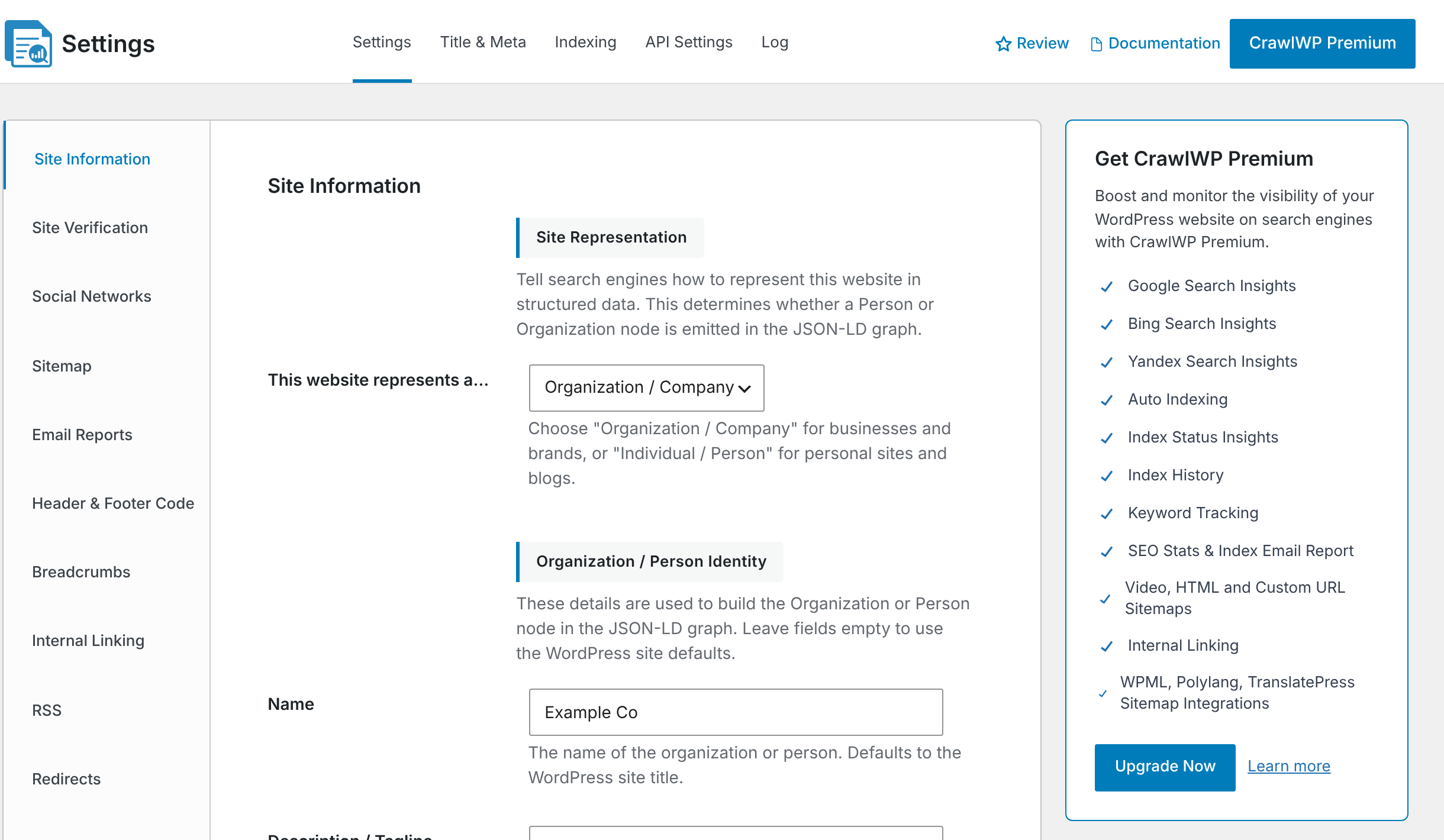
The Get CrawlWP Premium box on the CrawlWP settings pages shows the main features included with Premium:
- Google, Bing, and Yandex search insights through the SEO Stats pages.
- Automatic indexing, index status insights, and index history through the SEO Indexing page.
- Keyword tracking.
- SEO stats and index email reports.
- Video, HTML, and custom URL sitemaps.
- Automatic internal linking.
- Sitemap integrations for WPML, Polylang, and TranslatePress.
Premium also includes the Google News sitemap.
Before You Start
- The free CrawlWP plugin must be installed and active, version 3.0 or later.
- Your site needs PHP 8.0 or later and WordPress 6.9 or later. These are the requirements for the free plugin.
- You need permission to install plugins. On a multisite network, only network administrators can install plugins.
Step 1: Buy Premium
Click Upgrade Now in the Get CrawlWP Premium box or click the CrawlWP Premium button at the top of the settings page. Both links take you to the pricing page on crawlwp.com.
Step 2: Download the Plugin
Log in to your account, download the CrawlWP Premium ZIP file, and copy your license key.
Keep the file as a ZIP archive. Do not unzip it because WordPress can install the plugin directly from the ZIP file.
Step 3: Install and Activate Premium
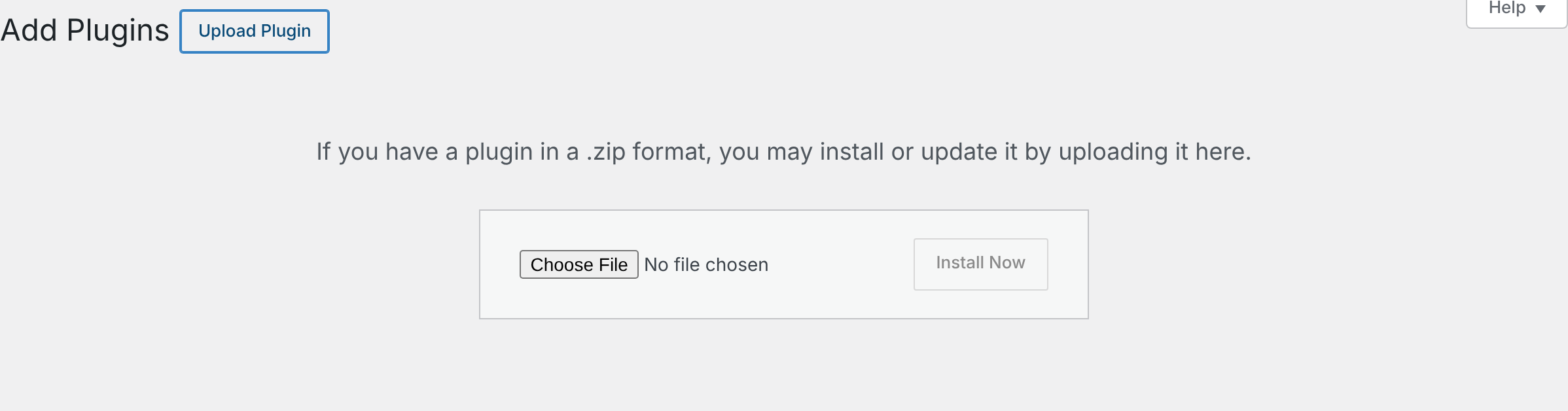
- In WordPress, go to Plugins > Add Plugin.
- Click Upload Plugin at the top of the page.
- Click Choose File and select the Premium ZIP file you downloaded.
- Click Install Now.
- When WordPress confirms that the plugin was installed, click Activate Plugin.
Step 4: Check That Both Plugins Are Active
Go to Plugins > Installed Plugins. You should see both CrawlWP plugins, each with a Deactivate link:
- CrawlWP SEO – WordPress SEO, Instant Indexing & Search Performance — the free plugin.
- CrawlWP SEO Premium – Instant Indexing & SEO Insights.

Once Premium is active, the Get CrawlWP Premium box and CrawlWP Premium button disappear from the settings pages. The SEO Indexing and SEO Stats pages also show the Premium features instead of their upgrade pages.
These upgrade prompts return if your Premium license expires.
Step 5: Activate Your License Key
Go to CrawlWP > Settings > License, paste your license key, and click Save Changes. Activating the license enables automatic updates for CrawlWP Premium.
For more information, see Activating and managing your license key.
Your Settings and Data
CrawlWP Premium uses the same settings and SEO data as the free plugin. Nothing is copied or converted during the upgrade, so you do not need to configure your existing SEO settings again.
Do not deactivate or delete the free CrawlWP plugin while using Premium. Premium depends on the free plugin. If Remove Data on Uninstall is enabled under CrawlWP > Settings > Advanced, deleting the free plugin also removes your CrawlWP settings and SEO data.
See Uninstalling CrawlWP and what gets removed.
Going Back to the Free Version
To return to the free version, deactivate CrawlWP SEO Premium from the Plugins screen. The free plugin keeps working with your existing settings and data, but disables the Premium features.
Deleting Premium instead of deactivating it always removes your license details and SEO Indexing data, including index statuses and history. The exception is a very large multisite network with more than 10,000 sites, where nothing is removed.
Deactivate your license first when you plan to use that license activation on another site.
If It Does Not Work
“CrawlWP Premium requires the CrawlWP Core plugin.” This means the free CrawlWP plugin is not active. “CrawlWP Core” refers to the free plugin. Click Install CrawlWP Core Now or Activate CrawlWP Core Now in the message.

The free plugin will not activate. WordPress displays a message when your PHP or WordPress version is too old. CrawlWP requires PHP 8.0 and WordPress 6.9 or later. Update WordPress or ask your hosting provider to update PHP.
WordPress says “This plugin is already installed.” WordPress gives you a Replace current with uploaded option. Click it to install the version from the ZIP file you uploaded.
If the upload fails, or WordPress says the file is too large, Your server’s upload limit may be too low. Ask your hosting provider to increase the limit, or upload the unzipped mihdan-index-now-pro folder to wp-content/plugins using FTP and then activate the plugin from the Plugins screen.
Premium features are missing. First, confirm that both CrawlWP plugins are active. Then open the License tab and check the license status. When the license expires, Premium features are switched off until you renew and reactivate the license.