
This is a reference for anyone moving to CrawlWP from another SEO plugin. It lists exactly what the CrawlWP importer copies from Yoast SEO, Rank Math, All in One SEO, SEOPress, The SEO Framework, and Slim SEO, and what you need to set up again yourself.
For step-by-step instructions, see the migration guide for your plugin.
How the importer works
- It runs from CrawlWP > Settings > Import SEO Data, or from the Import SEO Data step of the Setup Wizard. Both use the same importer.
- It reads the other plugin’s data from your database. It never changes or deletes that data.
- It finds data from deactivated plugins, as long as their data is still in the database. The one exception is SEOPress Pro redirects, which can only be read while SEOPress Pro is active.
- It runs in five stages, in this order: global settings, posts, terms, authors and redirects. Posts, terms, authors, and redirects are processed 50 at a time.
- Posts include posts, pages and custom post types with the status published, draft, pending, scheduled or private. Post types that are hidden from search are left out. For All in One SEO 4, every post in All in One SEO’s own table is read, whatever its status.
- Variables in titles and descriptions are converted to CrawlWP variables. For example,
%%sitename%%(Yoast SEO and SEOPress),%sitename%(Rank Math) and#site_title(All in One SEO) all become{{ site.title }}. Variables CrawlWP has no equivalent for are either removed or left as they are, so check your titles after importing.
The overwrite setting
Overwrite existing CrawlWP values on the Import SEO Data screen is unticked by default. The Setup Wizard’s equivalent, Overwrite any existing CrawlWP values with imported data, is ticked by default.
- Unticked: a value is only written if the matching CrawlWP field is empty. This is checked for each field separately.
- Ticked: a value is written whenever the other plugin has one. Empty values in the other plugin never clear a CrawlWP value.
Reading the import log
The log starts with “Importing…” and adds a line, such as “Posts: +6 Imported, 0 Skipped”, for each batch of up to 50 items in each stage. It ends with “Import complete.” and the total imported and skipped. The Setup Wizard shows the same information with slightly different labels.
- Imported is the number of items, or for global settings, the number of settings CrawlWP wrote at least one value to.
- Skipped is the number of items that had data in the other plugin but where nothing was written. This happens when every value was already filled in CrawlWP and overwrite was off, or when the only values were ones CrawlWP cannot use. For redirects, it also counts redirects that already exist in CrawlWP.
- Items with no SEO data in the other plugin are not counted at all.
Per-post fields
These are copied for each post, page, and custom post type entry.
| Field in CrawlWP | Yoast SEO | Rank Math | All in One SEO | SEOPress | The SEO Framework | Slim SEO |
|---|---|---|---|---|---|---|
| SEO title | Yes | Yes | Yes | Yes | Yes | Yes |
| Meta description | Yes | Yes | Yes | Yes | Yes | Yes |
| Focus keyword | Yes | Yes | Yes | Yes | No | No |
| Canonical URL | Yes | Yes | Yes | Yes | Yes | Yes |
| Noindex | Yes | Yes | Yes | Yes | Yes | Yes |
| Nofollow | Yes | Yes | Yes | Yes | Yes | No |
| Advanced robots (noarchive, nosnippet, noimageindex, notranslate) | Yes | Yes | Yes | nosnippet and noimageindex only | No | No |
| Max snippet and max image preview | No | Yes | Yes | No | No | No |
| Facebook / Open Graph title and description | Yes | Yes | Yes | Yes | Yes | Yes |
| Facebook / Open Graph image | Yes | Yes | Yes | Yes | Yes | Yes |
| X title and description | Yes | Yes | Yes | Yes | Yes | Yes |
| X image | Yes | Yes | Yes | Yes | No | Yes |
| X card type | No | Yes | Yes | No | No | No |
| Primary category | Yes | Yes | Yes | Yes | No | No |
| Cornerstone content | Yes | Yes (pillar content) | Yes | No | No | No |
| Redirect for this post | Yes (Premium) | Yes | No | Yes | Yes | No |
| Schema page type and article type | Yes | Article type only | Yes | No | No | No |
Notes:
- All in One SEO’s advanced robots settings and max snippet and image preview are only copied for posts where “Use default settings” was turned off.
- Rank Math’s X image is not copied when the post was set to use the Facebook data for X.
- A social image is only copied if it is in your Media Library. Images CrawlWP cannot match to a Media Library item are skipped.
- For All in One SEO 3.x data, only the title, description, keywords, canonical URL, noindex, nofollow, and primary category are copied.
Per-term fields
These are copied for categories, tags, and other taxonomies.
| Plugin | What is copied |
|---|---|
| Yoast SEO | Title, description, focus keyword, canonical URL, noindex, Facebook and X title, description and image, cornerstone |
| Rank Math | The same fields as for posts, except the redirect, schema type and primary category |
| All in One SEO | The same fields as for posts. Only All in One SEO Pro stores term data |
| SEOPress | The same fields as for posts, except primary category and the redirect |
| The SEO Framework | Title, description, canonical URL, noindex, nofollow, Facebook image, Facebook title, X title |
| Slim SEO | The same fields as for posts |
Author fields
| Plugin | What is copied |
|---|---|
| Yoast SEO | Author archive title, description and noindex |
| Rank Math | The same fields as for posts, except the redirect, schema type and primary category |
| All in One SEO, SEOPress, The SEO Framework, Slim SEO | Nothing. These plugins have no per-author SEO fields CrawlWP can use |
Redirects
| Plugin | Where redirects come from | Notes |
|---|---|---|
| Yoast SEO | Yoast SEO Premium redirect manager | Plain redirects become Exact Match; regex redirects become Regex |
| Rank Math | Rank Math Redirections module | Every match type is kept: Exact, Contains, Starts With, Ends With and Regex. Inactive and trashed redirects are imported switched off |
| All in One SEO | All in One SEO Pro Redirection Manager | Regex redirects keep their match type. Disabled redirects are imported switched off |
| SEOPress | SEOPress Pro redirections | SEOPress Pro must be active. Disabled or unpublished redirects are imported switched off |
| The SEO Framework | None | The SEO Framework has no redirect manager |
| Slim SEO | Slim SEO redirects | Match type, “ignore parameters” and enabled state are kept |
Every imported redirect gets a note saying which plugin it came from, for example “Imported from Rank Math”. A redirect is skipped if CrawlWP already has a redirect from the same URL. Redirect types CrawlWP does not support become 301. Hit counts are not imported.
Global settings
These are copied to the Title & Meta tab, and to Site Information, Social Networks and Sitemap under the Settings tab.
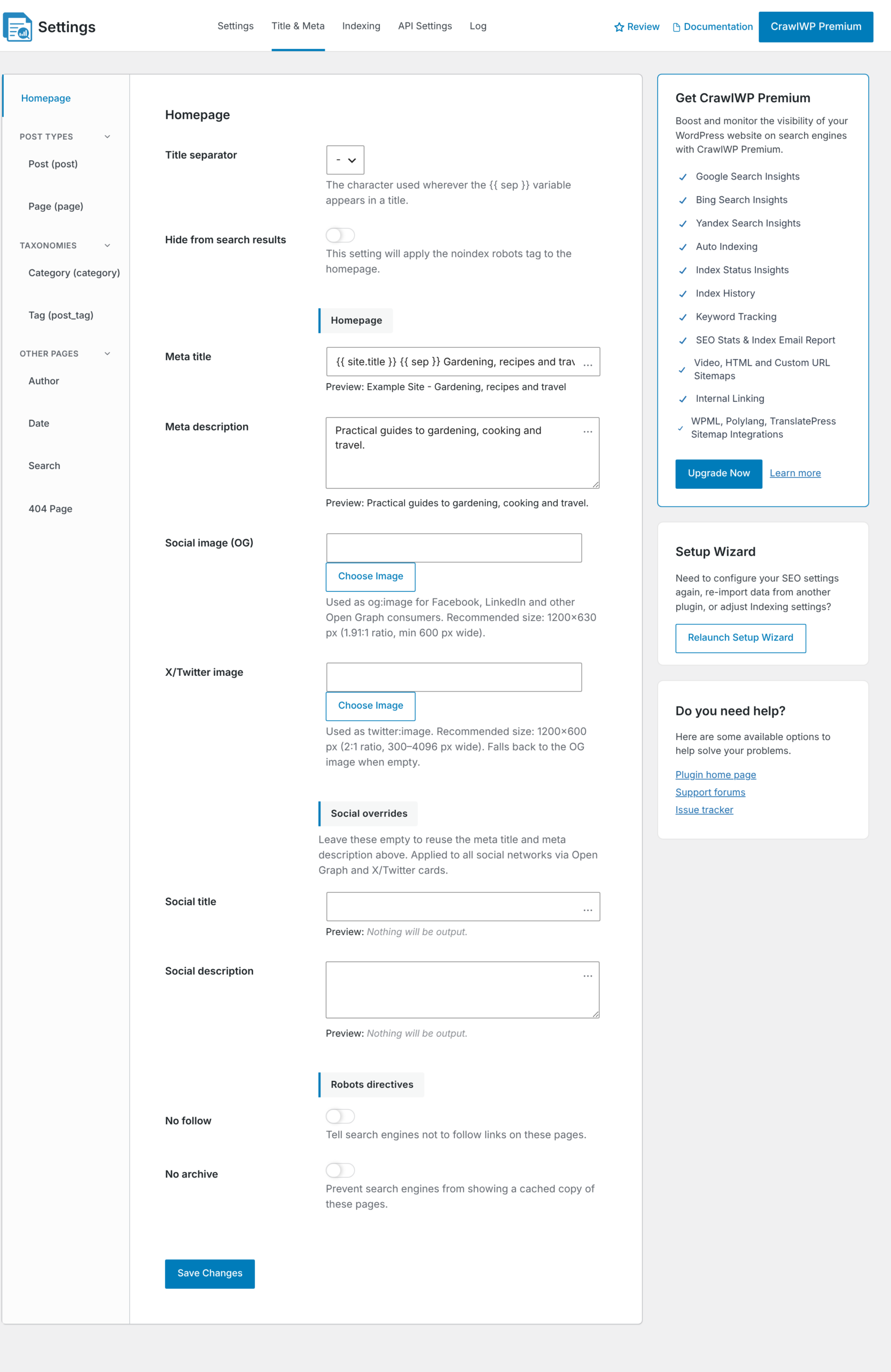
| Setting | Yoast SEO | Rank Math | All in One SEO | SEOPress | The SEO Framework | Slim SEO |
|---|---|---|---|---|---|---|
| Title separator | Yes | Yes | Yes | Yes | Yes | No |
| Homepage title and description | Yes | Yes | Yes | Yes | Yes | Yes |
| Post type title and description templates | Yes | Yes | Yes | Yes | No | Yes |
| Post type archive title and description | Yes | Yes | No | Yes | No | No |
| Taxonomy title and description templates | Yes | Yes | Yes | Yes | No | Yes |
| Author, date and search page titles | Yes | Yes | Yes | Yes | No | Yes |
| 404 page title | Yes | Yes | No | No | No | No |
| Noindex for post types, taxonomies and archives | Yes | Yes | Yes | Yes | Yes | See note |
| Organization or person, and name | Yes | Yes | Yes | Yes | Yes | No |
| Logo | Yes | Yes | Yes | No | No | No |
| Facebook Author Fallback Page, Author Fallback X Profile, Facebook App ID | Yes | Yes | Yes | Yes | Yes | No |
| Default X card type | Yes | Yes | Yes | Summary only | Yes | No |
| Default social sharing image | Yes | Yes | No | No | Yes | No |
| News and video sitemap on or off | No | Yes | Yes | Yes | No | No |
Notes:
- Social profiles. Your old plugin’s Facebook page and X account are copied to the Facebook Author Fallback Page and Author Fallback X Profile fields under Social Networks. They are not copied to the Facebook Page URL and X (Twitter) URL fields under Site Information, so fill those in yourself.
- All in One SEO site name. All in One SEO’s default organization name is the tag
#site_title. CrawlWP converts it to your site title. - Slim SEO noindex. CrawlWP reads a noindex value for the homepage, author, date, and search pages if Slim SEO stored one.
- Rank Math author and date archives. If you disabled author or date archives in Rank Math, CrawlWP sets those archives to noindex.
- XML sitemap. The Yoast SEO XML sitemap on/off switch is not copied. CrawlWP uses the WordPress core sitemap.
What is not imported
Set these up again in CrawlWP after you migrate:
- Custom schema, FAQ and How-to blocks, and local business details. Only the schema page type and article type are copied, and only from the plugins listed above.
- Site verification codes for Google, Bing, and other search engines.
- Breadcrumb settings and any breadcrumb shortcode or block in your theme.
- robots.txt changes made in the other plugin.
- Sitemap settings, apart from the news and video sitemap switches listed above.
- 404 logs and redirect hit counts.
- Internal link data, keyword tracking, analytics, and other reports.
- Image SEO, RSS, and header and footer code settings.