
This guide will assist WordPress site owners transitioning from Rank Math to CrawlWP. It outlines how to transfer your SEO titles, meta descriptions, robots settings, and redirects, and what to verify before deactivating Rank Math.
The importer reads your Rank Math data and copies it into CrawlWP. It does not change or delete anything in Rank Math.
Before you start
- Install and activate CrawlWP.
- Make sure CrawlWP’s on-page SEO features are switched on. If you go to CrawlWP > Settings and see an SEO Features tab at the top instead of Title & Meta, open it, tick Enable all on-page SEO features on this website, and click Save Changes. The Import SEO Data screen only appears once these features are on.
- Keep Rank Math installed; you can activate or deactivate it, but don’t delete it until you are finished. CrawlWP can only import data that remains in your database.
- Take a backup of your database.
Run the import
- In your WordPress admin, go to CrawlWP > Settings.
- Make sure the Settings tab at the top is selected, then click Import SEO Data in the left-hand menu.
Rank Math displays the number of posts, terms, authors, and redirects found by CrawlWP. A count of 0 indicates that there is nothing of that type to import.
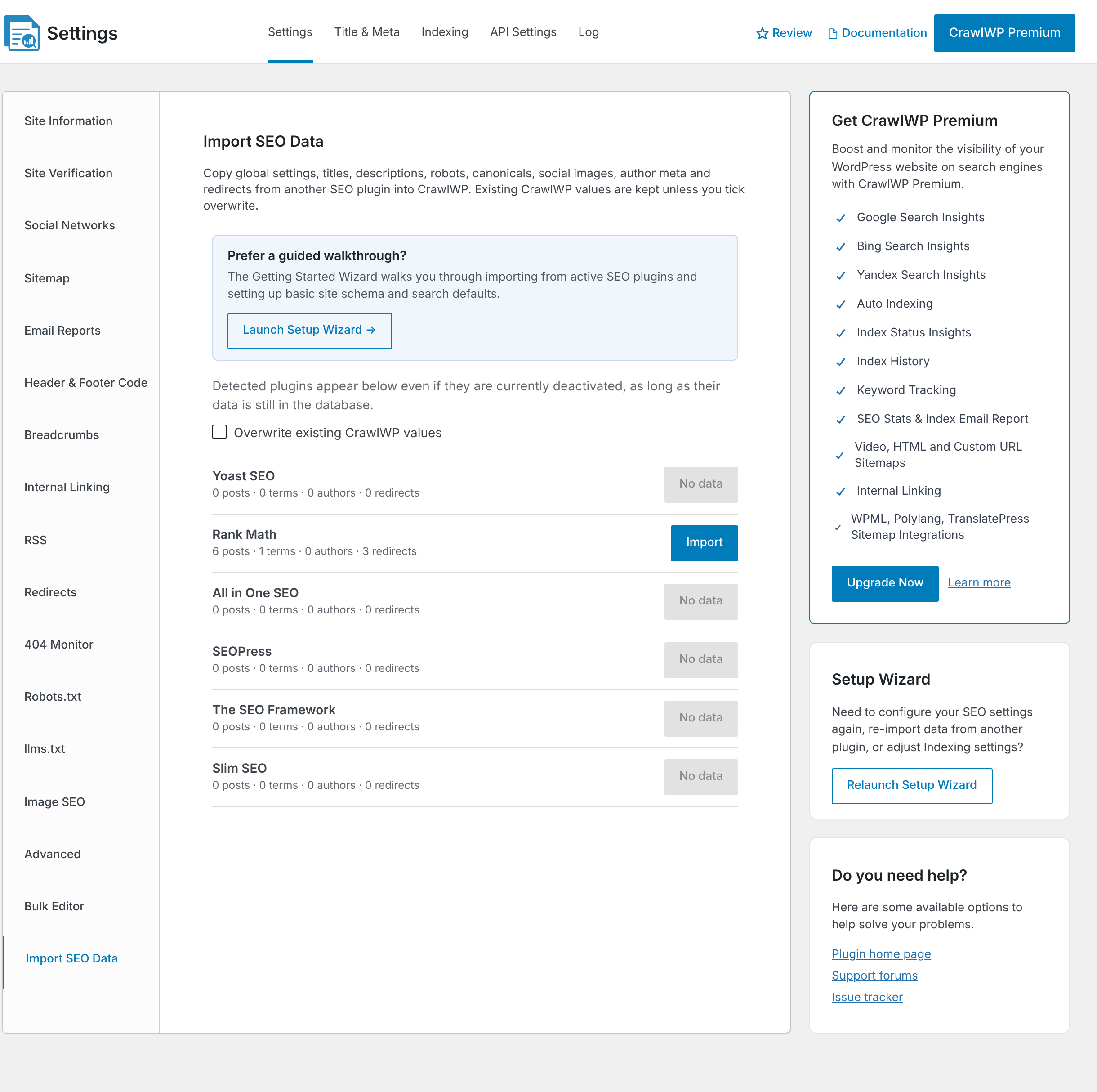
- Decide whether to tick Overwrite existing CrawlWP values. Leave it unticked to keep any SEO values you have already set in CrawlWP. CrawlWP then only fills fields that are empty. Tick it to replace CrawlWP’s values with Rank Math’s wherever Rank Math has a value. If you have not set anything in CrawlWP yet, you can leave it unticked.
- Click Import next to Rank Math, then click OK to confirm.
- Wait for the log to show Import complete. Do not leave the page while it runs.
Imported is the number of items CrawlWP wrote values to. Skipped is the number of items that had Rank Math data but where nothing was written.
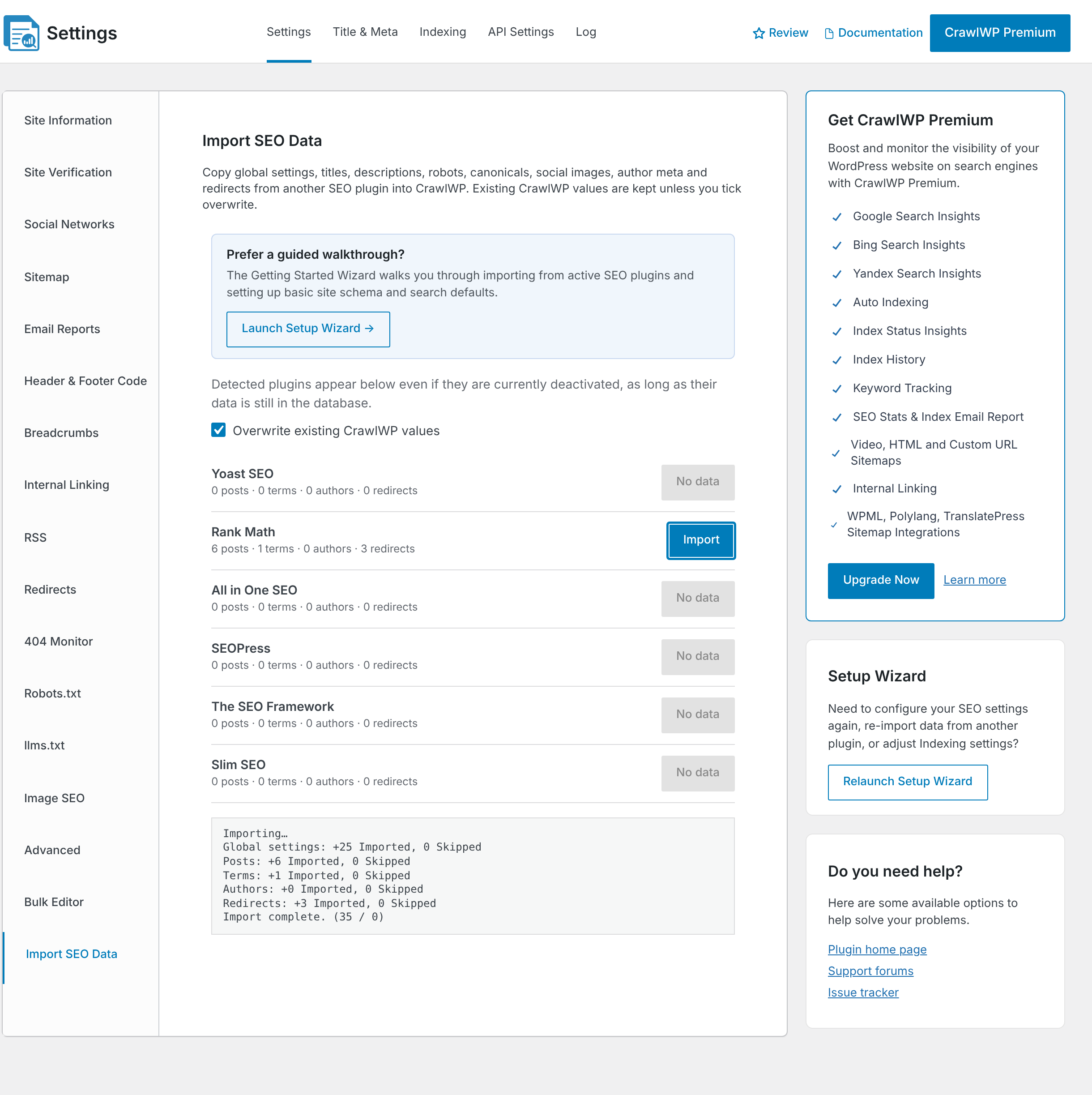
You can also run the import from the Setup Wizard. Click Launch Setup Wizard on the same screen and follow the Import SEO Data step.
Check the imported data
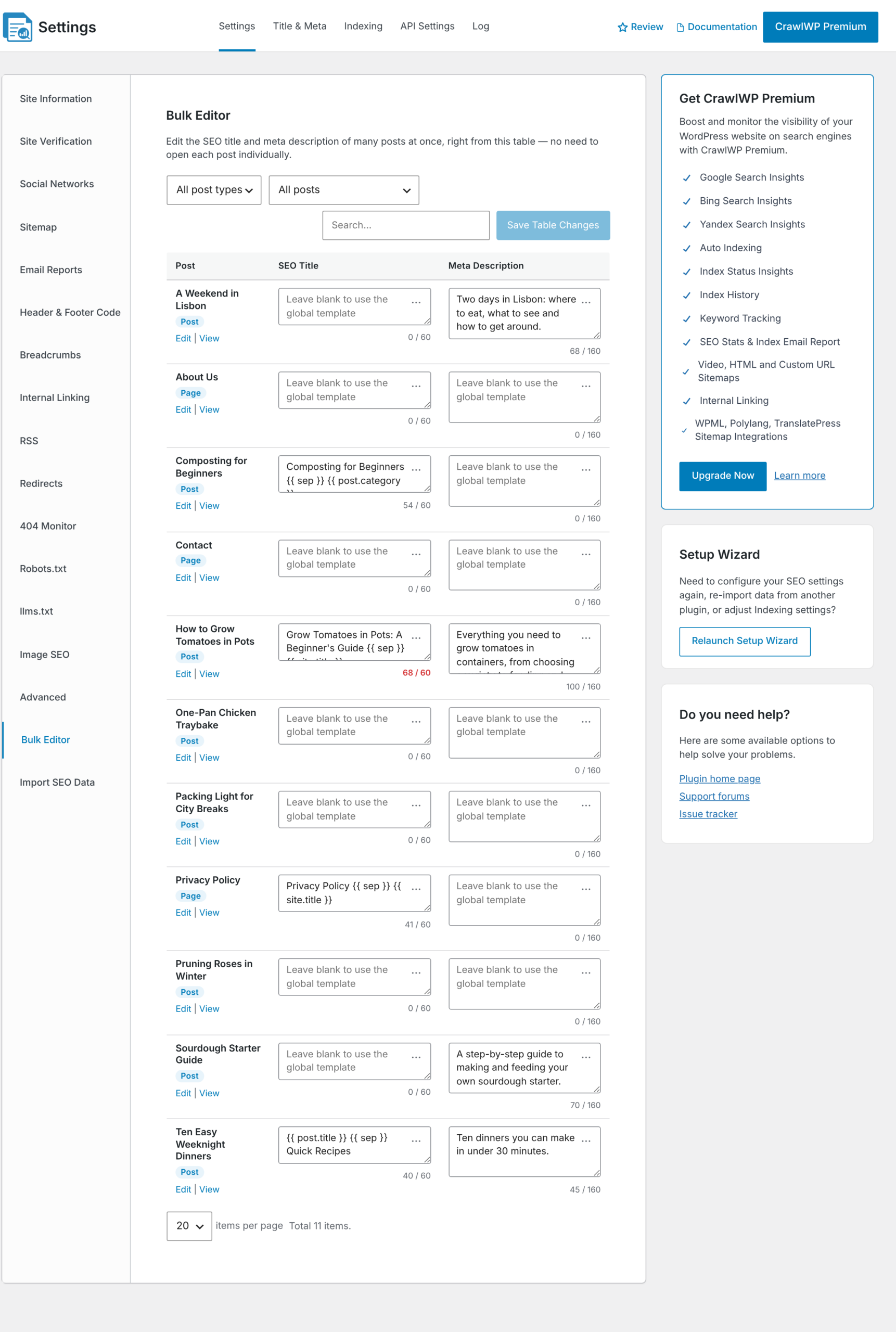
- Click Bulk Editor in the left-hand menu. Your imported SEO titles and meta descriptions are shown for each post and page. Rank Math variables are converted to CrawlWP variables, so
%title%becomes{{ post.title }}and%sep%becomes{{ sep }}.
- Open the Title & Meta tab and check the Homepage title and description, and the templates for your post types and taxonomies.
- Click Redirects in the left-hand menu of the Settings tab. Imported redirects have the note Imported from Rank Math. Redirects that were inactive in Rank Math are imported with Enable switched off.
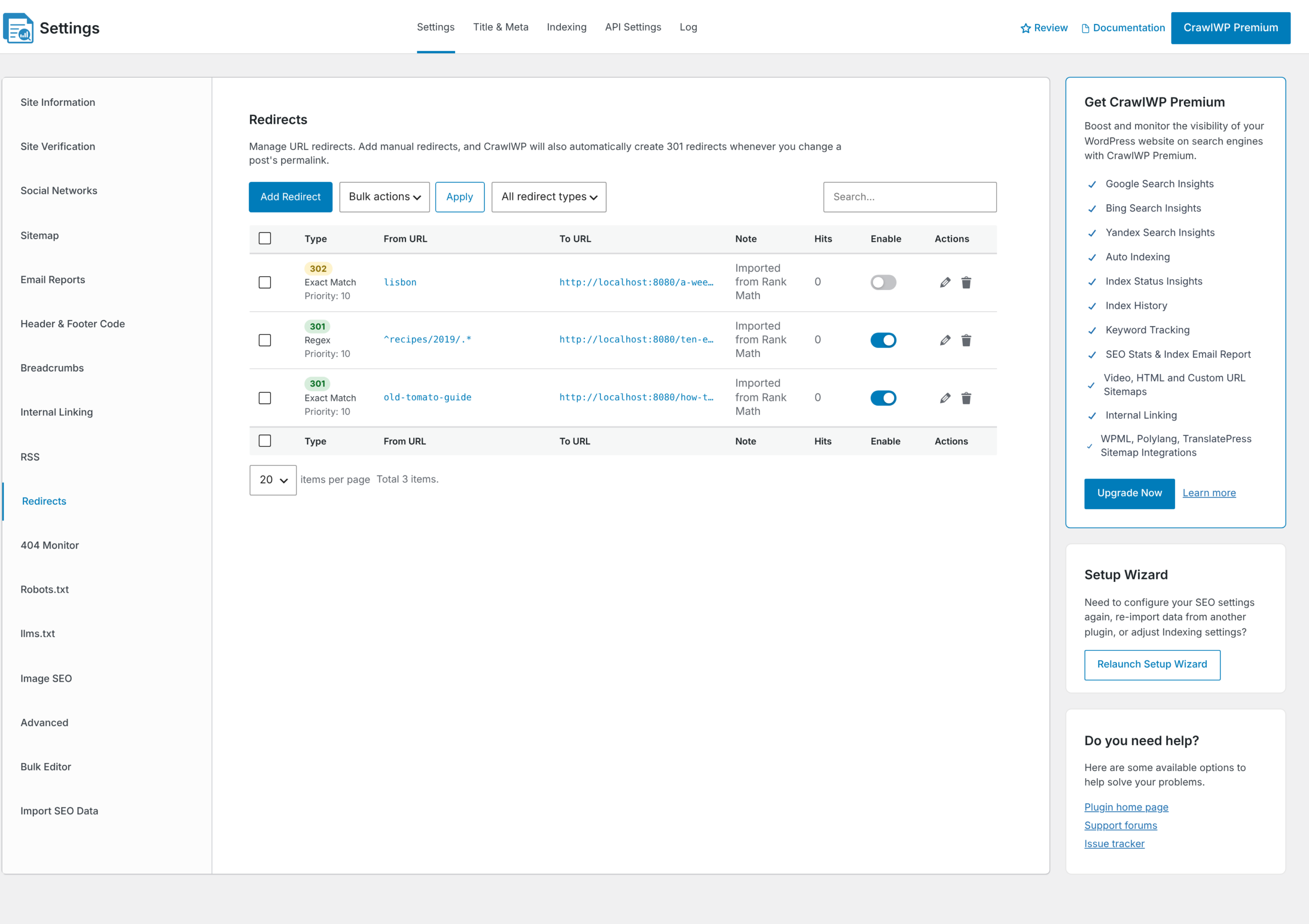
- Check the match type of the imported redirects. Each one keeps its Rank Math match type: Exact, Contains, Starts With, Ends With, or Regex.
- Open two or three posts on the front end of your site and view the page source. Check that the title and meta description are the ones you expect.
Deactivate Rank Math
When both plugins are active, your pages will display two sets of SEO tags. Once you are satisfied with the imported data, you can deactivate Rank Math from the Plugins section. If you ran the Setup Wizard while Rank Math was active, the final step also includes a button to deactivate the plugin.
Keep Rank Math installed but deactivated for a while, so you can run the import again if you need to.
Running the import more than once
- With Overwrite existing CrawlWP values unticked, CrawlWP only fills fields that are empty in CrawlWP. This is checked field by field.
- With it ticked, CrawlWP replaces its values with Rank Math’s wherever Rank Math has a value. It leaves fields that are empty in Rank Math alone.
- Redirects are skipped when CrawlWP already has a redirect from the same URL.
To see exactly which Rank Math fields are copied, read What gets imported and what doesn’t.
If it does not work
Rank Math shows “No data”. CrawlWP searches for Rank Math’s settings or post meta in your database. If Rank Math deleted its data upon removal, restore a backup taken before the deletion.
The redirects count is 0. CrawlWP reads Rank Math’s redirections table. If you never enabled Rank Math’s Redirections module, the table doesn’t exist, and there is nothing to import.
The log shows “Import failed. Please try again.” Reload the page and run the import again. Values that were already written are kept.
Pages show two meta descriptions. Both plugins are active. Deactivate Rank Math.
A post keeps a value you set in CrawlWP instead of the imported one. Overwrite existing CrawlWP values was unticked, so CrawlWP kept its own value. Run the import again with it ticked.