
TranslatePress takes a different approach to multilingual WordPress sites. A post or page exists once, and TranslatePress translates the text on that page as it displays in another language.
CrawlWP works with that setup, and CrawlWP Premium can add multilingual information to your WordPress XML sitemaps.
That means you handle the base SEO settings in CrawlWP and use TranslatePress for the translated versions of those SEO strings.
How TranslatePress changes the SEO workflow
With Polylang or WPML, each language version is represented as separate WordPress content. TranslatePress works differently: there is one underlying post or page, and TranslatePress changes the text as the selected language is displayed.
For CrawlWP, this means you normally create the SEO information for the WordPress site once in the default language:
- Enter the SEO title and meta description in the page’s CrawlWP SEO box.
- Use TranslatePress’s SEO Pack add-on to translate those values for other languages.
- Let CrawlWP continue generating the page’s SEO output while TranslatePress supplies the translated text.
You do not need a special TranslatePress setting inside CrawlWP. CrawlWP Premium detects TranslatePress automatically when the supported multilingual integration is available.
First, confirm that CrawlWP sees TranslatePress
- Go to CrawlWP > Settings.
- Make sure the Settings tab at the top is selected and click Sitemap in the left-hand menu.
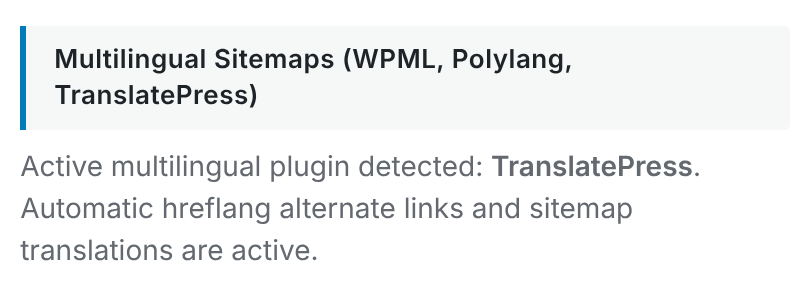
- Find Multilingual Sitemaps (WPML, Polylang, TranslatePress).
The section should report: “Active multilingual plugin detected: TranslatePress.”
If TranslatePress is not detected, check that it is active before troubleshooting the sitemap. CrawlWP only uses one multilingual integration at a time, so another supported multilingual plugin can affect which integration is selected.
Write the default-language SEO first
Because TranslatePress translates the page rather than creating a second WordPress post, the normal place to start is the original page’s CrawlWP SEO box.
- Open the post or page in WordPress.
- Enter its SEO title and Meta description in the CrawlWP SEO box.
- Save the page before translating those SEO fields.
Without TranslatePress’s SEO Pack add-on, these SEO values remain in the default language on translated pages. The same limitation applies to translating the relevant social metadata.
Translate the SEO title and description with SEO Pack
TranslatePress’s SEO Pack add-on makes SEO title, meta description, and social metadata available for translation alongside the rest of the page.
- Visit the page on your site and click Translate Page in the WordPress admin bar.
- Choose the language you want to edit in the TranslatePress editor.
- Find the page title and meta description among the translatable strings.
- Enter the translated values and save your changes.
This keeps the workflow in the right place: CrawlWP stores the base SEO settings, while TranslatePress handles the language-specific text. See TranslatePress’s documentation for details about its SEO Pack add-on.
How CrawlWP builds the multilingual sitemap
CrawlWP Premium keeps one sitemap entry for the underlying post or page in its default language. It then adds xhtml:link references for the same page in the published TranslatePress languages.
For example:
<url>
  <loc>https://example.com/how-to-grow-tomatoes-in-pots/</loc>
  <xhtml:link rel="alternate" hreflang="en-US" href="https://example.com/how-to-grow-tomatoes-in-pots/"/>
  <xhtml:link rel="alternate" hreflang="fr-FR" href="https://example.com/fr/how-to-grow-tomatoes-in-pots/"/>
</url>
Unlike the Polylang setup, you are not looking at a separate WordPress post for every translated version here. CrawlWP is describing the language URLs for the same underlying page.
Every published language can be listed
TranslatePress can list every published language for a page, even when you have not translated that particular page into that language yet. Untranslated text remains in the default language on that version of the page.
This difference matters when reading the sitemap. Seeing a language URL does not necessarily mean that every piece of content on that page has been translated.
Watch the language codes TranslatePress provides
CrawlWP uses the language information supplied by TranslatePress for the sitemap hreflang values. Standard languages can appear with a country or region, such as en-US or fr-FR.
Formal and other language variants need extra care. For example, TranslatePress can produce a value such as de-de-formal. According to the current CrawlWP behavior, that value is included as provided even though search engines do not recognize it as a standard hreflang value.
If you use regional or formal language variants, inspect the actual hreflang values in the sitemap instead of assuming every TranslatePress language option maps cleanly to a search-engine language code.
Keep the main sitemap as your Google entry point
Use the main WordPress sitemap index when submitting your site to Google Search Console:
https://your-site.com/wp-sitemap.xml
You do not need to submit a separate sitemap for every TranslatePress language. See How hreflang alternate links are generated and Submitting your sitemap to Google Search Console.
Google News follows the language versions too
When you use CrawlWP’s Google News sitemap, its entries are repeated for each language. The article title can also be translated when TranslatePress has a translated version available.
See Setting up the Google News sitemap for the Google News-specific setup.
Avoid running two multilingual sitemap systems
TranslatePress’s SEO Pack can also provide multilingual sitemap functionality. If you use that feature at the same time as CrawlWP Premium’s multilingual sitemap support, check that you are not exposing two competing sitemap sets.
Choose one system to manage the multilingual sitemap output and make sure the sitemap you submit to search engines is the one you intend to use.
Page-level hreflang comes from TranslatePress
TranslatePress adds hreflang tags to the page <head>. CrawlWP does not add a second set of page-level tags, so there is no need to duplicate them with custom CrawlWP output.
By default, TranslatePress can add both the full language code and the shorter language code, such as en-US and en. This behavior is controlled under Settings > TranslatePress > Advanced.
That makes the page source another useful place to inspect when troubleshooting a multilingual setup. The sitemap and the page <head> do not have to be generated by the same component, but they should not contradict each other.
A practical TranslatePress workflow
- Create the main SEO title and meta description in the CrawlWP SEO box.
- Use TranslatePress SEO Pack when those SEO values need to appear in other languages.
- Let CrawlWP Premium add multilingual sitemap references for the published languages.
- Check the page source separately if you need to inspect TranslatePress’s page-level hreflang output.
This approach keeps each tool responsible for what it controls and makes it easier to identify where a multilingual SEO problem originates.
Troubleshooting TranslatePress and CrawlWP
TranslatePress is active, but CrawlWP does not detect it. Confirm that TranslatePress is active. If Polylang or WPML is active too, deactivate the multilingual plugin you are not using. CrawlWP supports one multilingual integration at a time, with Polylang and WPML taking priority over TranslatePress.
The translated SEO title stays in the default language. Translating the SEO title and meta description requires TranslatePress’s SEO Pack add-on. Open the TranslatePress editor with Translate Page and translate those strings there.
A language is missing from the sitemap. Check Settings > TranslatePress > General and confirm that the language is published. CrawlWP lists the published TranslatePress languages in its multilingual sitemap output.
The sitemap contains a language that has not been translated. This can be normal with TranslatePress. Every published language can be listed, while untranslated page text remains in the default language.
The sitemap uses an unexpected hreflang value. Check the language configuration in TranslatePress, especially if you use formal or regional variants. Inspect the actual hreflang value in the sitemap source.
The page has two sets of hreflang tags. CrawlWP does not add a second page-level set for TranslatePress. Look for another SEO plugin, theme code, or custom code that is generating additional hreflang tags.
TranslatePress SEO Pack and CrawlWP are both generating multilingual sitemaps. Check which sitemap system you are using and avoid submitting or exposing two competing multilingual sitemap sets.
Check the setup from both the page and the sitemap
- View the source of a translated page and search for
hreflang. - Open
https://your-site.com/wp-sitemap.xmland follow the relevant sitemap to inspect its language links. - Confirm that the language URLs make sense for the languages published in TranslatePress.
- Check that your SEO title and description are translated when you expect them to be.
Looking at both sources is the easiest way to separate a CrawlWP sitemap issue from a TranslatePress translation or page-level hreflang issue.
The important difference with TranslatePress
TranslatePress does not create a separate WordPress post for every language. Your underlying page remains the same, while its visible text and supported SEO strings are translated for the selected language. CrawlWP works with that model rather than trying to turn each translation into a separate WordPress object.
For SEO, the practical result is simple: set the base values in CrawlWP, translate SEO fields with TranslatePress SEO Pack when needed, and use CrawlWP Premium’s multilingual sitemap output to expose the language versions to search engines.