
WPML creates a separate WordPress version of a post, page, or taxonomy term for each translation.
CrawlWP treats those language versions in WordPress as individual pieces of content, which means you can give each one its own SEO settings while keeping the translations connected through WPML.
CrawlWP Premium also works with WPML’s language-specific sitemaps. It adds xhtml:link hreflang references to the sitemap entries so search engines can discover the other language versions of the same content.
How CrawlWP and WPML split the work
There is a simple division of responsibility between the two plugins. WPML manages which pages are translations of each other, while the CrawlWP WordPress SEO plugin manages the SEO information attached to each WordPress translation.
- Each language version has its own CrawlWP SEO box.
- Its SEO title, meta description, focus keyword, social settings, and schema can be different from the other languages.
- CrawlWP’s content analysis evaluates each translation using that translation’s own focus keyword.
You do not need to switch on a special WPML integration in CrawlWP. CrawlWP Premium detects WPML automatically and uses the translation relationships it provides.
Confirm that WPML was detected
Before checking the multilingual sitemap in WordPress, confirm that CrawlWP has identified WPML as the active multilingual plugin.
- Go to CrawlWP > Settings.
- Make sure the Settings tab at the top is selected, then click Sitemap in the left-hand menu.
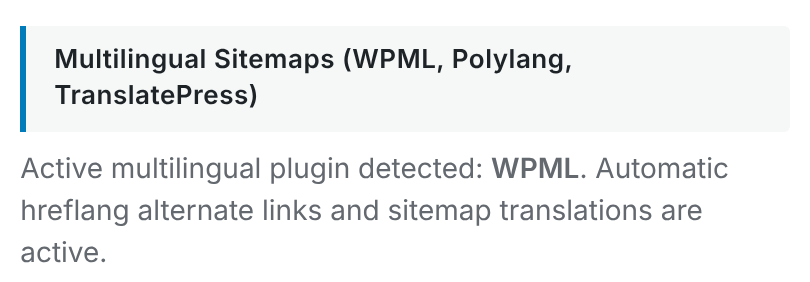
- Scroll down to Multilingual Sitemaps (WPML, Polylang, TranslatePress).
The section should show: “Active multilingual plugin detected: WPML.”
Why each translation needs its own SEO values
A translated WordPress page can target a different audience and keyword in each language, so CrawlWP does not automatically reuse the SEO fields from the original translation.
When WPML creates a new translation, it doesn’t copy CrawlWP fields across.
- Open the post or page in the original language and complete its CrawlWP SEO box.
- Open the translated version in the WordPress editor using the language links in the posts list or the Language box in the editor.
- Complete the translated page’s CrawlWP SEO box separately.
This lets each translation have an SEO title, meta description, and focus keyword written for its own audience instead of forcing every language to use the same values.
CrawlWP SEO fields are outside WPML’s Translation Editor
CrawlWP does not register its SEO fields with WPML. As a result, the WPML Translation Editor does not provide the CrawlWP SEO fields for translation.
When you need to change the SEO settings for a translated post or page, open that translation in the normal WordPress editor and edit its CrawlWP SEO box directly.
This also means that creating the translation in WPML does not automatically transfer the CrawlWP SEO values from the original. Each translated content item should be reviewed separately.
How Title & Meta templates behave across languages
The templates under CrawlWP > Settings > Title & Meta are shared by all languages. WPML’s String Translation cannot translate these CrawlWP templates independently for each language.
When you need one template to work across multiple languages, use variables that take their values from the current translation, such as {{ post.title }}. The variable then uses the translated post title rather than a phrase hard-coded in one language.
If you leave a translation’s SEO fields empty, CrawlWP falls back to the shared templates.
WPML gives each language its own sitemap index
WPML creates a sitemap index for the default language and additional sitemap indexes under each language’s path. For example, an English WordPress site can use the main index while the French version has its own language-specific index.
| Language | Sitemap index |
|---|---|
| Default language | https://your-site.com/wp-sitemap.xml |
| Other languages | For example, https://your-site.com/fr/wp-sitemap.xml |
Each language sitemap lists the posts and terms that belong to that language. CrawlWP Premium then adds xhtml:link references so an entry can point to the corresponding translations in the other languages.
What the multilingual sitemap looks like
A sitemap entry can identify the current URL and its language alternatives:
<url>
  <loc>https://example.com/how-to-grow-tomatoes-in-pots/</loc>
  <xhtml:link rel="alternate" hreflang="en" href="https://example.com/how-to-grow-tomatoes-in-pots/"/>
  <xhtml:link rel="alternate" hreflang="fr" href="https://example.com/fr/cultiver-tomates-en-pot/"/>
</url>
CrawlWP uses the language codes supplied by WPML, such as en and fr. Only translations that WPML reports as existing are included in the alternate links.
This sitemap output is separate from the hreflang tags that WPML places in the page <head>. CrawlWP does not add another set of page-level hreflang tags.
Should you submit every language sitemap to Google?
With WPML’s language-specific sitemap structure, you can submit each language sitemap index to Google Search Console. For example, a site with English and French can submit both /wp-sitemap.xml and /fr/wp-sitemap.xml.
Your robots.txt lists the main sitemap rather than every language-specific sitemap. That does not prevent you from submitting the language-specific indexes manually in Search Console.
See Submitting your sitemap to Google Search Console for the submission process.
CrawlWP’s Google News sitemap also handles translations
When you use the Google News sitemap in CrawlWP Premium, each WPML translation is listed as its own entry with its language. This can include translations that are not published or that are older than the two-day period normally associated with Google News content.
See Setting up the Google News sitemap for more information about the Google News sitemap.
Keep WPML’s page-level hreflang enabled
WPML adds the hreflang tags to each WordPress page’s <head>. CrawlWP does not add a second set, so leave WPML’s hreflang output enabled.
You can think of the setup as two sources carrying the same language relationship: WPML puts the relationship on the page, while CrawlWP Premium adds the relationship to the XML sitemap.
Check the language sitemap when a translation is missing
If a translated WordPress page is missing from the sitemap, start with that language’s sitemap rather than the main sitemap. For a French translation, for example, check /fr/wp-sitemap.xml.
- Make sure WPML has created and linked the translation.
- Confirm that the translated page is published.
- Check that the translation is not set to noindex.
- Check that you are looking at the correct language-specific sitemap.
If the translation appears in the language sitemap but the page itself has unexpected hreflang output, inspect the page source separately. The two outputs are generated by different parts of the multilingual setup.
Troubleshooting WPML and CrawlWP
WPML is active but CrawlWP does not report it. Make sure WPML Multilingual CMS is active. If Polylang is also active, CrawlWP uses Polylang instead. Deactivate the multilingual plugin you are not using.
A translation is missing from the sitemap. Look in that language’s sitemap index, such as /fr/wp-sitemap.xml. Then check that the translation exists, is published, and is not set to noindex.
The sitemap contains a translation that is not published. CrawlWP uses the translation relationships supplied by WPML and can list a translation whether or not it has been published. Publish the translation when it is ready.
A new translation has empty CrawlWP SEO fields. This is expected because CrawlWP’s fields are not copied automatically by WPML. Open the translated post or page in the WordPress editor and enter its SEO values there.
The WPML Translation Editor does not show CrawlWP SEO fields. CrawlWP does not register those fields with WPML. Use the translated content’s CrawlWP SEO box in the WordPress editor instead.
The page has hreflang tags but the sitemap looks different. Inspect both separately. WPML controls the page-level tags, while CrawlWP Premium adds the sitemap references. Check the translation URLs and language codes in both places.
A practical WPML SEO workflow
- Create the original post or page and set its SEO information in the CrawlWP SEO box.
- Create the translated version through WPML.
- Open the translated WordPress post or page and set its own CrawlWP SEO values.
- Check the appropriate language sitemap when you need to verify sitemap inclusion.
- Inspect the page source when you need to troubleshoot WPML’s page-level hreflang output.
This workflow keeps the SEO settings specific to each language while WPML maintains the translation relationships. CrawlWP Premium then uses those relationships to extend the multilingual information into the XML sitemaps.
The important WPML details to remember
- Each WPML translation has its own CrawlWP SEO fields.
- CrawlWP SEO fields are edited outside WPML’s Translation Editor.
- Title & Meta templates are shared across languages, so translation-aware variables are useful.
- Each WPML language has its own sitemap index, and CrawlWP Premium adds hreflang references to its entries.
- WPML handles page-level hreflang, while CrawlWP handles the multilingual sitemap references.
Once those boundaries are clear, multilingual SEO for WordPress with WPML is easier to manage: WPML handles the translations and relationships, CrawlWP manages SEO information for each translation, and CrawlWP Premium carries those relationships into the sitemaps.